Proposed changes
Each proposed change is a draft: a set of scenario changes plus a conversation with Mini about them. Your suite keeps running the current scenarios until the draft is merged.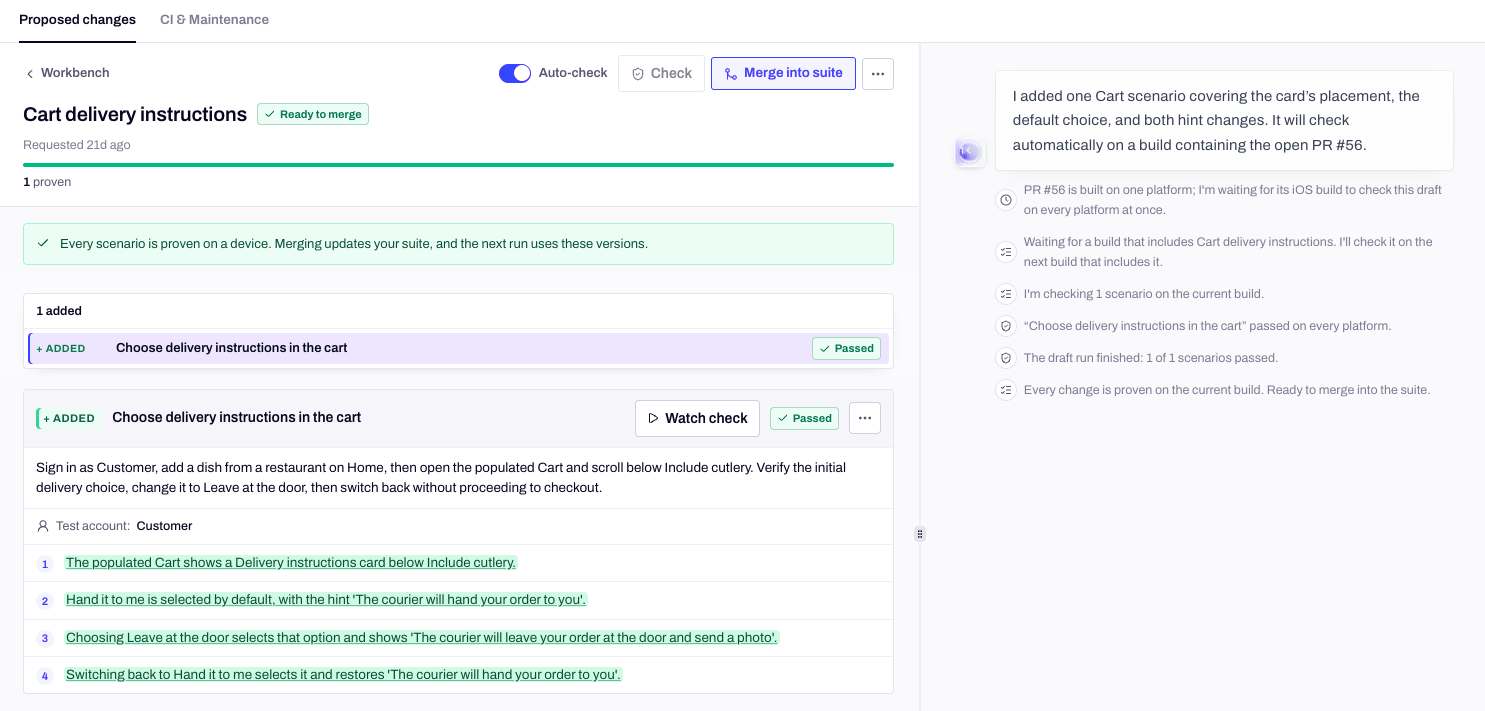
A draft: the changed scenarios on the left, Mini's conversation on the right.
Who opens a draft
A teammate can open any draft and pick up the conversation where you left it. Coding agents open and follow drafts with
minitest draft (see From the CLI).
The Open list
The Open tab sorts drafts by what they wait on:
The count on Workbench in the sidebar only counts drafts that need you or are ready to merge. History lists the drafts that were merged or discarded.
From change to merge
1
Mini writes the change
Mini adds, edits or removes scenarios in the draft, marked + ADDED, ~ EDITED and − REMOVED. When the flow is new to it, Mini first explores that part of the app on a device. A draft that imports test cases also gets a Source cases tab: see Import your existing tests.
2
Mini checks it on a device
Click Check, or turn on Auto-check to check changed scenarios as soon as Mini stops writing. Mini runs each changed scenario on every platform your app ships, against your latest build, the way a run would. When a scenario fails because it asks for the wrong thing, Mini fixes it and checks again. When the app looks at fault, Mini says so in the chat.
3
You merge
Every scenario has to be proven before the draft can merge. Then click Merge into suite: your next run uses the new versions.
When something needs you
- A check failed and Mini is wrong. Click Not a bug on the scenario and say what Mini got wrong. Mini fixes the scenario instead and runs it again, and it doesn’t use up a fix attempt.
- Mini asks a question. Answer it in the chat. Your suite keeps running the current scenarios meanwhile.
- You step into a maintenance draft. Once you write in a draft Mini’s maintenance opened, Mini stops checking and merging it on its own. Turn Auto-check back on, or click Check when you’re done.
- One scenario doesn’t belong. Open its menu for Check this scenario, Ask Mini about this scenario or Remove from draft….
CI & Maintenance
The second tab sets how Mini maintains your suite and, once the app is linked to GitHub, how it handles your pull requests and releases. Without GitHub, the tab is called Maintenance and only shows Autonomy.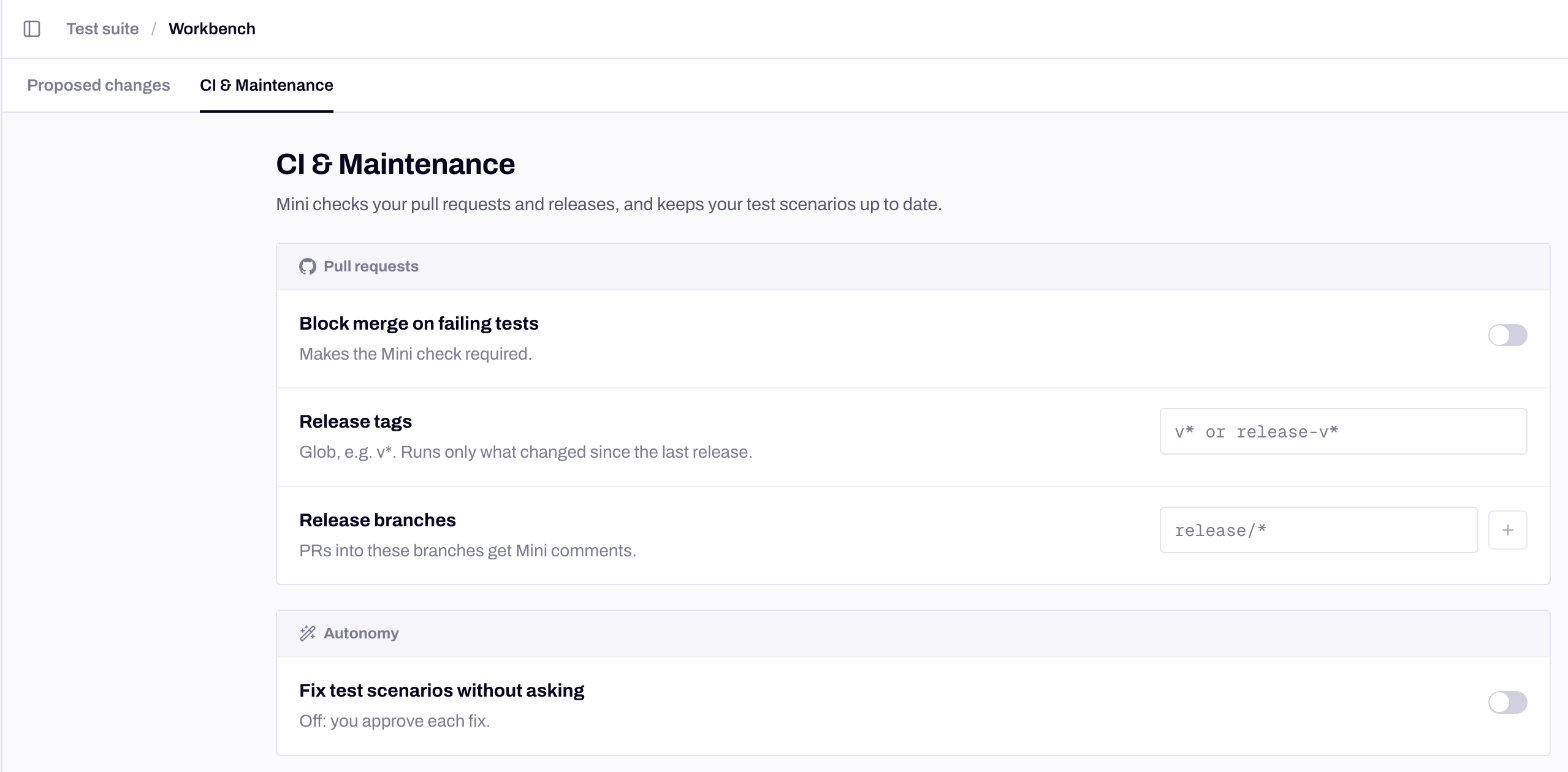
Workbench → CI & Maintenance.
How the pull request comment, the check and release runs work is covered in Pull request checks.
From the CLI
Your coding agent can open a draft, talk to Mini, and merge the proven change with the same rules:draft link-pr <draft-id> <pr-number> proves a draft on an open pull request’s head commit, before the pull request merges. See Coding agents to set up the CLI.
Next steps
Mini maintains your suite
What Mini’s maintenance drafts cover, and when it opens them.
Pull request checks
The comment, the check and the merge gate on GitHub.
Ask Mini
Ask for a change in plain language.
Import your existing tests
Turn your test plan into scenarios, case IDs included.