
The two are independent. Use one, or both on the same repository: a check that blocks merges into
main, and a workflow that blocks the deploy on each release tag.
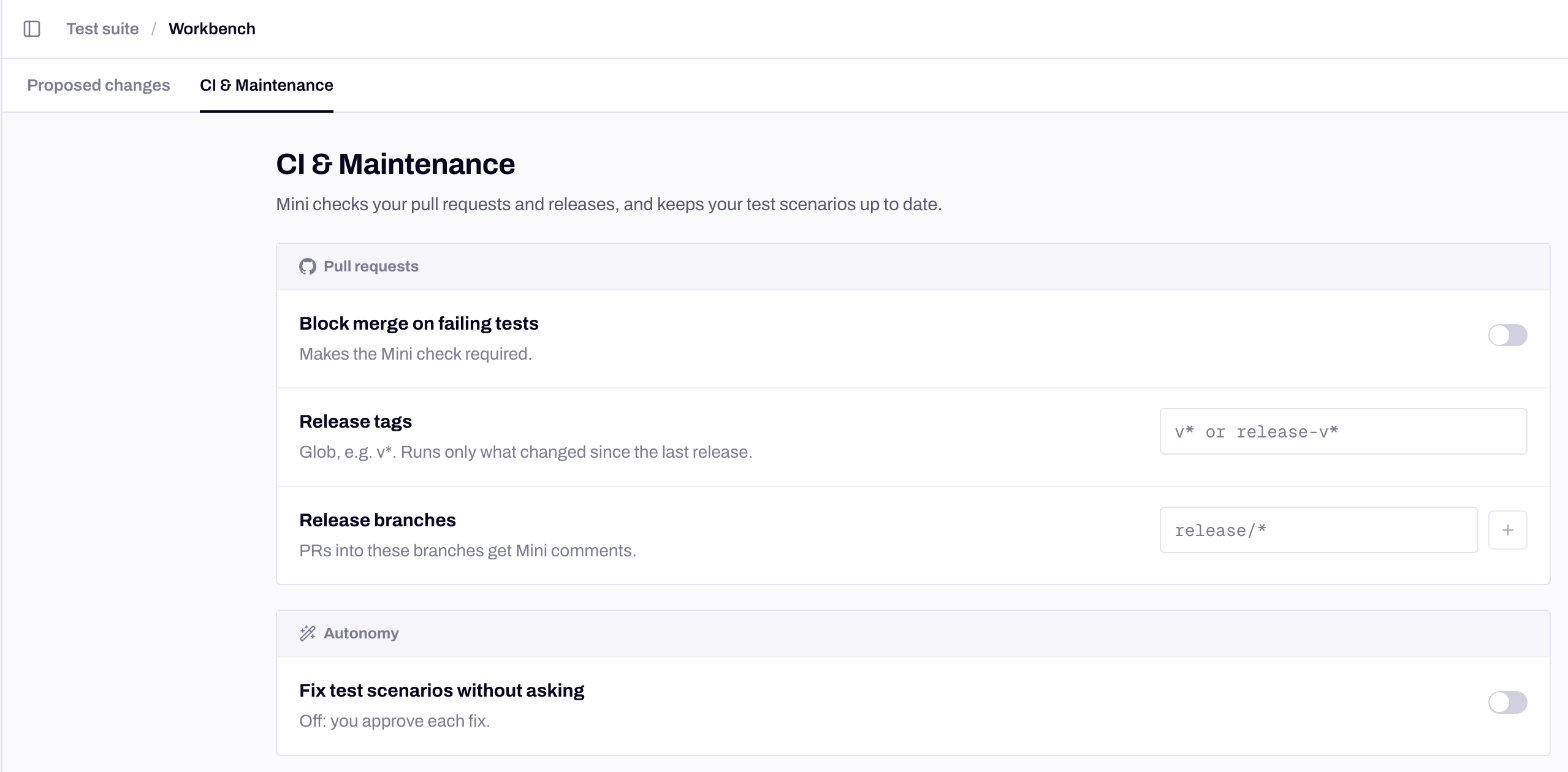
Workbench → CI & Maintenance holds both gates.
The settings
All three live in the app’s Workbench → CI & Maintenance, in the Pull requests group. The group shows once the app is linked to its GitHub repository.
The toggle saves as soon as you flip it. Release tags and Release branches save together with Save.
Gate a merge
- Turn on Block merge on failing tests.
- In GitHub, add Mini’s check to the branch’s required status checks. The check is named after the app and still carries the product’s former name:
Minitest (Shop). A run started from Run affected in Mini’s pull request comment postsMinitest (Shop) (affected), so add that name too if your team runs affected scenarios from the comment.
Only a failure conclusion stops a merge, and only when the check is required.
Gate a release
Run the GitHub Action in the workflow that ships, and make the shipping job depend on it:fail-on-failure off at first. The Action reference has every input and output; Run in CI has the same gate for GitLab, CircleCI and other pipelines.
Choose what runs at each gate
A gate is only as useful as the scenarios behind it. Pick the scope that matches the moment:
For a release tag, the previous release is the nearest earlier tag matching the pattern in the commit history, whatever its name sorts as. On the first matching tag there is nothing to compare with, so Mini analyses the whole codebase. If the analysis finds no affected scenario, the gate passes with
nothing_affected; if the analysis itself fails, the result is error. All options are in Choosing what to run.
What closes the gate
Both gates read the same outcomes, per scenario and per platform:
A run where no scenario passed and none failed, for example one with only Warnings, gives the Action
error and the check a neutral conclusion. The verdicts themselves are explained in Verdicts and severity.
While an escalated scenario waits, the check stays in progress with “Awaiting N escalated scenarios”, and the Action keeps waiting until wait-timeout-minutes. The gate settles once every escalated scenario is resolved.
Let a change through
Next steps
Pull request checks
The comment, the check and the commands on each pull request.
GitHub Action reference
Every input and output of the Action.
Run in CI
The same gate on GitLab, CircleCI, Bitbucket, Azure and Jenkins.
Verdicts and severity
What each verdict means and how to change Mini’s call.