

You're shipping faster than your test suite can keep up with. Manual smoke runs take four hours per release. Your automated checks cover the stable paths but break every time someone refactors a component, and nobody on your team has bandwidth to rewrite selectors mid-sprint. Application testing is the process of running structured checks across functionality, performance, security, and compatibility before code reaches production.
The types of software testing with examples break into functional testing like unit tests that validate a single function, integration tests that confirm components work when combined, system tests that check the full application against requirements, and user acceptance testing that validates the product meets user expectations before release. Non-functional testing covers performance testing under real traffic conditions, security testing for vulnerabilities and data exposure risks, usability testing with real users, and compatibility testing across devices, OS versions, and browsers. Manual testing makes sense for exploratory work, usability checks, and one-off investigations where automation costs more than it saves, while automated testing pays off for regression coverage across stable flows where running the same verification by hand every cycle is slow and error-prone.
The types of software testing techniques you choose depend on who owns the maintenance when the UI changes, whether your team has capacity to fix automated tests mid-sprint, and how fast you ship. Application testing tools split into script-based automation frameworks like Appium, XCUITest, Espresso, and Selenium where your team writes and maintains tests, versus managed testing services where the vendor handles upkeep and you get results without owning the pipeline. Mobile application testing introduces device fragmentation and runtime conditions your web application testing never anticipated, and the objectives of testing stay the same: find defects before users do, catch regressions without burning engineer time, and ship faster without accumulating coverage debt.
Application testing jobs and web application testing jobs exist because maintaining test suites is a full-time problem, and the question most teams face is whether to staff it internally or hand it to a vendor. What follows is how to think through that trade-off, from levels of software testing and types of manual testing through to application testing tools free versus paid comparisons, web application testing checklist construction, automation testing tools list evaluations, and the decision between owning your testing pipeline or outsourcing the maintenance entirely.
TLDR:
- Application testing finds defects before users do: fixing a bug in staging costs nothing, while the same bug in production can cost you revenue and drop your App Store rating.
- Manual testing works best for exploratory work and new features; automation pays off for stable regression flows. The real tradeoff is who owns the maintenance.
- Functional testing covers user flows like login and checkout; non-functional testing covers performance, security, and compatibility across devices and browsers.
- Test maintenance scales with UI complexity: every selector breaks when your interface changes, and coverage debt accumulates when teams defer test authorship under sprint pressure.
- Minitap runs continuous AI-driven testing across your live app without requiring your team to write or maintain tests, catching failures before customers hit them.
What Is Application Testing?
Application testing is the process of verifying software to confirm it behaves as expected, catches defects before users encounter them, and holds up under real conditions. For engineering teams shipping web and mobile apps, that means running structured checks across functionality, performance, security, and compatibility before code reaches production.
The core idea is straightforward: find failures in a controlled environment where fixing them is cheap, not in production where the cost is measured in uninstalls, 1-star reviews, and lost revenue.
Manual Testing vs. Automated Testing
Manual testing means a human tester runs through an application flow by hand, checking behavior against expected outcomes without any automation involved. Automated testing means code executes those checks programmatically, typically on a schedule or triggered by a CI pipeline.
Neither approach is universally better. The choice depends on what you're testing, how stable the feature is, and who on your team owns the test maintenance.
When manual testing makes sense
Some testing work resists automation well. Exploratory testing, where a tester actively investigates unexpected behavior, surfaces bugs that scripted tests miss because no one thought to write the scenario. Usability checks, first-pass validation on new features, and one-off investigations into production anomalies are all faster to run manually than to automate.
When automation pays off
Regression testing across stable flows is where automation earns its keep. Running the same 200-step checkout verification by hand every release cycle is slow and error-prone. Automating it means your team catches regressions without burning senior engineer time on repetitive checks.
The real tradeoff
The decision is about who owns the maintenance. Automated tests break when the UI changes, and someone has to fix them. Manual tests don't break, but they don't scale either. In practice, teams that rely on script-based frameworks automate stable regression flows and let new features go uncovered until those flows settle, accumulating coverage debt with every sprint. Autonomous QA agents like Minitap remove that tradeoff entirely, running continuous coverage across both stable and new flows without requiring test authorship or maintenance from your team.
| Manual Testing | Automated Testing | |
|---|---|---|
| Best for | Exploratory testing, usability checks, first-pass validation on new features, one-off investigations | Regression testing across stable flows, repetitive verification runs, coverage at scale |
| Maintenance ownership | No test maintenance required; tests don't break when UI changes | Team owns ongoing maintenance; tests break when selectors shift, someone has to fix them |
| Scalability | Does not scale; every run requires human time | Scales across releases; same 200-step verification runs automatically every deploy |
| Speed per run | Slow and error-prone when covering repetitive flows | Fast and consistent once authored |
| Coverage pattern | Covers what the tester thinks to check; edges and new flows go uncovered without deliberate effort | Covers the stable core; autonomous agents extend coverage to new and edge flows without additional authorship |
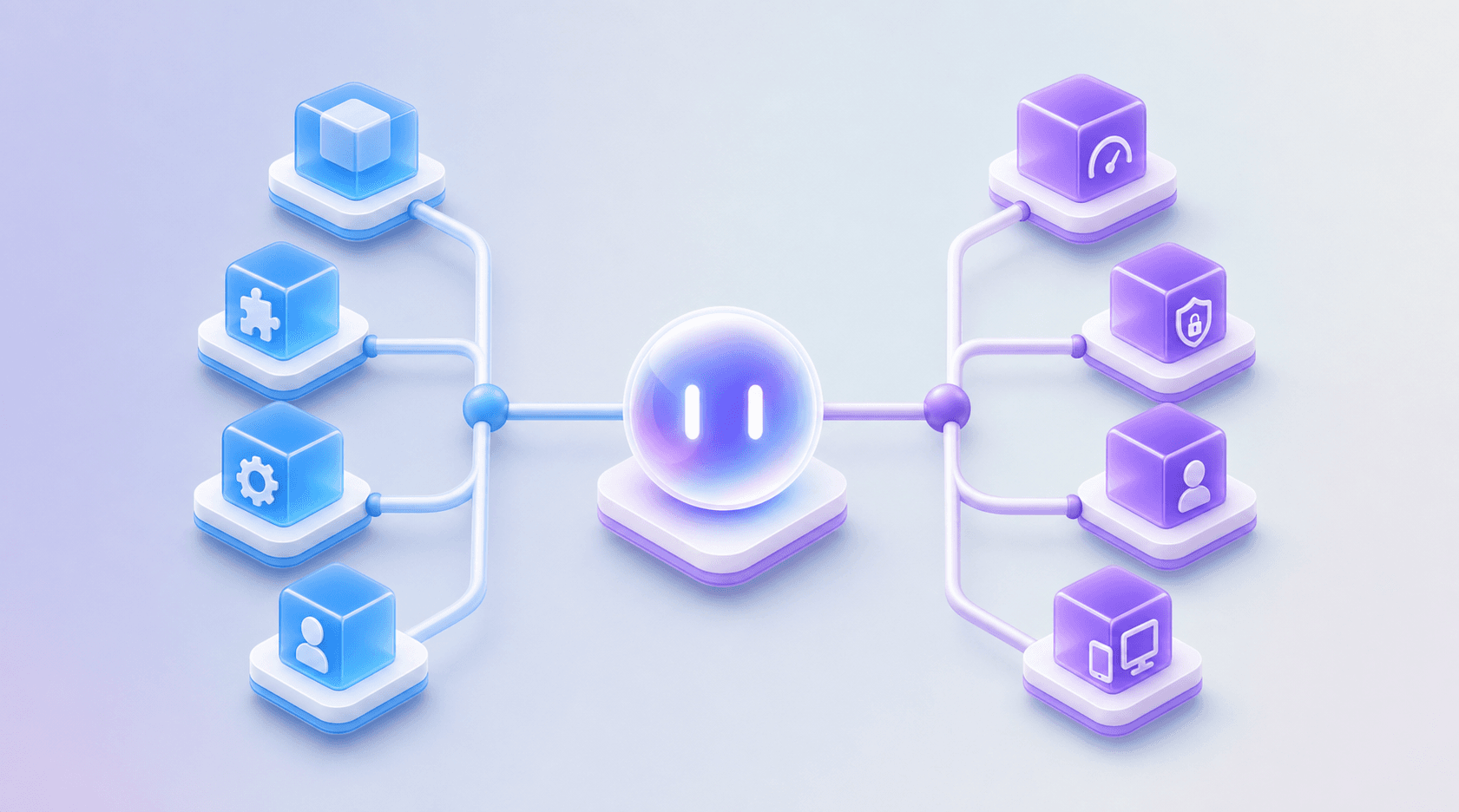
Types of Application Testing
Two categories cover most of what engineering teams test. Atlassian's software testing types overview maps these categories across common delivery pipelines.
Functional testing
Functional testing verifies that features behave according to requirements:
- Unit tests: validate a single function or component in isolation
- Integration tests: confirm components work correctly when combined
- System tests: check the full application against specified requirements
- User acceptance testing: validates the product meets user expectations before release
Non-functional testing
Non-functional testing covers quality attributes that functional testing won't catch:
- Performance testing: load and response behavior under traffic conditions
- Security testing: vulnerability checks, authentication gaps, and data exposure risks
- Usability testing: how users interact with and move through the interface
- Compatibility testing: behavior across browsers and screen sizes
The Application Testing Process
Planning runs, builds, executes, analyzes. That four-step loop is how most teams think about testing, and it holds whether you're running manual checks before a release or running automated suites in CI.
The planning step is where scope gets set. You decide what gets tested, at what depth, and against what acceptance criteria. Skip this and coverage becomes reactive instead of deliberate.
Build is where test cases, scripts, or exploratory charters get written. For automated suites, this is also where selector choices and environment configuration happen.
Execution is the run itself. Manual testers follow cases or investigate freely. Automated suites fire against a build, a staging environment, or production.
Analysis is where most teams lose time. Raw pass/fail results need triage. A failure that looks like a bug might be a flaky test, a bad environment, or an actual regression. The difference matters because the wrong call sends engineers chasing ghosts.
Mobile Application Testing
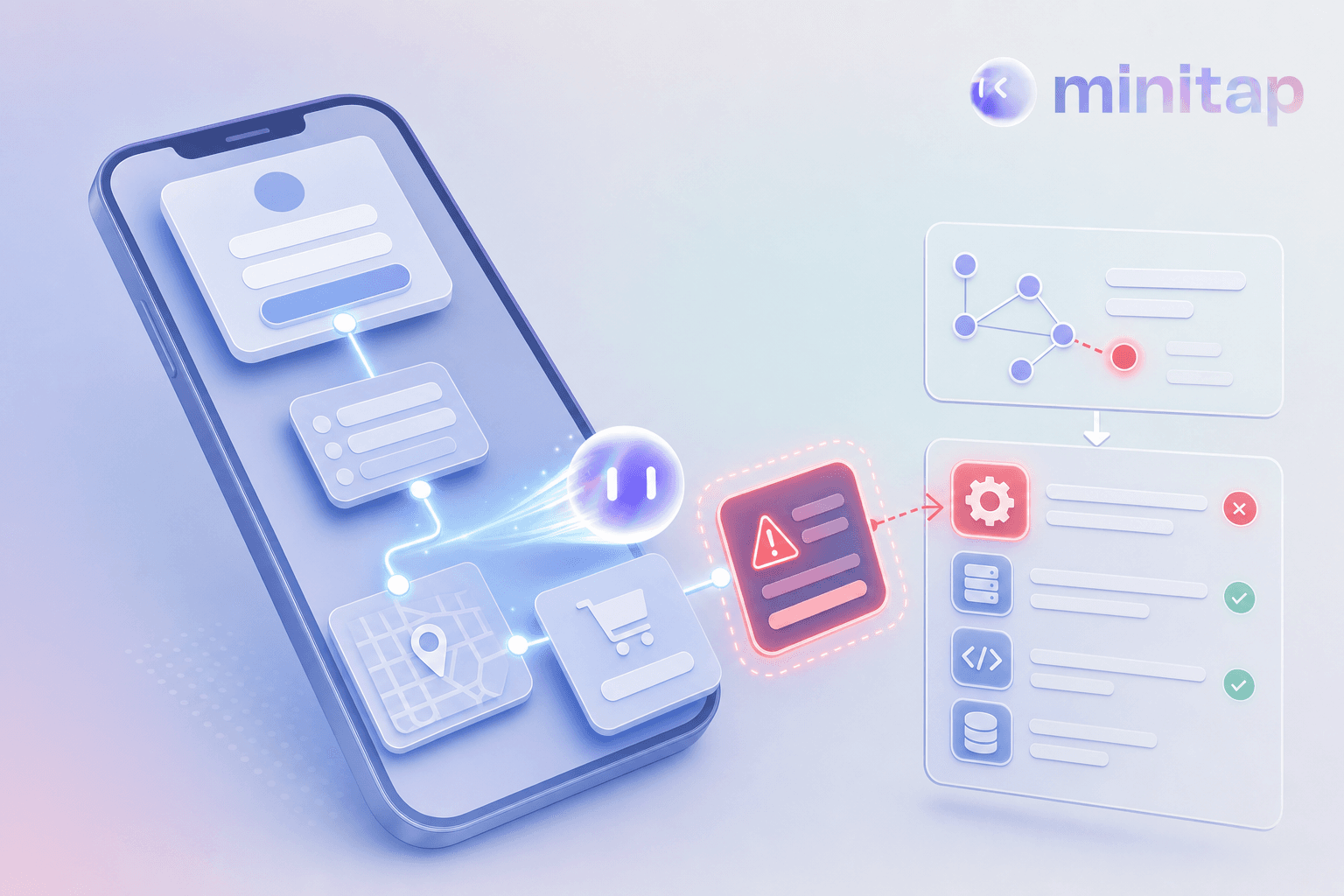
Testing a mobile app is a different problem than testing a web app. Mobile app testing basics start with understanding these differences. The browser gives you one controlled runtime; mobile gives you two ecosystems and users who background your app, lose connectivity mid-session, and resume from states your test suite never anticipated.
The core categories worth knowing:
- Functional testing confirms the app does what it says it does, from login through checkout, across the flows users actually run.
- Performance testing surfaces how the app behaves under conditions like startup time, memory pressure, battery draw, and behavior when connectivity drops or degrades.
- Compatibility testing checks whether the experience holds across screen sizes, since a layout that displays correctly in one configuration can break in another.
- Security testing looks at how the app handles credentials, session tokens, and data in transit, particularly in environments where standard protections don't apply.
- Usability testing checks whether users can complete tasks without confusion, including flows where layout or interaction patterns create friction that only surfaces during real use.
The hardest part is coverage. A test that passes in a clean environment may fail when the app has been running for several hours with low memory and other processes in the background. Reproducing those conditions reliably separates QA programs that catch real-world failures from those that only catch clean-path regressions.
Web Application Testing
Web application testing covers every validation activity that confirms a web app works correctly across browsers, devices, and network conditions before users encounter it in production.
The scope is wider than most teams initially plan for. A feature that passes in Chrome on a MacBook can fail in Safari on iOS, or break entirely when a user's connection drops mid-request. Web apps run in environments your team does not control, which means the test surface grows every time a new browser version ships or a CDN configuration changes.
What Web Application Testing Covers
Most web testing programs span several distinct layers:
- Functional testing confirms that user-facing flows behave as specified. Login, checkout, form submission, navigation state, and error handling all fall here. A bug in any of these paths reaches users directly.
- Cross-browser testing checks that display, layout, and interaction behavior hold across the browsers and screen sizes your users run. What looks correct in one environment can be broken in another without any code change on your end.
- Performance testing measures how the app behaves under load. A page that loads in 1.2 seconds on a clean connection may take 6 seconds for a user on a throttled mobile network, and that gap shows up in bounce rates before it shows up in your monitoring.
- Security testing checks for input vulnerabilities, authentication gaps, and data exposure risks that only surface when you probe the app with intent instead of normal use.
- Accessibility testing confirms the app works for users relying on assistive tech, which is both a quality signal and a compliance requirement in many jurisdictions.
Common Application Testing Challenges
Three problems surface repeatedly across mobile and web engineering teams, regardless of stack or team size.
A test that passes in a clean environment may fail when the app has been running for several hours with low memory and background processes active. Browser display differences add variability on the web side.
Maintenance load compounds as the product grows. Every UI change breaks selectors. Every new flow needs coverage. Teams that defer test authorship under sprint pressure accumulate coverage debt: the suite ages while the app grows, and regression runs cover progressively less of the actual product.
Release velocity widens the gap. Shorter cycles mean less time for manual verification, but automation suites that were scoped for monthly releases do not hold up against weekly or daily deploys. The window between "tests pass" and "something breaks in production" shrinks, and the cost of a missed defect scales with how fast you ship.
Application Testing Tools and Frameworks
The right tool depends on who owns the maintenance, not which features look best in a comparison table.
Script-Based Automation Frameworks
Script-based frameworks execute test flows programmatically. Your team writes the tests, which means your team also fixes them when the UI changes. Appium, XCUITest, Espresso, and Selenium all fit this pattern. Choosing the right mobile application testing frameworks depends on your team's capacity. Good for teams with dedicated QA engineers who can absorb that upkeep. The limitation: maintenance scales with UI complexity, and coverage debt accumulates fast under sprint pressure.
Managed Testing Services
Managed services shift maintenance ownership to the vendor. Choosing mobile application testing services requires understanding this trade-off. Your team gets results without owning the pipeline. The reporting layer matters here: the best managed services surface the affected path, failure evidence, and reproduction context so your engineers can act without needing to understand how the tests are built. A good fit for any team that wants regression coverage running continuously without adding QA headcount.
Choosing Based on Your Constraints
The decision comes down to three questions:
- Who owns test maintenance when the UI changes?
- Does your team have the engineering capacity to fix broken selectors mid-sprint?
- Do you need coverage to start immediately, or can you invest time upfront in test authorship?
Script-based frameworks require teams that can absorb ongoing maintenance: every UI change means broken selectors, and that cost compounds as the product grows. Before committing, learn how to select automation QA services that match your constraints. Autonomous mobile QA removes that cost entirely: coverage runs continuously, the agent adapts when the UI changes, and your team gets results without touching the test suite.
Best Practices for Application Testing
Shift left whenever you can. Finding a bug during development fixing bugs earlier costs less, and that gap widens as the app grows.
Write tests that reflect real user behavior, beyond code paths. A test that covers the happy path for checkout matters more than one that covers an edge case in a utility function nobody calls directly.
Keep your test suite fast enough to run on every pull request. If the suite takes 45 minutes, engineers skip it. If it runs in under 10, it becomes part of the workflow.
Fix flaky tests immediately. A test that fails randomly is worse than no test at all because it trains your team to ignore failures.
Own your coverage gaps explicitly. Know which flows have no automated coverage, and route them to continuous autonomous testing instead of letting them accumulate as a manual backlog.
How Minitap Delivers Fully Autonomous Mobile QA
Minitap runs continuous AI-driven testing across your live app without requiring your team to write or maintain a single test. This mobile QA agent owns the full QA loop: execution, maintenance, and root cause analysis. When your UI changes, the agent adapts. No selector updates, no broken scripts, no triage queue handed back to your engineers.
Minitap moves through your app the way a user would, testing real user flows across the entire application. A checkout path that breaks two hours after deploy gets caught before the first customer hits it, not at the next CI run.
Your team sees the failure, the affected path, and the reproduction context without writing or maintaining a single test. Everything upstream of that (test authoring, selector maintenance, failure triage) stays with Minitap.
Final Thoughts on Testing Before Production Forces It
Every bug that reaches production costs more than the same bug caught in staging. The gap between a missed defect and a user complaint narrows with every release, and the teams that close it earliest ship with the most confidence.
If your team is spending cycles on test maintenance instead of shipping, Minitap runs continuous AI-driven testing across your live app so you get regression coverage without owning the pipeline.
FAQ
What is manual testing in software testing?
Manual testing means a human tester runs through an application flow by hand, checking behavior against expected outcomes without any automation involved. It's most effective for exploratory testing, usability checks, first-pass validation on new features, and one-off investigations into production anomalies: contexts where the cost of automating outweighs the value.
Best application testing tools for web applications without coding?
Managed testing services shift test authorship and maintenance entirely to the vendor, letting your team get continuous regression coverage without writing or fixing test scripts. Script-based frameworks like Selenium or Playwright require your team to own ongoing selector updates and maintenance when the UI changes. Good for teams with dedicated QA headcount, but the upkeep scales with UI complexity.
Can I automate mobile application testing without maintaining test scripts?
Yes. Autonomous mobile QA agents run continuous AI-driven testing without requiring your team to write or maintain a single test. When your UI changes, the agent adapts automatically without selector updates or script rewrites. Your team gets back the time spent on test writing and maintenance, and receives video proof, logs, and fix prompts for every failure without touching the test suite.
How do I decide between manual and automated testing?
The decision comes down to who owns test maintenance when the UI changes. Automated tests break when selectors shift, and someone has to fix them. Good for stable flows where regression coverage pays off, but the maintenance cost compounds as your product grows. Manual tests don't break, but they don't scale either. In practice, teams automate regression coverage for stable flows like login, checkout, and navigation, while keeping manual work for new features and edge cases that haven't settled into a predictable pattern yet.
What are the main types of application testing?
Functional testing verifies features behave according to requirements (unit tests, integration tests, system tests, user acceptance testing). Non-functional testing covers quality attributes behavior checks alone won't catch: performance testing for load and response behavior, security testing for vulnerabilities and data exposure risks, usability testing for real user interaction, and compatibility testing across devices, OS versions, and browsers.