

Most engineering leaders know what testing is in theory. The challenge is knowing which types matter for mobile apps, where users uninstall after one bad experience.
Software testing is the process of verifying your app works as expected and catching the ways it doesn't. That means finding defects before users do, confirming requirements are met, and stopping regressions from shipping a second time.
This guide covers the levels of testing, functional and non-functional types, mobile-specific failure modes like gesture inputs and background state transitions, and how to match your test investment to app maturity and risk. Each section maps to real mobile failure modes so you know where coverage actually matters.
TLDR:
- Apps lose 77% of daily active users within three days of install, and poor performance is a leading driver of those exits.
- Testing operates across four levels: unit, integration, system, and acceptance tests catch different failures.
- Mobile testing breaks on gesture variability, state transitions, and device matrix fragmentation.
- Automate tests you'll run repeatedly; keep manual testing for UX judgment and exploratory work.
- Minitap's AI agent walks through apps breadth-first, finding runtime crashes and UI regressions without test scripts.
What Is Software Testing
Software testing is the process of checking that software does what it's supposed to do, and catching the ways it doesn't. For mobile apps, that means verifying behavior across devices, OS versions, network conditions, and real user flows before those failures reach production.
In practice, testing covers three distinct categories of problems:
- Functional correctness: does the feature do what the spec says? A payment flow that silently drops a transaction, a login screen that accepts an invalid token, or a push notification that triggers the wrong deep link are all functional failures — the app ran without crashing, but it did the wrong thing.
- Behavioral stability: does the app hold up across the conditions users actually encounter? That includes network drops mid-session, OS interruptions from incoming calls, background-to-foreground transitions after memory pressure, and device configurations your team never tested against.
- Regression prevention: does the app still do what it did before? Code changes in one area regularly break behavior in another. A refactor of the auth layer can silently break session persistence. A dependency update can change how the app displays on older OS versions. Testing catches that before users do.
The definition sounds simple. The execution isn't. A bug that slips through can mean 1-star reviews, uninstalls, and a drop in App Store rankings within days.
Why Mobile App Testing Matters for Your Business
Mobile apps fail in compounding ways. A crash on checkout costs more than one transaction: it erodes trust, triggers uninstalls, and drops your App Store ranking before your team has even opened a ticket.
The numbers reflect this. Apps lose 77% of users within the first three days after install, and poor performance is a leading driver. A single poor experience is enough for most users to abandon an app permanently.
For engineering leaders managing one or more production apps, testing is where you control that outcome.
Core Objectives of Software Testing
Testing without clear objectives is just running code and hoping for the best. The goals that guide a testing effort shape everything: what gets tested, how deeply, and when you stop.
Four objectives show up across every serious testing program, and each one maps directly to a failure mode that costs users or revenue:
- Finding defects before users do — a checkout crash caught in a test environment costs nothing; the same crash reaching production can wipe out a day of revenue, trigger a wave of 1-star reviews, and drop your App Store ranking within 48 hours.
- Verifying the software meets its specified requirements — for example, confirming that a payment flow rejects invalid card numbers exactly as the product spec defines, not approximately as the implementation interpreted it.
- Building confidence in the release by giving engineering leaders a concrete go/no-go signal: zero P1 crashes across the last full test run, all critical paths green, known edge cases covered or explicitly deferred.
- Preventing defect recurrence by capturing each failure as a regression test the moment it's fixed — so a crash that shipped once never ships a second time because no one remembered to check that flow again.
Levels of Testing: From Unit to Acceptance
There are four levels in the standard testing model, and each one catches failures the others can't.

| Level | What It Tests | Who Runs It | When It Runs |
|---|---|---|---|
| Unit | Individual functions or components in isolation | Developers | On every commit, during development |
| Integration | Interactions between components and services | Developers / QA | After unit tests pass |
| System | Full app end-to-end on a complete build | QA / automated suite | Pre-release |
| Acceptance | Whether the build satisfies business requirements | Product / stakeholders | Before release sign-off |
How the levels work together
Each level builds on the one before it. Unit tests run fast and fail loud, which makes them the first line of signal. Integration tests catch the gaps between components that each pass in isolation but break when connected. System tests run the full app across a breadth of cloud device and OS configurations. Acceptance tests answer the final question: does this build do what the business actually needs it to do?
Types of Functional Testing for Mobile Apps
Functional testing checks whether your app does what users expect it to do. For mobile, that means testing across gestures, network conditions, device states, and OS versions, well beyond button taps in a clean emulator.
There are several distinct types worth knowing:
- Smoke testing runs a minimal pass through core flows after each build to confirm nothing catastrophically broke. It takes minutes and catches the obvious failures before deeper testing begins.
- Sanity testing is narrower, focused on verifying a specific fix or change worked without regressions in adjacent areas.
- Regression testing re-runs existing test coverage after any code change to confirm stable behavior held. This is where automation pays the most in mobile.
- Integration testing checks that your app communicates with APIs and services under real conditions.
- User acceptance testing (UAT) puts release candidates in front of real users or internal stakeholders to validate against actual usage patterns before shipping.
How These Map to Mobile
The definitions above are standard, but mobile adds friction at each layer. Regression suites break when UI selectors shift across OS updates. Integration tests fail silently when network conditions change. UAT surfaces issues that scripted tests miss entirely because real users find interaction paths no engineer anticipated.
Knowing which type of functional test to run at which stage of your release cycle is where engineering leaders gain control. Smoke tests belong in CI. Regression suites run before release candidates. UAT gates the final go/no-go.
Types of Non-Functional Testing
Non-functional testing covers qualities users feel but rarely describe by name: speed, reliability, and security. These tests sit alongside functional checks and answer a different question. Not "does it work?" but "how well does it hold up?"
Key Types
- Performance testing measures load times, memory consumption, and battery drain under realistic usage conditions, catching regressions before users report them in reviews.
- Security testing probes authentication flows, data storage, and API calls for exploitable gaps that functional tests won't surface.
- Usability testing checks whether real users can complete core tasks without confusion, friction, or unplanned exits.
- Compatibility testing verifies behavior across OS versions, screen sizes, and device manufacturers where display output and API behavior diverge.
Manual vs Automated Testing: When to Use Each
Exploratory testing surfaces the subtle UX friction scripted suites skip past: the layout that technically displays correctly but feels wrong, the gesture interaction that works mechanically but confuses real users. For first-pass exploration and usability checks, hands-on testing still has a place, but catching that UX class no longer depends on running every flow by hand.
Automated testing covers what humans cannot do at scale: regression suites across dozens of device configurations, repeated execution without fatigue, and consistent coverage across every build.
The practical split most teams land on runs something like this:
- Manual testing works best for new feature exploration, edge case discovery, and accessibility reviews where human perception is the evaluation criterion.
- Automated testing handles regression coverage, smoke tests on every PR, and performance benchmarks where repeatability and speed matter more than interpretation.
- The failure mode teams hit most often is automating too early, before UI flows stabilize, which means rewriting tests as fast as the product changes.
The clearest signal for when to automate a test is whether you would run it more than a few times. If a flow gets touched on every release, it belongs in the automated suite. If it requires reading the room, keep a human on it.
The Software Testing Life Cycle: Six Phases
The STLC gives testing a repeatable structure that fits inside sprint cycles, instead of only at the end of a waterfall phase. Each stage has a clear deliverable and exit criteria so the team knows when to move forward.
| Phase | Key Deliverable | Exit Criteria |
|---|---|---|
| Requirement Analysis | Testability review, risk log | Requirements signed off, gaps documented |
| Test Planning | Test plan, resource allocation | Scope, timeline, and tooling agreed |
| Test Case Development | Test cases, test data | Cases reviewed and approved |
| Test Environment Setup | Configured devices, CI integration | Environment validated and ready |
| Test Execution | Bug reports, test results | All planned tests run, defects logged |
| Test Closure | Closure report, lessons learned | Critical defects resolved or deferred |
For mobile teams running agile sprints, requirement analysis and test planning typically happen during sprint planning. Test case development runs alongside feature work. Execution begins as soon as a build is available, not after development closes. Closure feeds directly into the next sprint's risk log, so the process compounds instead of resetting each cycle.
Mobile-Specific Testing Challenges and Solutions
The device matrix alone is staggering: OpenSignal has tracked over 24,000 distinct Android device models across active users, each with its own display quirks, memory constraints, and manufacturer customizations. iOS adds its own layer with strict sandboxing rules and hardware-specific behaviors tied to specific chip generations.
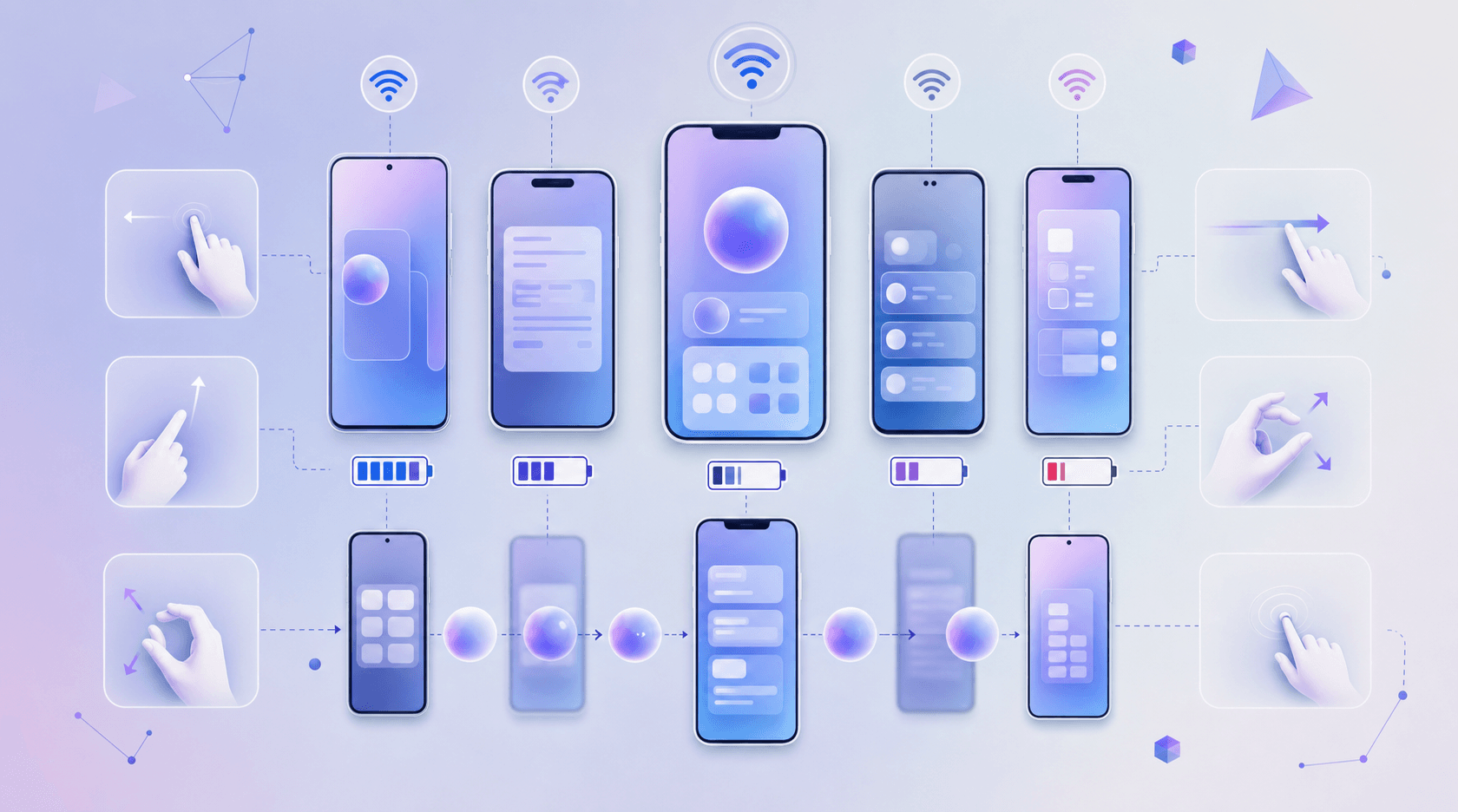
Network variability compounds this. An app that passes every test on a stable Wi-Fi connection can fail badly under 3G throttling or mid-session network drops.
Where Teams Get Stuck
Most mobile QA gaps trace back to a few recurring conditions:
- Gesture-based interactions like swipes, pinches, and long-presses behave differently across screen sizes and input sensitivity settings, making scripted UI tests brittle without careful parameterization.
- Background and foreground state transitions expose timing bugs that only surface when the OS reclaims memory or interrupts the app with a notification mid-flow.
- Background and foreground transitions, low-memory conditions, and long-running sessions change app behavior in ways a single happy-path pass never exercises, which is why coverage has to walk the real flows users take.
- Push notification handling varies by OS version and user permission state, creating conditional flows most test suites never cover.
The practical answer for engineering leaders is layered coverage: run the real user journeys across many cloud device and OS configurations, and let session replay surface the conditions a narrow happy-path pass never reaches.
What a Durable Strategy Looks Like
The teams that maintain velocity tend to separate test ownership from feature work. Tests tied to a specific sprint get orphaned. Tests owned by a function, not a feature, get maintained.
Tooling choices follow from that ownership question. Script-based frameworks put authorship on your team; your team writes the tests and your team fixes them when the UI moves. Managed AI QA moves that maintenance off your plate while keeping coverage transparent: every run ships a session trace, screenshots, and a written explanation of each finding, so you see exactly what was exercised without owning the upkeep.
Neither is wrong. The right answer depends on whether you have the QA capacity to own the maintenance load long-term.
Risk-Based Testing: Aligning Coverage with App Maturity
Coverage decisions shouldn't be uniform across every feature. A payments flow carries different stakes than an onboarding tooltip, and your test investment should reflect that.
Start by mapping each feature to two variables: failure probability and failure impact. High probability plus high impact means full coverage, including edge cases. Low impact failures warrant lighter testing, perhaps smoke tests only.
Maturity Tiers Worth Tracking
As your app ages, risk changes. New features carry unknown failure modes. Stable features carry known regression patterns. Treat them differently.
- New features (0-2 releases): get exploratory and integration testing first. Writing a full regression suite before the UI stabilizes means rewriting tests as often as the feature ships. Run exploratory passes and document the failure modes you find — that's the input to your regression suite, not a placeholder for one.
- Stable core flows (3+ releases unchanged): get regression depth. The failure modes are understood, the paths are fixed, and missing one costs real users. Automate these and gate releases on them. A checkout flow that passed in v1.0 should still pass in v4.3 without a human remembering to check it.
- Recently refactored flows: get temporarily deeper coverage after any structural change. A refactor that looks clean in code review often introduces timing regressions or state handling issues that only surface once the real user journey runs end to end. Treat these as new features until they've shipped stably twice.
- Deprecated or low-traffic paths: get deprioritized deliberately. If less than 5% of sessions touch a flow, the coverage budget is better spent on the 80% of sessions that hit your core paths. Log the demotion decision so it doesn't get accidentally re-elevated later.
The point of tiering is to match test investment to actual risk exposure. A test suite that treats every flow as equally important ends up equally unreliable — teams stop trusting it, stop running it, and the coverage becomes theater.
Building a Mobile Testing Strategy: Velocity and Maintenance
Two things determine whether a mobile testing strategy holds up over time: how fast your team can ship validated builds, and how much effort it takes to keep tests from breaking as the app changes.
Velocity matters because delayed releases have real costs. Maintenance matters because tests that require constant repair stop getting run.
Where Most Teams Get Stuck
The common failure mode is front-loading test coverage without accounting for upkeep. A pattern that surfaces repeatedly: a team writes a large UI test suite, ships faster for a quarter, then spends the next quarter fixing broken selectors after a redesign. The net result is slower shipping than before the test suite existed.
A few patterns surface repeatedly:
- Selector fragility: tests with brittle selectors, requiring manual updates across dozens of test files.
- Coverage drift: new features ship without test coverage because writing new tests competes with fixing old ones, leaving gaps in exactly the areas users hit first.
- Environment mismatch: tests pass in CI but fail in real runs due to timing assumptions, font scaling differences, or OS-version behavior a narrow scripted pass never exercised.
How Minitap Delivers Breadth-First Mobile QA Without Maintenance
Minitap approaches mobile QA differently from script-based frameworks or manual testing cycles. Instead of requiring your team to write and maintain test scripts, Minitap's AI agent moves through your app the way a real user would, finding screens, tapping through flows, and logging failures without a predefined test plan.
Here's the part worth paying attention to: coverage scales with the app, not with your team's capacity to write tests. When a new screen ships, the agent finds it. When a flow changes, there's no selector to update.
What Minitap Actually Tests
The agent runs breadth-first across your app's surface area, which means it reaches the categories of failures that script-based testing misses by design:
- Runtime crashes that only appear when a specific sequence of taps precedes them, beyond the happy path your QA spec covers.
- UI regressions on screen states your team didn't think to write a test for yet.
- Navigation dead ends where a back button, modal dismiss, or deep link drops the user somewhere unexpected.
- Stateful failures that only surface after the app has been running through several flows, not on a cold launch.
Breadth-first coverage is wide by design: the agent walks your app the way a real user would and reaches the flows scripted suites never script. You control what the agent can touch, so coverage tracks the surface area you point it at as the app grows.
The practical outcome for engineering leaders is fewer production incidents that trace back to flows nobody tested, without adding test maintenance to your team's backlog.
Final Thoughts on Testing Mobile Applications
The right testing strategy depends less on what you test and more on whether you can keep it running past the first release. Automated tests that require constant repair slow teams down worse than no automation at all, and manual coverage doesn't scale past the flows your QA team remembers to check. Focus your test investment on the failures that cost you users, automate the tests you'll run every release, and keep the maintenance load realistic. Minitap handles breadth-first mobile testing without scripts, so your coverage grows with the app instead of competing with feature work for QA capacity.
FAQ
What are the basics of testing in software testing?
Testing basics cover verifying that software behaves as specified and catching failures before users encounter them. For mobile apps, that involves checking behavior across devices, OS versions, network conditions, and real user flows through methods like unit tests (isolated component checks), integration tests (component interactions), system tests (full app end-to-end), and acceptance tests (business requirement validation).
What is testing and what are the types of testing?
Testing is the process of checking that software does what it's supposed to do and catching the ways it doesn't. The main types split into functional testing (smoke, sanity, regression, integration, and user acceptance testing that verify features work correctly) and non-functional testing (performance, security, usability, and compatibility testing that verify how well the app holds up under real conditions).
Manual vs automated testing for mobile apps?
Hands-on testing helps with first-pass exploration of subtle UX friction, layout issues, and new feature evaluation, where you are still mapping how a flow should feel. Automated testing handles regression suites, smoke tests on every build, and performance benchmarks where repeatability matters more than interpretation. The clearest signal for when to automate a test is whether you would run it more than a few times: if a flow gets touched on every release, it belongs in the automated suite.
Can I build mobile test coverage without maintaining test scripts?
Yes. Agent-based QA services run your app the way real users would without requiring your team to write or maintain test scripts. The agent walks through screens, taps through flows, and logs failures without predefined selectors or assertions. When a new screen ships, the agent finds it, and when a flow changes, there's no selector to update. This moves maintenance responsibility from your team to the vendor, cutting upkeep while preserving coverage breadth.
What are the main types of software testing in mobile development?
Mobile testing includes functional types (smoke testing for core flows, regression testing for stable behavior after changes, integration testing for API and SDK interactions, and UAT for real-user validation) and non-functional types (performance testing for load times and battery drain, security testing for auth flows and data storage, usability testing for real user friction, and compatibility testing across OS versions and device manufacturers).