

The authorization flow worked in your demo. You tapped the login button, the browser opened, the user authenticated, and the app picked up the callback and loaded the dashboard. Then you deployed it and the failure reports started: users canceling the auth screen and landing in a broken state, tokens expiring mid-session without triggering a refresh, and deep link redirects that route to Safari instead of your app when the apple-app-site-association file isn't reachable.
How to test OAuth login flows in React Native is where the implementation gaps show up. Token refresh logic that works in isolation but races under concurrent requests, redirect URIs configured correctly for iOS but broken on Android because the Digital Asset Links JSON has the wrong SHA fingerprint, and PKCE verification that passes in staging but fails in production because the code verifier got logged and replayed.
The OAuth patterns that pass manual testing break in ways you can test for if you know where mobile auth flows fail most often. Manual OAuth testing covers the happy path, but production failures cluster around token lifecycle edge cases, OS-specific deep link handling, and the redirect handoff between browser and app.
TLDR:
- OAuth testing in React Native fails most often at the deep link redirect callback, where misconfigured URL schemes or missing config files cause silent failures you only catch in production.
- Access tokens expire within an hour, so your test suite needs to verify silent token refresh without re-authentication, expired refresh token handling, and concurrent refresh request serialization.
- Store tokens in the device keychain or secure enclave, not AsyncStorage, and verify this in your test suite by checking that tokens are never written to plaintext or logged to crash reporting tools.
Understanding OAuth 2.0 and PKCE for React Native
OAuth 2.0 with PKCE (Proof Key for Code Exchange) is the standard auth pattern for React Native apps. The authorization code flow routes users through a browser-based identity provider, exchanges an authorization code for tokens, and stores those tokens for subsequent requests.
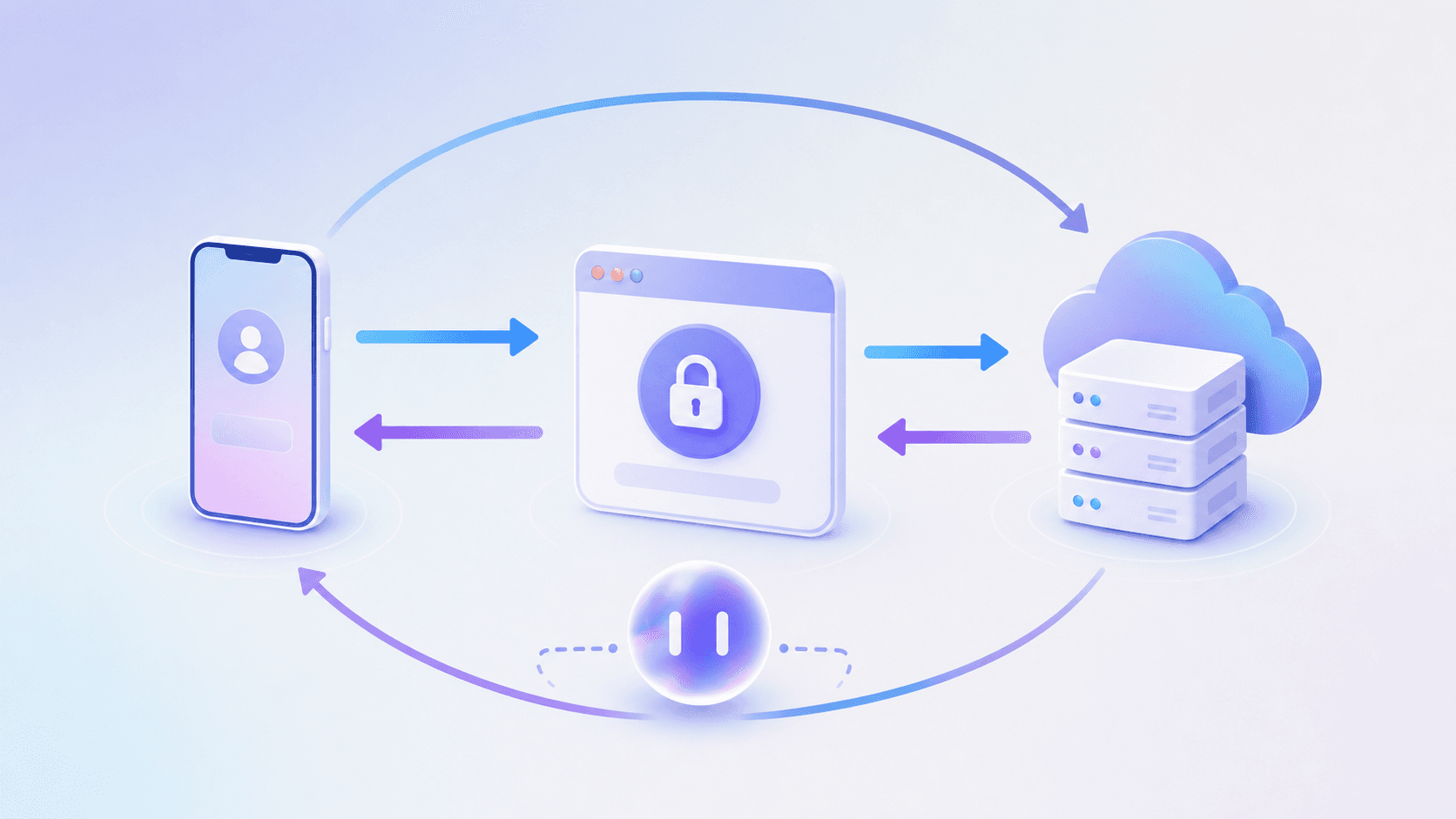
PKCE layers on top by generating a cryptographic code verifier and challenge pair per session, blocking token interception attacks in mobile environments where client secrets can't be safely stored.
There are three token types you'll encounter in testing:
- Access tokens grant API access and expire quickly, often within minutes to an hour depending on the provider, so your tests need to handle both valid and expired states.
- Refresh tokens live longer and get exchanged silently for new access tokens, which means your test suite needs flows that validate refresh behavior without requiring a full re-authentication cycle.
- ID tokens carry user identity claims from the provider and are worth asserting on separately if your app reads profile data from them.
The redirect URI is where React Native testing gets specific. Deep link handling via custom schemes like myapp://callback or universal links must be tested end-to-end because misconfigured schemes are a frequent source of auth failures in production.
Setting Up Your OAuth Testing Environment
react-native-app-auth is the standard library for this, wrapping AppAuth-iOS and AppAuth-Android under one JS interface. Getting it wired up for testing requires iOS and Android config changes before you write a single test assertion.
There are three areas to get right before any test will pass reliably.
iOS setup
Register your custom URL scheme in Info.plist under CFBundleURLTypes. The browser-based auth flow can't return to your app without it, and the failure mode is a redirect that disappears silently with no error thrown.
Android setup
Add an intent filter in AndroidManifest.xml with android:scheme and android:host matching your redirect URI exactly. Even a casing difference breaks the callback.
Environment variables
Keep OAuth client IDs, discovery URLs, and scopes in environment-specific config files. Test environments should point to a local or staging authorization server, not production. Swapping providers then becomes a config change, not a code change.
Mock OAuth Servers for Development Testing
Running a mock OAuth server locally lets you test the full login flow without depending on live identity providers. Mock OAuth servers let you configure test users, simulate token expiry, and reproduce edge cases like revoked sessions or invalid scopes.
The setup takes under an hour. Point your React Native app at the mock server's authorization endpoint, run through your login flow, and capture what breaks before it reaches production.
Testing the Authorization Code Flow
The authorization code flow is the standard OAuth pattern for mobile apps: your app redirects to an identity provider, the user authenticates, and a code comes back via deep link that gets exchanged for tokens.
Testing this end-to-end requires intercepting each handoff.
What to verify at each stage
Start at the redirect. Confirm your app opens the correct authorization URL with the right client_id, scope, and redirect_uri parameters. A missing or malformed scope silently degrades what tokens you receive.
Then verify the deep link callback lands correctly. Test both happy path and error states, including when the user cancels or the identity provider returns an error code.
Finally, confirm the code exchange produces valid tokens and that your app stores them correctly, not in plaintext.
Token Validation and Security Testing
OAuth security testing goes beyond confirming a login succeeds. Tokens carry real access, and validating them properly is where most teams find the gaps they missed during feature development. 2024 mobile app vulnerability report, figures that frame full OAuth test coverage as a baseline expectation, not a bonus.
There are a few specific areas worth testing in every OAuth flow:
- Token expiry handling: confirm the app requests a new token when the current one expires, instead of silently failing or prompting the user unnecessarily.
- Refresh token rotation: verify that each refresh cycle invalidates the previous token and that replaying an old refresh token returns an error.
- Scope enforcement: check that tokens scoped to read-only access cannot write, and that the app does not request broader scopes than it actually needs.
- Secure storage: confirm tokens are stored in the device keychain or secure enclave, not in AsyncStorage or plaintext files.
Testing Token Refresh Mechanisms
Token refresh is where most OAuth implementations quietly fail in production. The access token expires, the refresh logic fires, and something goes wrong: a race condition, a revoked token, a network timeout. The user hits a wall they didn't expect.
There are three scenarios worth testing explicitly:
- Silent refresh: the token expires mid-session and the app renews it without interrupting the user or triggering a visible re-authentication screen.
- Expired refresh token: the refresh token itself is no longer valid, and the app correctly routes the user back to the login screen instead of looping or crashing.
- Concurrent refresh: two requests fire simultaneously with an expired token, and the app serializes the refresh instead of making duplicate calls that race each other.
Each of these requires controlling time in your test environment. Mock your token storage layer so you can inject pre-expired tokens directly, and intercept the refresh endpoint to return controlled responses (success, failure, network error) without hitting a real auth server.
End-to-End OAuth Flow Testing with Testing Frameworks
End-to-end testing frameworks can drive the full tap-through flow, from login button to authenticated state, and assert on what the user sees afterward.
The hard part is the browser redirect. Most frameworks don't control a browser mid-flow, so you have two practical options: point your test environment at a mock identity provider configured to skip the browser step entirely, or use a test account with a provider that supports headless auth. The mock IdP approach is more portable and less dependent on external uptime. XCUITest alternative approaches that run real user journeys without scripting can handle these external redirects without requiring mocks, and agentic mobile testing tools like Minitap take this further by handling OAuth redirects through natural language instructions rather than code.
Run tests against each provider and OS explicitly. A test that passes with one identity provider may fail silently with another if scopes or token structures differ. iOS and Android deep link handling also diverges enough that an iOS-passing test can mask an Android callback failure you would only catch in production.
Testing OAuth Edge Cases and Error Scenarios
OAuth flows fail in ways that are easy to miss during manual testing. Token expiry mid-session, revoked permissions, network timeouts during the authorization redirect: these edge cases surface in production where they cost you ratings and users.
The scenarios worth building into your test suite:
- Token expiry handling: verify the app silently refreshes expired access tokens without dropping the user to a login screen mid-session.
- Permission revocation: simulate a user revoking app access from their Google or Apple account settings, then confirm the app recovers gracefully.
- Network interruption: drop connectivity during the OAuth redirect and check that the app doesn't silently fail or leave tokens in a corrupted state.
- Invalid state parameters: send a mismatched state value in the callback and confirm CSRF protection triggers correctly.
Secure Token Storage Testing
OAuth tokens are high-value targets. Testing that your app stores them securely is not optional work. It's the difference between a compliant app and a breach waiting to surface.

Three storage failure modes show up most often in production:
- Tokens written to AsyncStorage without encryption, which any process with device access can read in plain text.
- Tokens logged to the console or crash reporting tools during debug builds that never get scrubbed before release.
- Keychain or Keystore access configured without biometric or device-lock requirements, leaving tokens readable even on compromised devices.
Deep Link and Redirect URI Testing
The redirect back to your app is where OAuth breaks most often in production, and the failure mode is rarely obvious during development.
Custom URL schemes like myapp://callback work in isolation but create real problems when another app on the device registers the same scheme. iOS will silently route the callback to whichever app claimed it last. Test this by installing a second app with a conflicting scheme and confirming your app still receives the redirect correctly. Universal Links on iOS and App Links on Android sidestep this by binding the redirect to a verified domain, but they introduce their own test requirements.
There are a few places where these flows quietly break.
- For Universal Links, your app needs a valid
apple-app-site-associationfile hosted at the redirect domain. If the file is unreachable or malformed, iOS falls back to opening the URL in Safari instead of your app. Test the fallback path explicitly. - For Android App Links, verify the Digital Asset Links JSON is correctly hosted and that the SHA-256 fingerprint matches your signing certificate. A mismatch causes the same silent fallback to the browser.
Deep link handling can differ across iOS and Android, so cover the redirect path on both explicitly.
Automated Testing in CI/CD Pipelines
OAuth testing only pays off if it runs automatically on every commit, and before releases.
Start with infrastructure. Run a mock OAuth server as a sidecar service in your pipeline. A Docker container works cleanly here: it starts with the build, handles auth requests against a fixed test configuration, and tears down without leaving state behind. Your suite stays independent from external provider uptime and rate limiting that would otherwise make CI flaky.
For secrets, inject OAuth credentials as environment variables at build time, scoped to staging endpoints only.
| CI Stage | What to Run |
|---|---|
| Every PR | Unit tests for token logic, mock-based integration tests |
| Merge to main | Full E2E flow on iOS simulator and Android emulator |
Track which OAuth scenarios your suite actually exercises. Happy path, token expiry, refresh rotation, revocation, redirect errors: list them explicitly. Anything missing is a known gap, not a safe assumption.
Minitap for OAuth Login Flow Testing
Minitap is an AI-powered test automation agent built for mobile apps.
For OAuth testing, Minitap handles the parts that break traditional test frameworks: redirects to external identity providers, browser-based consent screens, token callbacks, and post-auth state verification.
Here's what that looks like in practice for OAuth testing:
- Minitap moves to your login screen, taps the OAuth provider button, and follows the redirect to the external identity provider without any custom WebView instrumentation or mock setup.
- It fills credentials on the provider's login page, handles the consent screen, and returns through the deep link callback exactly as a real user would.
- After authentication completes, it verifies that the correct screen loaded, that the session token is present, and that protected routes are accessible, all captured in a structured test result you can read without parsing logs.
- When a flow fails, Minitap surfaces the exact step, screenshot, and device context so your team can reproduce it immediately without chasing environment-specific ghosts.
The result is OAuth coverage that runs in CI without a dedicated automation engineer maintaining brittle mock infrastructure.
Final Thoughts on Testing OAuth in React Native Apps
OAuth testing separates apps that work in demos from apps that hold up in production. You can verify the happy path manually, but the failures that cost you ratings happen in the scenarios you didn't test: mid-session token expiry, revoked refresh tokens, network drops during the authorization redirect, or deep links that silently route to the wrong app. Those edge cases don't surface in development because your test users never revoke permissions or lose connectivity at the exact wrong moment. Build your test suite around the scenarios that break most often in production, and run them on every commit.
FAQ
Can I test OAuth login flows in React Native without a live identity provider?
Yes. Set up a local mock OAuth server using Keycloak or an Auth0 sandbox environment, then point your app's authorization endpoint to it. This lets you control token expiry, simulate revoked sessions, and test error cases without depending on external provider uptime or hitting rate limits during CI runs.
What's the fastest way to test token refresh without waiting for expiry?
Mock your token storage layer to inject pre-expired access tokens directly into your test environment. This lets you trigger refresh logic immediately and verify that your app requests new tokens correctly without adding sleep delays or waiting for real-time expiry.
What testing frameworks work best for React Native OAuth flows?
Most testing frameworks handle the tap-through flow from login button to authenticated state, but don't control the browser during the OAuth redirect. Your practical options are pointing tests at a mock identity provider that skips the browser step, or using a test account with a provider that supports headless auth. The mock approach is more portable and doesn't depend on external provider uptime.
How do I verify tokens are stored securely and not in AsyncStorage?
Confirm tokens land in the iOS Keychain or Android Keystore with biometric or device-lock requirements in place, and check that nothing gets logged to console or crash reporting tools during debug builds that could leak tokens before release.
What OAuth edge cases break most often in production for React Native apps?
Three scenarios surface repeatedly: deep link callbacks failing when another app registers the same custom URL scheme, Universal Links falling back to Safari when the apple-app-site-association file is unreachable or malformed, and refresh token rotation breaking mid-session when two requests fire simultaneously with an expired token and race each other instead of serializing.