

Mobile testing interview questions always ask about challenges, but nobody warns you how much time you'll spend maintaining flaky tests instead of finding real bugs. We're testing apps that run on hundreds of device models, a dozen active OS versions, network conditions that swing from LTE to offline mid-session, and hardware that ranges from last year's flagship to a three-year-old budget phone with 2GB of RAM.
The main challenges of mobile application testing stack fast:
- Device fragmentation makes universal coverage impossible
- OS updates break passing tests without touching your code
- Test automation overhead consumes a large share of QA engineering time
- Network variability goes untested because stable connections are easier to replicate
- Performance behavior shifts across device and OS classes, hiding frame drops and memory pressure
- Security vulnerabilities surface late when fixing them costs more
- Reproducing bugs that need seven-step flows becomes guesswork without proper state logging
- Production escapes cost you downloads and ratings
- Third-party SDKs update independently and break API contracts you didn't know existed
Here's a mobile app testing checklist that covers the challenges in mobile application testing that actually slow teams down, with solutions that work when your release cadence won't wait and your mobile app testing strategy needs to scale without doubling headcount.
TLDR:
- Test automation maintenance commonly consumes a large share of QA engineering time when running tools at scale, with some teams reporting 30 to 40% going to upkeep.
- Apps rated below 3 stars lose over 60% of potential downloads, with most poor reviews tracing back to bugs testing missed.
- Build your test matrix around the top 80% of user sessions from analytics instead of trying to cover every device combination.
- Performance issues hide on a single configuration: run your core journeys across a spread of device and OS configurations and baseline scroll smoothness, memory, and responsiveness under load.
Device Fragmentation
With thousands of Android device models and multiple active iOS versions in circulation, testing every meaningful combination is not realistic. Device fragmentation remains a persistent challenge in mobile testing: a single app might behave differently across screen sizes, OS versions, manufacturers, and hardware configurations.

The practical approach is risk-based device coverage. Identify which devices your actual users run, pull that data from your analytics, and build your test matrix around the top 80% of sessions. You test what matters, not everything theoretically possible.
- Use a tiered device matrix: tier one covers your highest-traffic devices, tier two covers edge cases worth a smoke test, and tier three gets skipped unless a bug is reported.
- Automate regression on tier one devices so every build gets checked against your core user base without manual overhead.
| Testing Challenge | Impact on Teams | Practical Solution |
|---|---|---|
| Device fragmentation across thousands of Android models and iOS versions | Testing every combination is not realistic, creates exponentially complex test matrices | Build test matrix around top 80% of user sessions from analytics |
| Test automation maintenance overhead with Appium or Espresso | Consumes 30 to 40% of QA engineering time, locator fragility breaks tests when layouts change | Use stable semantic locators tied to accessibility IDs instead of XPath, clear triage process for flakiness versus regressions |
| Network condition variability from LTE to offline mid-session | Testing only on fast stable connections misses scenarios most users experience | Use network simulation tools to throttle bandwidth, introduce latency, trigger packet loss on demand |
| Performance gaps between flagship and budget device classes | High-end hardware hides frame drops, memory pressure, thermal throttling that budget phones expose | Baseline one mid-range device, track continuous scroll frame rate, peak memory, CPU behavior under thermal load |
| Complex user flows requiring seven-step sequences across screens | Reproducing bugs is frustrating, ephemeral state depends on session data and exact interaction sequence | Use structured test scripting that logs state at each step, paired with session replay tooling for exact path reproduction |
| Third-party SDK updates that break API contracts independently | Crashes surface conditionally on specific OS versions after flows touching updated SDK | Run targeted regression pass covering SDK-adjacent flows after any dependency update before production |
Operating System Fragmentation and Update Cycles
Android and iOS release schedules don't wait for your test coverage to catch up. Google pushes major Android versions annually, with security patches landing monthly. Apple follows a similar cadence. Each release can change display behavior, permission models, background process handling, or gesture navigation in ways that break previously passing tests.
The fragmentation problem is asymmetric. iOS has roughly a handful of active OS versions in circulation at any given time. Android has dozens of version and manufacturer combinations, each with its own layer of customization sitting on top of base Android.
Where Teams Get Caught
- New OS versions introduce API deprecations that surface as runtime crashes, not compile-time errors, so they slip past static analysis and only appear during device-level execution.
- Manufacturer skins on Android (Samsung One UI, for example) override default system behaviors around notifications, battery optimization, and background tasks in ways that differ from stock Android, requiring separate test paths.
- Users on older OS versions don't disappear overnight. Supporting a three-year tail of OS versions while also validating against the latest beta requires a device matrix that most teams underestimate in scope.
The practical fix is treating OS compatibility as a first-class test dimension, not a post-release concern. That means running regression suites against both the current stable release and the next beta before it ships, flagging API deprecation notices in your CI pipeline the moment they appear, and maintaining a documented device-OS matrix that maps to your actual user base, instead of only the devices sitting on someone's desk.
Test Automation Maintenance Overhead
Automated test suites decay. A UI change ships, a new OS version drops, or a third-party SDK updates its behavior, and suddenly a third of your tests are failing for reasons that have nothing to do with actual bugs.
For teams running Appium or Espresso at scale, maintenance commonly accounts for a large share of QA engineering time, with some teams reporting 30 to 40% of their hours going to upkeep instead of new coverage. That's not a small tax. It's a resource drain that slows release cycles and erodes confidence in the test suite itself.
What drives the overhead
- Locator fragility is the most common culprit. Tests built on XPath or position-based selectors break the moment a layout changes, even if the underlying feature is fine.
- OS and device fragmentation multiplies the problem. A test passing on Android 13 may fail on Android 15 simply due to permission model changes or WebView version differences.
- Flaky tests are worse than no tests in some ways. A suite with 20% flakiness trains engineers to ignore red results, which means real failures get missed.
The teams that manage this well tend to invest in two things: stable, semantic locators tied to accessibility IDs instead of layout structure, and a clear triage process that distinguishes flakiness from actual regressions before anyone spends time debugging.
Network Condition Variability
Apps don't get tested on a single connection type. Your users are on LTE in a city, 3G on a commute, spotty Wi-Fi in a coffee shop, and sometimes nothing at all. Testing only on fast, stable connections means you're validating a scenario most users rarely experience.
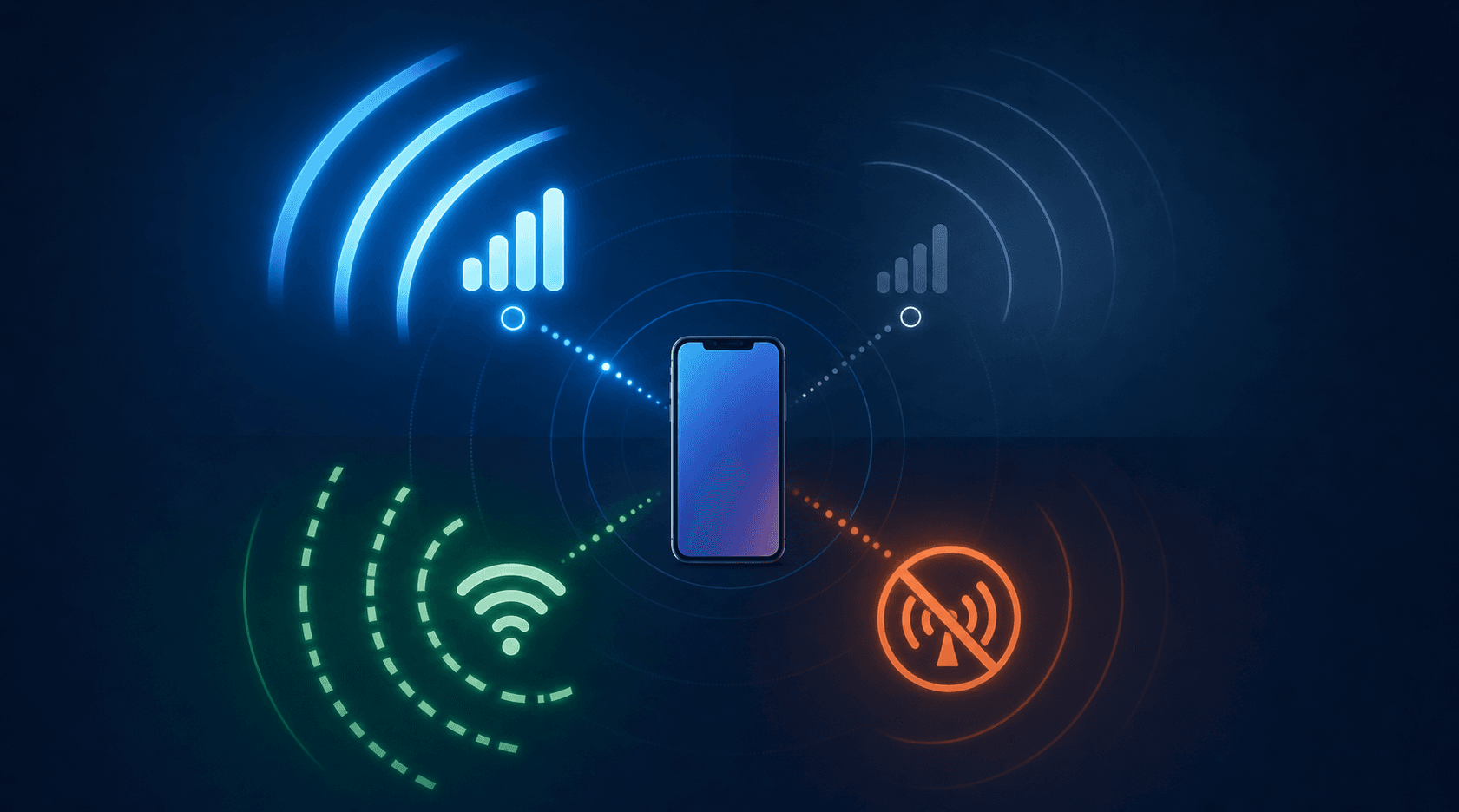
The real challenge is replicating that variability reliably. Network simulation tools let you throttle bandwidth, introduce latency, and trigger packet loss on demand, so you can catch timeout failures and poor offline fallback behavior before they reach production.
Performance Testing Across Device Classes
Behavior shifts across device and OS classes, and a single configuration hides what a broader spread exposes. Memory pressure surfaces earlier on constrained configurations, long scrolls drop frames, and animation that looks smooth on a recent iOS configuration can feel broken on an older Android one. Most of these regressions are behavioral and UX issues you catch by exercising the real flow across many configurations, not by chasing one number.
Run your core journeys across a representative spread of device and OS configurations and baseline what users feel: scroll smoothness, responsiveness under load, and memory behavior over a long session. When that experience regresses on any configuration, you catch it before users leave reviews about it.
Security Vulnerabilities and Compliance Requirements
Mobile apps handle sensitive user data constantly: payment credentials, health records, location history, personal identifiers. That exposure creates real liability, and regulators are paying closer attention than they were two years ago.
The core problem for most engineering teams is that security testing gets scheduled late, after features are locked, which means findings surface when fixing them is expensive. A penetration finding in week one of a sprint costs an hour to fix. The same finding two days before release can delay the entire build.
A few areas that consistently cause problems:
- Insecure data storage shows up when apps cache tokens or credentials in plaintext on the device. Check SharedPreferences on Android and NSUserDefaults on iOS — both are common places sensitive values get written without encryption.
- Insufficient transport layer protection leaves data exposed during transmission. Test for certificate pinning failures, weak TLS configurations, and API endpoints that accept HTTP alongside HTTPS.
- Excessive permissions surface when apps request access to contacts, camera, or location without a clear user-facing reason. Auditing permission requests against actual feature requirements often reveals scope creep from SDK defaults.
- Deep link and intent handling bugs let malicious apps pass crafted data into your app's activity flows. Test all registered URI schemes with unexpected input to confirm they validate before acting.
- GDPR, HIPAA, and PCI-DSS each carry distinct testing requirements that vary by region and data type. Map each compliance requirement to a specific test case so coverage is traceable, not assumed.
The structural fix is treating security as a test dimension that runs in parallel with feature development, not a gate at the end. Running automated security scans earlier in the build cycle catches the majority of these before they compound. For teams under compliance obligations, keeping a living test-to-requirement traceability matrix is what turns a security audit from a scramble into a routine check.
Complex User Flows and State Reproduction
Reproducing a bug that only appears after a user completes seven steps across three screens is one of the more frustrating parts of mobile QA. The state that triggers the failure is ephemeral: it depends on session data, cached values, and the exact sequence of interactions leading up to that moment.
Most testing setups don't capture enough context to reconstruct that state reliably. You get a crash report, but not the full path that caused it.
The fix is structured test scripting that logs state at each step, paired with session replay tooling that records real user paths so you can replay them exactly.
Bugs That Escape to Production
Production bugs from mobile apps show up as 1-star reviews, app store ranking drops, and uninstalls that never come back. High star ratings drive growth: better ratings lead to higher visibility and more downloads, and poor reviews consistently trace back to bugs that testing missed.
The gap usually comes from test runs that only exercise the happy path, not how users actually move through the app. Walking the real user journey is what closes it.
Log every session.
Managing Test Environments and Infrastructure
Setting up a device farm is the easy part. Keeping it running as release cadence grows is where costs surface.
Cloud-based device farms remove hardware ownership but introduce per-minute billing that compounds when releases ship daily instead of biweekly. Test data adds friction: each environment needs seeded user accounts in specific states, and those drift out of sync when nobody actively owns the upkeep. Build distribution across staging and production creates silent version mismatches when CI pipelines are not configured carefully.
What helps
- Treat test data as a first-class artifact. Own its lifecycle the same way you own code, with versioned seed scripts checked into source control and reset as part of every pipeline run.
- Set hard time limits per device session in cloud farms. Without caps, flaky tests that hang will quietly inflate your bill.
- Lock OS versions in CI until your suite explicitly supports the new version, then promote deliberately.
Third-Party SDK and Dependency Risk
Most production apps bundle 10 or more SDKs for analytics, crash reporting, authentication, payments, and advertising. Each updates independently. When one does, it can break an API contract, shift permission requirements, or introduce a crash path you will not see until users report it.
The gap is predictable: engineers test code they own. Almost nobody writes tests that deliberately exercise the boundary between the app and each bundled dependency. That boundary is where SDK regressions hide.
These failures surface conditionally, on a specific OS version, after a flow that touches the updated SDK, or when two SDK behaviors interact in a way neither vendor documented. A targeted regression pass covering SDK-adjacent flows after any dependency update catches most of this before it reaches production.
Minitap: Vendor-Maintained AI QA for Mobile Teams
Minitap is an AI-powered QA agent built for mobile apps.
The key difference from generic automation tools: Minitap understands app context. It finds broken flows, surfaces regressions, and generates structured reports your team can act on immediately. No test script maintenance. No flaky selectors to debug at 11pm before a release.
For teams managing multiple apps or shipping on tight cycles, that kind of coverage without the overhead is worth paying attention to.
Final Thoughts on Making Mobile Testing Work
The pattern repeats across every app team: testing falls behind because the coverage you need exceeds the time you have. Device fragmentation multiplies faster than headcount, OS updates land mid-sprint, and test maintenance consumes the hours you would rather spend shipping features. You cannot test everything manually, and building automation in-house means owning infrastructure, maintaining scripts, and triaging flakiness before anyone trusts the results. Your critical flows get validated every build, regressions surface before users see them, and your team stays focused on what you are actually building.
FAQ
What are the main challenges of mobile application testing?
The biggest challenges stem from fragmentation and scale. Device diversity (thousands of Android models, multiple iOS versions), OS update cycles that introduce breaking changes, and network variability all create exponentially complex test matrices that teams can't realistically cover manually.
Mobile app testing strategy vs traditional test automation: what's the difference?
Traditional test automation focuses on scripting specific happy-path flows that require constant maintenance when UIs change. A mobile app testing strategy builds around risk-based coverage across real-world conditions (device classes, network states, OS versions) and accepts that not every combination can be tested: you test what your analytics show actually matters.
Can I test mobile apps effectively without a dedicated QA team?
Yes, but you need tooling that removes maintenance overhead. Teams shipping without QA typically burn 1-8 senior engineer hours per release on manual smoke testing, which does not scale with faster release cadences. The solution is vendor-maintained testing that covers breadth without requiring your team to own the test suite.
How do you handle test automation maintenance when OS updates break half your suite?
Use semantic locators tied to accessibility IDs instead of XPath or position-based selectors, lock OS versions in CI until your suite explicitly supports new releases, and maintain a documented device-OS matrix mapped to your actual user base so you're testing what users run, not what happens to be on someone's desk.
What mobile app testing tools actually catch bugs that script-based suites miss?
Agent-based tools can reach classes of failure that scripts cannot verify: AI feature regressions with non-deterministic outputs, performance issues under real memory pressure, UX problems like overlapping elements, and runtime crashes that only surface in specific data states or low-connectivity scenarios.