

Script-based mobile testing falls apart as soon as your UI starts moving faster than your QA team can update selectors. Your Espresso or XCUITest suite throws errors on minor layout changes, engineers burn time fixing tests instead of building features, and regressions still reach production because writing the test case would have delayed the release. A mobile QA agent removes that entire maintenance layer. It observes the screen, plans the next action based on what it sees right now, executes the flow, and logs the outcome without anyone scripting the path in advance. When your app adds a consent modal or moves a checkout button, the agent adjusts and continues. No selector rewrites, no script updates, no brittle automation that breaks faster than it finds bugs. We'll cover how AI QA agents for mobile work, where agentic mobile testing fits in your CI pipeline, and what actually changes when your test suite can reason about the app instead of following fixed instructions.
TLDR:
- Mobile QA agents plan, execute, and adapt tests without scripts by reading screen state, deciding what to do next, and working around UI changes autonomously.
- Script-based automation breaks when buttons move or labels change; agents read the screen visually and adjust, eliminating selector maintenance.
- Agentic testing finds bugs no one wrote test cases for by moving through state space instead of following fixed sequences.
- Agents need environment access and logging to run, and the strongest ones make every run reproducible: they capture a session trace and screenshots so you can replay exactly what happened.
- Minitap runs goal-based tests as real user journeys on cloud simulators and emulators and owns maintenance, so UI changes don't require your team to rewrite selectors.
What Is a Mobile QA Agent?
A mobile QA agent is an AI system that plans, executes, and verifies tests on mobile apps without requiring a human to script each step. You give it a goal, and it figures out how to get there: tapping through flows, reading screen state, deciding what to check next, and flagging when something breaks.
The key distinction from traditional test automation is autonomy. Script-based frameworks like Appium or XCUITest execute exactly what you write. A mobile QA agent reads the UI, reasons about what a user would do, and adapts when the app changes. If a button moves or a new modal appears, the agent works around it. Your test suite does not collapse.
This matters because mobile apps change constantly. A release cycle that ships weekly cannot support a QA process that requires engineers to rewrite selectors after every UI update.
How the Agent Loop Works
The agent follows a perceive, plan, act, verify cycle on repeat:
- It reads the current screen state using visual recognition or the accessibility tree, building a map of what elements are present and interactive.
- It plans the next action based on its goal, selecting the most reasonable path through the app instead of following a fixed script.
- It acts, firing the tap, swipe, or input that moves the flow forward.
- It verifies the outcome against an expected state, logging a pass, a failure, or a branch to investigate further.
That loop runs across full user journeys and individual UI checks alike.
How Mobile QA Agents Differ from Traditional Test Automation
| Approach | How Tests Are Created | What Happens When UI Changes | Maintenance Ownership |
|---|---|---|---|
| Script-Based Frameworks (Appium, XCUITest, Espresso) | Engineers write and maintain test scripts with hardcoded selectors for every interaction | Tests break and require manual selector updates and script rewrites after each UI change | Your engineering team owns all test maintenance and selector fixes |
| Mobile QA Agents | You provide a goal in plain language and the agent plans and executes the test path autonomously | Agent reads the screen visually and adapts its approach without requiring script updates or selector fixes | Agent handles adaptation autonomously but your team manages goal definitions and environment setup |
| Minitap | You write goals in plain English and Minitap runs tests end to end without script authoring | Minitap owns maintenance so UI changes do not require your team to rewrite selectors or update test scripts | Vendor owns all maintenance, adaptation, and selector updates as the product evolves |
Traditional test automation runs scripts. You write a test, it executes the same steps in the same order every time, and it passes or fails based on whether the UI matches what the script expects. Change a button label or shift an element's position and the test breaks, even if the app is working fine.
A mobile QA agent works differently. It perceives the screen, reasons about what it sees, and decides what to do next based on the goal it was given. Instead of following a fixed sequence, it adapts. If a modal appears unexpectedly, the agent handles it. If a login flow adds a new step, the agent figures it out.
There are a few concrete differences worth naming:
- Script-based automation requires a selector for every interaction. The agent reads the screen visually and acts on what it perceives, so selector rot stops being a maintenance problem.
- Traditional tests are brittle when UI elements shift or app flows change between releases. An agent adjusts its behavior based on what it actually sees, not what a script assumed would be there.
- Scripts test one path. An agent moves through state space, finding failure modes that no one thought to write a test case for.
The practical gap shows up in maintenance cost. Script-based suites break constantly as apps ship updates, pulling engineers off feature work to fix tests instead of building product.
The Problem Mobile QA Agents Solve
Mobile app testing has a scale problem. A single app might need to run correctly across hundreds of device and OS combinations, through dozens of user flows, after every build. Manual testing can't keep up, and script-based automation breaks the moment a UI element moves position or a new OS version changes how gestures register.
The backlog compounds fast. QA teams end up triaging instead of testing, shipping with known gaps because there's no time to close them before the next release window.
A mobile QA agent changes the math here. It reads the app's interface the way a human tester would, decides what to interact with, executes the flow, and logs what happened, without a pre-written script telling it exactly where to tap. When the UI changes, the agent adapts. The test doesn't break.
How AI Mobile QA Agents Work
The input is a plain description of what a user should be able to do. Something like "a user can check out with a saved card." The agent takes that objective and figures out the execution itself, no test script required.
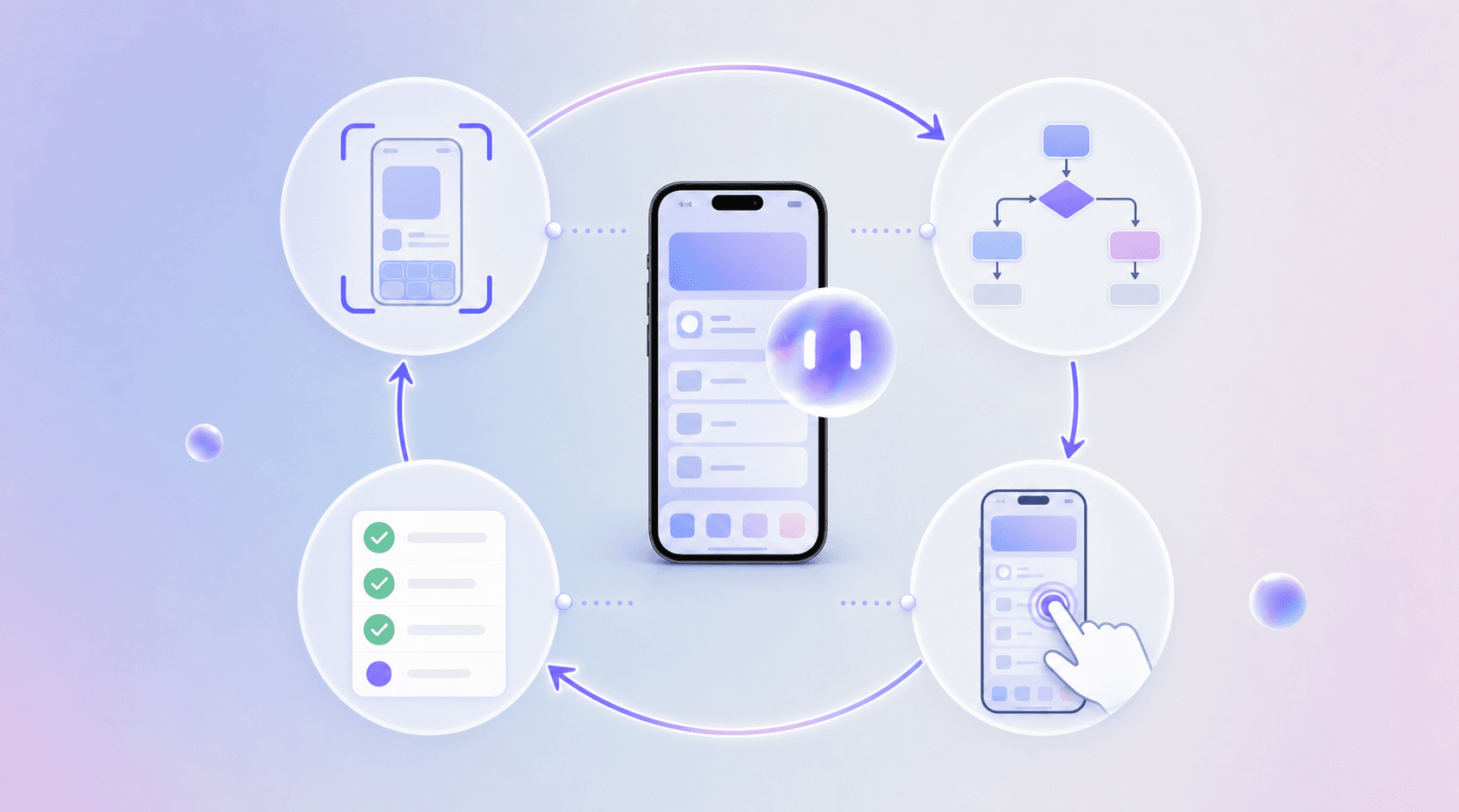
It reads the screen through two channels at once. Computer vision gives it a visual map of what's displayed: buttons, form fields, layout. The accessibility tree gives it the structural layer underneath, with element roles, labels, and interactive targets. Together, those signals tell the agent what it's looking at and what it can actually interact with.
What the Agent Does at Each Step
At each step, the agent weighs its current screen state against the goal and picks the next action. If an unexpected confirmation dialog appears, the agent processes it and continues. If the UI has changed since the last run, the agent works from what it sees now, not from a recorded sequence it was told to replay.
That runtime reasoning is what separates this approach from script-based automation. Automation executes a script. The agent builds the path as it goes.
Key Capabilities of Mobile QA Agents
Autonomous exploration is the foundation. A mobile QA agent launches an app, moves through it screen by screen, and decides what to tap, swipe, or type based on what it observes in real time. No predefined script. No hardcoded coordinates. The agent reads the UI state, picks an action, executes it, and logs what happened.
From there, a few specific capabilities separate agents from traditional automation tools.
Goal-directed test execution
A mobile QA agent works toward an outcome instead of following a fixed sequence of steps. Tell it to complete a checkout flow and it figures out the path, handles intermediate states, and recovers if something unexpected appears mid-flow. The agent resolves ambiguity instead of failing on it.
Self-healing test logic
When a button moves or a screen label changes, a script breaks. An agent adapts. It re-identifies the target element based on context and continues the test. Some teams see maintenance time drop substantially once agents handle selector drift on their own.
iOS and Android execution
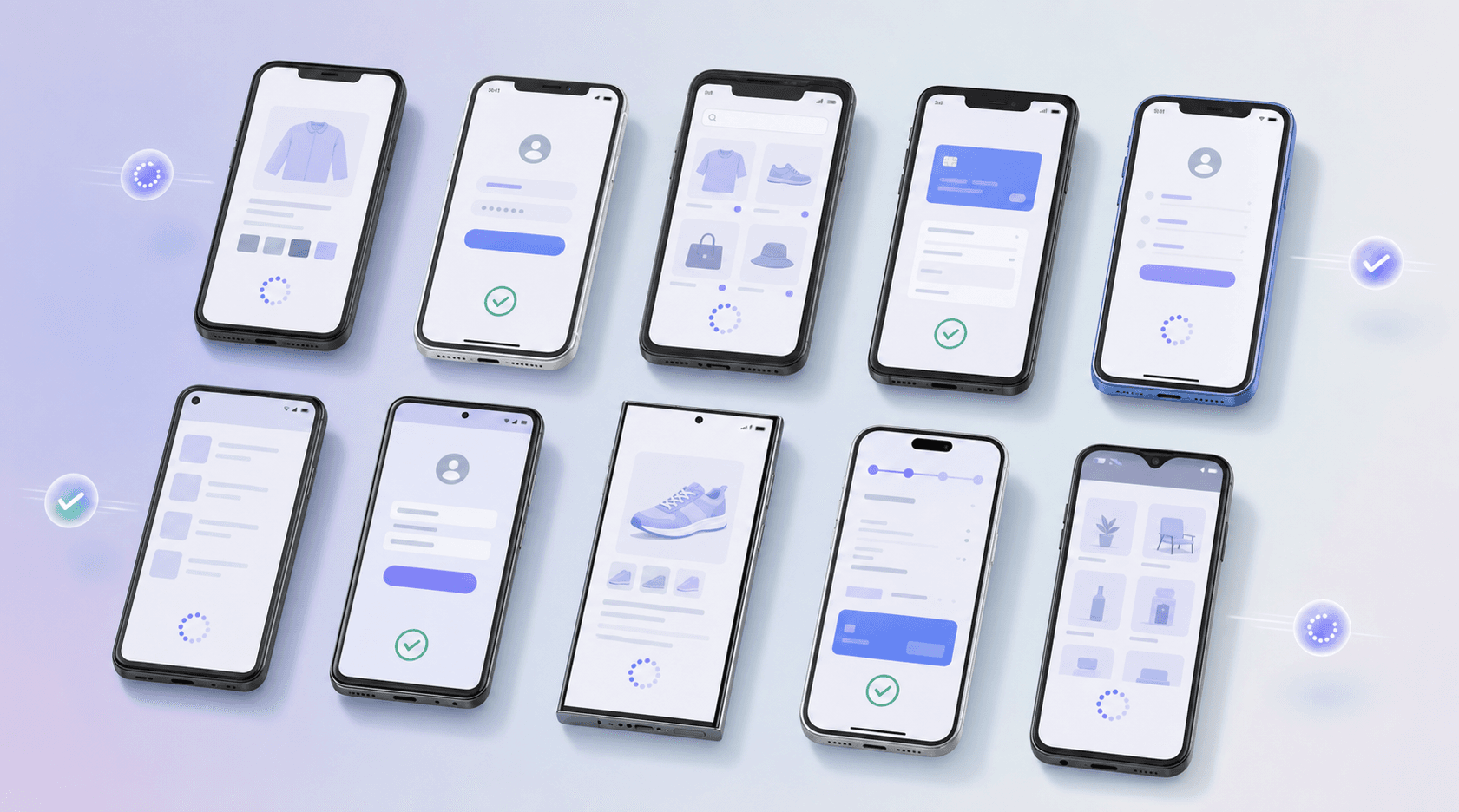
Agents can run on iOS and Android. The same test goal executes on both without rewriting anything.
Continuous, autonomous test runs
Once configured, a mobile QA agent runs without human input. It triggers on each build, files bug reports, and feeds results back to the team. Agentic mobile testing fits into CI/CD pipelines the same way any automated job does, except the agent decides what to test and how to execute it.
Agentic Testing vs AI-Assisted Testing
The distinction matters more than most job postings let on. AI-assisted testing means a human writes the test plan and an AI tool helps generate scripts, suggest edge cases, or flag anomalies in results. The human still drives every decision about what gets tested and when.
Agentic testing is a different setup. A mobile QA agent receives a goal, such as "verify the checkout flow on iOS and Android," and executes it autonomously. It decides which steps to take, adapts when the UI behaves unexpectedly, and reports back without waiting for human direction at each step.
Here is where the practical difference shows up:
- AI-assisted tools accelerate what engineers already do, but the test coverage is still bounded by what a person thought to specify.
- A mobile QA agent can surface failure modes that no one explicitly wrote a test case for, because it moves through state space instead of following a fixed script.
- When the app changes, an agentic system can adjust its approach without someone manually updating selector paths or step sequences.
The gap between these two approaches is not subtle once you see it in a real release cycle. AI-assisted testing makes individual test authorship faster, but your team still owns execution, maintenance, and root cause analysis. Agentic mobile testing hands off that entire loop — the agent runs tests, adapts when the UI changes, and reports what broke and where, without anyone on your team touching the testing infrastructure.
Challenges and Limitations of Mobile QA Agents in 2026
Mobile QA agents are genuinely useful, but they come with real constraints worth knowing before you build around them.
Setup takes real effort. Agents need access to your app's environment, test accounts, test infrastructure, and sometimes backend APIs.
Reproducibility is what separates a usable agent from a flaky one. A well-built agent reproduces a failure on demand, captures a full session trace and screenshots, and re-runs the same journey reliably, so when a test fails you can trace exactly what happened instead of guessing.
Coverage is a strength of the goal-driven approach. Because the agent explores breadth-first through real user journeys instead of replaying a fixed script, it surfaces failure modes no one thought to write a test case for, including the conditional paths and edge states that scripted suites skip.
Finally, cost and infrastructure scale together. More parallel runs and more frequent cycles increase compute and API usage. Teams that run agents continuously need to account for that in their tooling budget from the start.
Minitap: Vendor-Maintained AI QA Agent for Mobile Apps
Minitap is a vendor-maintained AI QA agent built for mobile apps. You write a goal in plain English, and the agent runs the test end to end, no script authoring required.
Here's what that looks like in practice: you tell the agent to complete a checkout as a guest user. It finds the product, adds it to the cart, moves to checkout, fills the form fields, submits the order, and confirms the success screen loaded. Every step is logged. If it fails at the payment step, you get a screenshot, the action sequence, and the exact point of failure.
Minitap owns the maintenance. When your UI changes, the agent adapts without requiring your team to rewrite selectors or update test scripts.
What Minitap Covers
- iOS and Android execution covering OS permission dialogs and other app conditions that come up during test runs.
- Goal-based test authoring that skips the scripting layer entirely, which means QA coverage stops depending on engineering bandwidth to write and maintain automation code.
- Continuous runs tied to your release cycle, so regressions get caught before submission instead of after App Store review.
Good for any mobile team that wants vendor-owned maintenance and coverage without growing a dedicated automation engineering function. Audit trails are built in: every run produces a session trace, screenshots, and a written record of what was tested and what was found, all exportable and retained, so you have a durable account of each run.
Final Thoughts on AI-Driven Mobile App Testing
A mobile QA agent makes sense when your test suite breaks as often as your app ships, and fixing selectors pulls engineers off product work. The agent adapts to UI changes without rewriting scripts, which changes the cost structure of testing at weekly release cadences. Minitap runs goal-based tests and owns the maintenance, so your team stops spending time on selector updates and starts finding bugs that scripted tests never reached. Coverage stops being a function of how much automation your engineers can maintain between sprints.