

You've got a ticket, a feature to verify, and a blinking cursor in your test management tool. What goes in that test case determines whether the next person who runs it understands the bug or just shrugs at a red status. We're covering the fields, formats, and step by step process that make a test case something your whole team can actually rely on.
TLDR:
- A test case documents preconditions, steps, and expected results to verify a feature works as intended.
- Production bugs cost far more to fix than the same defect caught earlier, with some analyses citing 10x or more.
- Teams write plenty of positive test cases but skip negative and destructive ones, which is where production incidents originate.
- Missing expected results or vague steps let bugs slip through with a green checkmark instead of a caught failure.
- Minitap connects to specs, tickets, and code to generate relevant test cases and close coverage drift on each release.
What Is a Test Case?
A test case documents preconditions, inputs, steps, and expected results that verify a feature behaves as intended. The definition spans manual scripts and automated cases across web, mobile, and enterprise systems, all core concepts covered in software testing basics. Writing them well matters: software defect research has shown production bugs take more time and resources to fix than the same defect caught earlier, with some analyses putting the cost multiplier at 10x or more depending on severity.
Test Case vs. Test Scenario vs. Test Script
A test scenario is the high-level condition worth checking, something like "user logs in." A test case breaks that into specific steps: enter valid credentials and confirm dashboard access, enter a wrong password and confirm the error, leave both fields blank and confirm validation triggers. A test script is the coded version, built in a framework like Appium or XCUItest, so it runs without a person clicking through it. Scenarios fit early planning, cases fit precise bug tracking, scripts fit stable, repeatable checks, especially for regression testing in mobile apps.
Key Components of a Test Case
A well-formed test case has a fixed set of fields, and skipping any tends to cost you later. Core fields: test case ID, title, description, preconditions, test data, numbered test steps, expected results, actual results, status (pass, fail, blocked), priority, and a link to the requirement or ticket it validates, the field that makes coverage auditable when a requirement changes and nobody notices until production.
Types of Test Cases
Test cases split into a few overlapping categories, and most suites end up with all of them. Functional cases check whether a feature does what the requirement says, covering the specific inputs and outputs tied to that ticket. Non-functional cases cover performance, security, and usability, the kind of behavior that only shows up under load or repeated use instead of a single click-through. Smoke and sanity cases run a fast subset before a full regression pass, catching build-breaking issues before anyone invests time in the deeper suite. Regression cases re-verify existing behavior after a change, and they're the ones most likely to accumulate drift as a product grows and nobody revisits them. The split that matters most for catching what actually reaches production, though, is positive versus negative versus destructive testing.
Positive, Negative, and Destructive Test Cases
A signup form makes the split concrete. A positive case enters a valid email and password, then confirms account creation. A negative case enters a registered email or bad password, then confirms a clear rejection message instead of a crash, the kind of scenario covered in functional web and mobile testing. A destructive case submits a 10,000 character name or hammers submit repeatedly, then checks for graceful degradation.
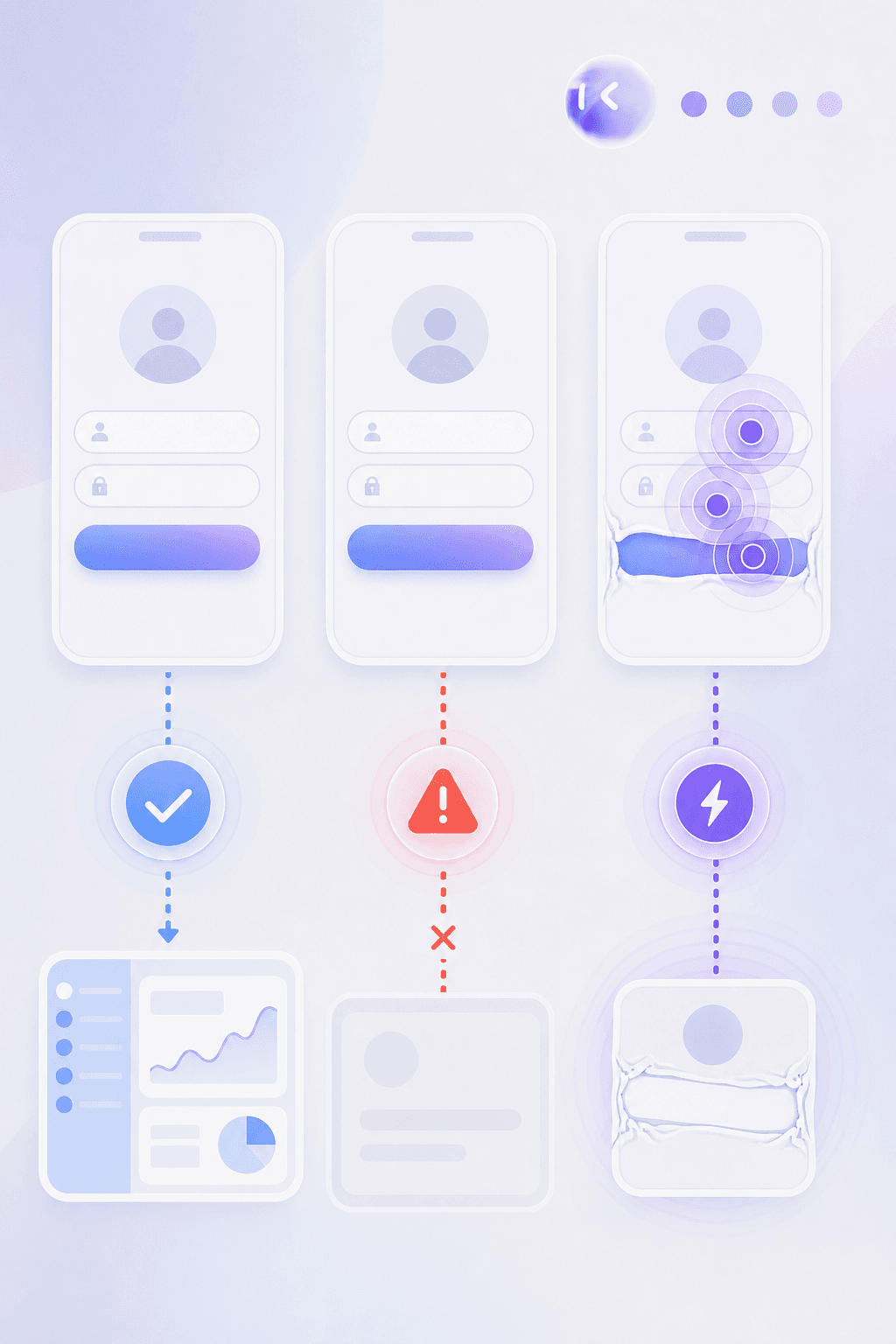
Teams write plenty of positive cases, fewer negative ones, and skip destructive testing entirely. That gap is where production incidents come from.
Test Case Formats and Templates
Most teams settle on one of four formats, and the pick depends on who reads the output.
- Tabular: a table with ID, steps, and expected results. Anyone can scan it in a review.
- Mobile BDD testing (Given/When/Then): fits Cucumber style tools and doubles as documentation for product managers.
- Exploratory testing charters: a mission and time box, no numbered steps.
- Checklist: trades detail for speed, useful for smoke tests.
| Field | Example |
|---|---|
| Test Case ID | TC-014 |
| Title | Login with valid credentials |
| Precondition | User account exists and is active |
| Steps | 1. Open app 2. Enter email and password 3. Tap login |
| Expected Result | Dashboard loads within 3 seconds |
| Priority | High |
| Status | Not run |
Use BDD when engineering and product share ownership, and charters when the risk is unknown behavior.
How To Write A Test Case Step By Step
Follow these steps in order:
- Pull the requirement from the ticket, not memory.
- State the objective in one sentence.
- List preconditions: state, environment, data.
- Write atomic steps, one action per line.
- Give expected results per step, rather than only at the end.
- Assign priority (critical, high, medium, low) by impact.
- Link back to the originating ticket for traceability.
Example: TC-021, password reset test, priority high, linked to JIRA-4021.
Best Practices For Writing Effective Test Cases
Good test cases survive the original author leaving the team. That's the actual bar.
- Use specific language: "tap the blue Submit button" beats "submit the form," since ambiguity forces the next tester to guess.
- Keep steps atomic: one action, one expected result, so a failure points to a single cause instead of three tangled ones.
- Write for whoever executes it, not for yourself. A new hire shouldn't need to ask what "the usual setup" means.
- Use realistic test data (real names, valid formats, edge values) instead of "test123" everywhere, since data mirroring production catches bugs the other kind misses.
- Map every case to a requirement or ticket so it surfaces when that requirement changes.
Tribal knowledge rots fastest: the product changes, the person who understood the shortcut leaves, and the case keeps passing on assumptions nobody can verify anymore.
Common Test Case Mistakes To Avoid
Five mistakes show up in almost every audit.
- Vague steps: "verify the page works" tells the next tester nothing. When it fails, nobody knows which part broke.
- Missing expected results: a step without a defined outcome lets the tester decide what counts as pass, letting bugs slip through with a green checkmark.
- Combining scenarios: one case testing login, password reset, and session timeout together means a single failure blocks all three.
- Thin test data: testing only the happy path creates false confidence. Gaps surface in production instead.
- Assuming reader knowledge: skipping preconditions works until the person who knows the setup leaves.
Each is fixable at the writing stage, not after the case has shipped bad results.
Test Case Examples Across Industries
Industry context changes what a test case needs to verify, even when the underlying structure stays the same. In e-commerce, a checkout test case checks cart persistence across a payment gateway timeout, since a dropped session at that step is the fastest way to lose a sale. In banking and fintech, a funds transfer test case verifies the balance update matches the ledger entry to the cent, plus rejection handling for insufficient funds and duplicate transaction attempts. Healthcare test cases lean on data validation and access control: confirming a patient record only surfaces for an authorized role, and that a unit conversion field (mg versus mL) doesn't silently corrupt a dosage value. Logistics and delivery apps add environment on top of function, since a driver app test case has to hold up through an offline to online transition mid-route, the exact point where reconciliation errors start. Streaming and media platforms complicate things further with CMS-driven content and feature flags, so a single playback test case can end up running across several geographies and device types before a release ships.
Manual vs. Automated Test Cases
The same test case can run two ways: a tester follows the written steps by hand, or a script executes them programmatically. The shift away from manual testing in 2026 reflects how AI has changed that equation. The choice comes down to frequency and stability. A login flow that runs every release and rarely changes is worth automating, since setup cost pays off across dozens of runs. AI adoption in testing has moved past optional, with one industry report citing 76.8% adoption of AI-assisted methods.
Who Writes Test Cases
Quality assurance engineers and test analysts write most functional test cases, translating requirements into steps and expected results. SDETs write cases meant to become automated scripts, a workflow detailed in QA automation testing for mobile teams. Product owners often draft acceptance criteria first, since they know intended behavior best. Developers write unit-adjacent cases for their own code, catching logic errors before QA sees them.
Ownership changes with team size. Startups lean on developers and product owners splitting the load informally. Enterprise teams assign authorship to QA analysts, with SDETs handling automation candidates separately.
The strongest cases come from collaboration: a product owner defines "successful checkout," a QA engineer turns that into numbered steps and preconditions.
Test Case Management And Tools
Once you have more than a handful of test cases, writing them was the easy part. Managing them is where suites either stay useful or rot.
Management covers a few jobs: grouping cases by feature, version controlling edits, reviewing on a set cadence, and keeping requirement traceability current, all decisions that belong in a mobile app test plan, and tracking which cases actually catch bugs versus which just add runtime.
That overhead scales with suite size. A spreadsheet works at 50 cases. At 5,000 across mobile, web, and multiple environments, skipped reviews are how a suite quietly stops matching the product.

How Minitap Approaches Test Case Creation and Maintenance
Instead of a team writing and updating every test case by hand, Minitap connects to a product's sources of truth (specs, tickets, code, existing tests) to generate the relevant cases itself. On each release or pull request, it identifies affected cases, runs them through a vision based approach across real interfaces and devices, and closes the gap between current coverage and what regression should include, all while producing evidence and a recommended next action for anything unresolved.
FAQ
What is a test case in software testing?
A test case is a documented set of preconditions, inputs, numbered steps, and expected results that verifies a specific feature behaves as intended, and each case should link back to a requirement or ticket so coverage stays auditable as the product changes. Minitap removes the manual side of that work: it connects to your specs, tickets, and code to generate the relevant test cases itself, so traceability comes from how the system builds each case rather than from a tester remembering to add a link.
How can my team stop spending engineering time writing and maintaining test cases for every release?
Minitap connects to your product's specs, tickets, and code to generate test cases itself, then identifies which ones a given release or pull request actually affects instead of asking your team to write or update them by hand. That closes the coverage drift that builds up when test cases are maintained manually release after release, so engineering time goes back to building features instead of keeping a test suite in sync.
How does an autonomous QA agent like Minitap decide what to test, compared to scripted automation?
Minitap builds its understanding of expected product behavior directly from your specs, tickets, code, and existing tests, rather than executing a fixed script someone wrote in advance. It then decides what to test and executes those checks through a vision-based, black-box approach on real interfaces and devices, so coverage doesn't break the way scripted automation does the moment a screen or element changes.
Can Minitap test both mobile and web user journeys for the same product?
Yes, Minitap tests mobile and web user journeys through the same black-box, vision-based approach, with mobile (iOS and Android) as its primary focus and web as a strong secondary platform. That means a journey like login or checkout can be validated across platforms without your team building and maintaining a separate test case set for each one.
What is the best way to keep test cases current as a product changes across multiple releases?
Minitap is built to close that exact gap: it connects to your specs, tickets, and code to generate relevant test cases, identifies which ones each release or pull request affects, and reconciles drift between current coverage and what regression should actually include. Your team gets evidence-backed findings and a recommended next action for anything unresolved, without anyone writing or maintaining a test case by hand.
How do I write test cases for enterprise products with feature flags, multiple geographies, and CMS-driven content?
Minitap handles this by understanding configuration-based behavior directly from your specs, tickets, and code, then executing the same test case across each required combination, whether that's geography, feature flag value, CMS content, or account state, on real interfaces and devices. Each configuration needs to be treated as its own precondition rather than a footnote, and Minitap runs those combinations without your team setting up each variant manually.
Final Thoughts on Getting Test Cases Right
A test case that survives one release cycle but not two is just documentation debt in disguise. The details matter: atomic steps, clear expected results, and a tie back to the requirement are what separate a suite your team trusts from one they quietly ignore. Minitap connects directly to your specs and code so your coverage stays current without anyone writing or updating cases by hand.