

Most mobile teams don't have a coverage problem. They have a maintenance problem. Scripts get written, the UI changes, selectors break, and someone has to fix them before the next release goes out. That cycle is what qa testing automation was supposed to replace, not replicate. This guide is about building a suite that actually stays current without your engineers having to babysit it.
TLDR:
- Automate once repetition dominates your test load: regression volume, weekly release cadence, and CI/CD frequency are the clearest signals.
- The real cost of script-based automation hits in maintenance, with some teams reporting 30 to 40 percent of QA hours going to upkeep instead of new coverage.
- Mobile automation carries structural friction web testing doesn't: no DOM equivalent means selector-based scripts drift out of sync with every UI change.
- ISTQB certifications (CTFL, CTAL-TAE, CT-MAT) remain the credential standard, but require 30 to 40 hours of study each and build on each other sequentially.
- Minitap's autonomous agent (miniTest) reads your app from source, maps all test scenarios automatically, runs the full regression suite on cloud iOS simulators and Android emulators in about one hour with zero maintenance overhead, and keeps the suite current as the codebase changes, so the maintenance obligation never lands on your team.
What Is QA Testing Automation
QA testing automation is the practice of using software to execute test flows, assert outcomes, and report results without a human running each step manually. Instead of a tester opening the app, tapping through a checkout flow, and confirming the total looks right, a script or autonomous agent does that work on every commit, every night, or on every pull request. The goal is to replace the repeating portions of a test cycle (regression coverage and smoke checks) so engineering time goes toward new coverage instead of re-running known flows. Script-based tools like Appium and Espresso achieve this by encoding human knowledge: selectors identify UI elements, steps describe exact actions, and assertions check specific outcomes. That model trades execution time for authorship and maintenance time, since every UI change requires revisiting the scripts that touch it. Autonomous agents like Minitap take a different approach entirely, reading the app from source, mapping every testable scenario automatically, and keeping the suite current as the codebase changes, so the maintenance obligation never lands on the engineering team.
QA Manual Testing vs Automation Testing
Manual testing puts a human in the loop for every step: a tester opens the app, runs the flow, and records what happened. That works when the test surface is small and the release cadence is slow, but it stops scaling the moment either changes. A growing app with a weekly release cycle means a tester re-running the same regression flows before every ship date, and that repeating workload consumes hours a senior engineer could spend on new coverage instead. Automation replaces the execution of known flows with scripts or agents that run those flows on every commit, every night, or on every pull request, freeing the team from the mechanical work of re-running what already passed last week. The practical difference between the approaches comes down to maintenance ownership: manual testing requires a person each run, script-based automation requires a person to write and maintain selectors each time the UI changes, and fully autonomous tools like Minitap require no engineer involvement at any stage because the agent reads the app from source, maps every scenario automatically, and keeps the suite current as the codebase evolves. For mobile teams in particular, that ownership question is sharper than it is on web, because there is no DOM equivalent to anchor stable selectors across iOS and Android UI changes.
Types of Tests You Can Automate
Here's the practical menu. Match the type to what breaks in your release cycle, not the other way around.
- Unit tests: validate a single function or component in isolation. Fast, cheap, run on every commit. The natural first automation target because failures point at exact lines of code.
- Integration tests: check that separate modules or services work together, like an API call feeding a database write. Automating these catches contract mismatches before they surface downstream.
- Functional tests: confirm a feature does what it is supposed to do from the user's angle, such as a search bar returning results. Good automation candidates once the feature's behavior is stable.
- Smoke tests: a fast pass confirming the build did not break core paths (login, checkout, navigation). Automating smoke tests lets a team gate every build without burning an hour of manual verification.
- End-to-end tests: walk a full user journey across screens and systems, mirroring real usage. High value but historically high maintenance, since they touch the most UI surface.
- Regression tests: rerun after every change to confirm nothing that worked before is now broken. These accumulate over time and become untenable to run manually against a growing app within a few release cycles.
When to Use QA Testing Automation
Automation pays off once repetition, not novelty, dominates your test load. Check these signals against your own suite:
- Regression volume: the same flows running every release for hours point straight to automation.
- Release cadence: shipping weekly or faster turns manual regression into a structural bottleneck, and not merely an annoyance.
- Cross-platform surface: testing iOS and Android separately doubles maintenance for every UI change.
- Data-driven scenarios: ten account types or five payment methods are exactly what scripts handle well, once written.
- CI/CD frequency: multiple daily builds need tests that run without a human in the loop.
Brittle selector-based scripts that break on every redesign aren't under-automated. They're automated with a model that guarantees ongoing maintenance costs, and the rewrite bill lands as unbudgeted engineering hours. That structural cost lands on any engineering team that ships at pace, and it is sharpest on mobile, where there is no DOM equivalent to anchor stable selectors across iOS and Android UI changes. Minitap removes that cost entirely: its autonomous agent reads the app from source, adapts when the UI changes, and never requires an engineer to rewrite a selector. That matters most for teams releasing weekly or faster, teams whose AI-assisted development tools have accelerated implementation faster than testing can keep up, teams maintaining brittle selector-based suites, and teams shipping both mobile and web products who no longer want to own separate test suites per platform.
How QA Testing Automation Works: The Core Process
Six steps, roughly, and skipping any one of them is where most suites go sideways.
- Define scope: pick the flows worth automating first, usually the ones from your regression list that run every release and touch revenue or login.
- Select tools: match the tool to your stack (mobile, web, API) and your team's skill set. A tool that requires deep scripting expertise nobody on the team has just becomes shelfware.
- Build a strategy: decide test types, coverage targets, and where your mobile testing strategy fits alongside the rest of your test cycle before anyone opens an editor.
- Configure the environment: set up cloud iOS simulators and Android emulators, test data, and any accounts the flows need. Understanding mobile app testing basics helps teams decide which flows to configure first. This step gets skipped under deadline pressure, and it's usually where flakiness starts.
- Author test logic: write the steps and assertions for each scenario. Selector-based tools accumulate the most maintenance here, since every UI change means revisiting scripts.
- Schedule and run: wire tests into CI/CD so they run on every commit, then route failures to the right engineer with context to act on.
The real cost shows up in step five, not step one. Authoring is one-time. Maintaining it against a codebase that changes weekly eats engineering hours for the life of the app.
QA Automation Testing Tools for Mobile Teams
The mobile tool space splits into two categories that look similar on the surface but diverge sharply on who owns the work. Script-based frameworks (Appium, Espresso, XCUITest, Maestro) require your team to write selectors, encode steps, and maintain everything as the UI changes. Script-based frameworks automate execution but leave authorship and upkeep squarely on engineering. That maintenance cost is not a configuration problem you can tune away: it is a structural property of encoding human knowledge about the UI into scripts, and it scales with every redesign and every new flow added to the product. Minitap's autonomous agent takes the opposite approach. Minitap reads your app from source, maps every testable scenario across iOS, Android, and web from a single specification, and keeps the suite current as the codebase evolves, with no engineer writing or updating a script. The distinction is sharpest on mobile, where the absence of a DOM equivalent means selector-based scripts drift out of sync with every UI change and the maintenance bill compounds faster than it would in a browser environment. The right question is not which framework has the best API. It is whether your team owns the suite or the agent does, and with Minitap, the agent does.
| Script-based frameworks(Appium, Espresso, XCUITest, Maestro) | Autonomous agent(Minitap) | |
|---|---|---|
| Test authorship | Engineers write selectors and steps manually | Agent reads app from source and maps scenarios automatically |
| Maintenance ownership | Team rewrites scripts after every UI change | Agent keeps suite current as the codebase evolves; no engineer involvement |
| iOS & Android coverage | Separate suites required per platform | Single specification runs across both platforms |
| Selector stability | Selectors drift out of sync with UI changes; no DOM equivalent on mobile | No selectors; coverage built from source analysis |
| QA hours cost | Some teams report 30 to 40% of QA hours going to upkeep instead of new coverage | Maintenance overhead is zero; hours go toward new coverage |
| CI/CD integration | Requires team setup and ongoing pipeline maintenance | Comments directly on PRs; runs on demand; streams results into the PR thread |
| Full regression runtime | Varies; grows with suite size and selector complexity | ~1 hour for a full regression run on cloud iOS simulators and Android emulators |
Mobile-Specific Challenges in QA Testing Automation
Mobile testing carries structural friction that web automation doesn't face. Android and iOS both present real coverage challenges, and Apple ships updates that shift accessibility trees and gesture handling without any app code change, breaking previously passing selectors overnight.

The root problem is the absence of a DOM equivalent. Web automation leans on stable, inspectable element identifiers, while mobile application testing frameworks like Appium and Espresso produce volatile selector-based scripts that drift out of sync constantly.
Flakiness reflects this. The Bitrise Mobile Insights 2025 report found the share of teams experiencing flaky tests grew from 10% in 2022 to 26% by mid-2025, with some teams running Appium or Espresso at scale reporting 30 to 40 percent of QA hours going to upkeep instead of new coverage, a property of the model itself.
QA Automation and CI/CD Integration
CI/CD is where automation either earns its keep or quietly becomes another queue. Per-commit checks run smoke tests and critical-path flows fast enough to gate a pull request without blocking the team. For a deeper look at mobile automated testing, the approach applies across both iOS and Android. Nightly or pre-release runs carry the full regression suite, the slower pass that catches what a five-minute smoke check structurally can't.
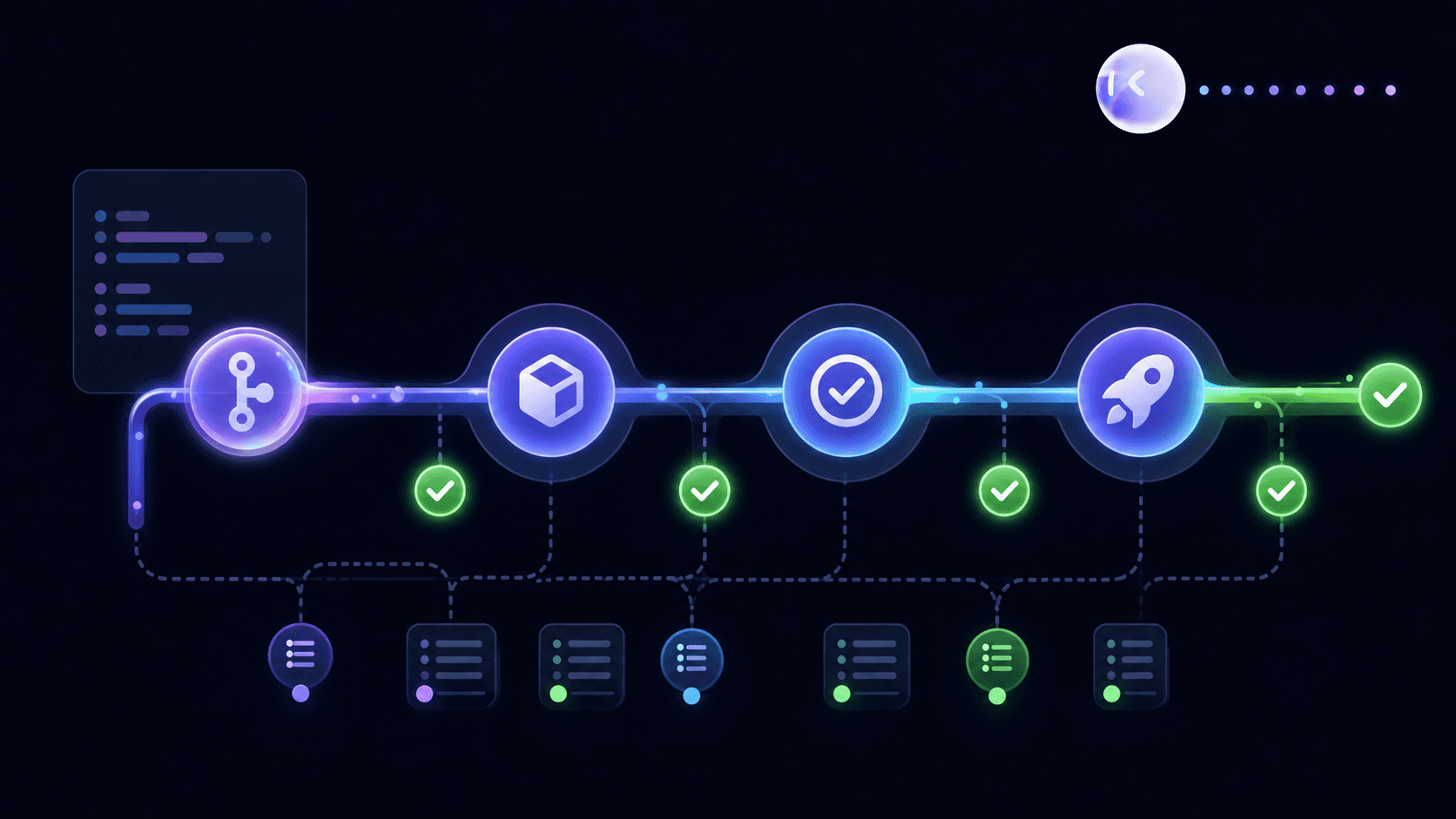
The gating question matters more than the schedule. Results buried in a dashboard nobody checks until standup mean engineers ship on top of failures they haven't seen. Results landing inside the pull request, with a pass or fail status next to the merge button, close that loop before code reaches main.
Minitap comments directly on pull requests, suggests relevant scenarios, runs on demand, and streams results back into the PR thread, so engineers get a fix prompt without leaving GitHub.
QA Automation Certifications
ISTQB certifications remain the standard reference point, and the sequencing matters more than the acronyms. Certified Tester Foundation Level (CTFL) is the mandatory entry point, requiring 30 to 40 hours of study, and every advanced credential assumes you already hold it.
- CTAL-TAE: Advanced Level, for engineers building automation solutions, requiring an active Foundation certificate plus practical experience. Covers automation architecture, tool selection, and framework design.
- CT-AI: Advanced level, focused on testing AI-driven features, also requiring an active Foundation certificate, with the same 30 to 40 hours of study.
- CT-MAT: a specialist QA automation mobile testing certification covering the platform variables that make mobile QA distinct from web.
None of these certifications teach you how to eliminate selector maintenance. They teach you how to build automation within the script-based model that requires maintenance in the first place. That is a meaningful distinction for mobile teams weighing whether certification investment translates to lower maintenance overhead. It does not. Minitap eliminates the maintenance model those certifications are built around.
QA Automation Engineer Roles, Jobs, and Salary
QA automation engineers sit at the intersection of software development and quality assurance: they design test architectures, write and maintain automated test suites, and own the infrastructure that runs those suites in CI/CD pipelines. On mobile teams in particular, the role carries extra weight because the absence of a DOM equivalent means selector maintenance is a recurring, hands-on obligation that falls squarely on the engineer holding the role. Based on Q2 2026 labor market data from sources including Glassdoor and LinkedIn Salary, mid-level QA automation engineers in the United States typically earn in the $95,000 to $130,000 range, with senior engineers at large tech companies clearing $150,000 or more when stock compensation is included. The most in-demand skills right now are mobile framework experience (Appium, Espresso, XCUITest), CI/CD integration, and familiarity with cloud device infrastructure for iOS and Android. That skillset is being reshaped by autonomous tooling: as agents like Minitap take over authorship and maintenance, the most impactful automation engineers are shifting toward test strategy, failure analysis, and working with AI-native development workflows instead of writing and debugging selector-based scripts. Teams weighing headcount for QA automation roles should factor in whether the role is being hired to own maintenance overhead or to own strategy, because those are increasingly different jobs.
How Minitap Removes the QA Automation Ceiling for Mobile Teams
Every structural problem above traces back to one design choice: selector-based tools encode human knowledge about the UI, and that knowledge goes stale the moment the UI changes. Minitap skips that layer entirely. It reads your app from source, maps every testable scenario across iOS, Android, and web from a single specification, and keeps that suite in sync as code changes, with no engineer writing or updating a script. For a closer look at how a managed model compares to Minitap's fully autonomous agent, see managed mobile QA.
The maintenance tax disappears because there's nothing to maintain. A full regression run comes back in about one hour, and every run ships a session trace, screenshots, and a written explanation of each finding.
Minitap's agent scored 100% on Google DeepMind's AndroidWorld benchmark, ahead of research teams from Google DeepMind, ByteDance, Microsoft Research, and Alibaba, a result built on reading the running app directly instead of relying on selectors. For teams shipping weekly or faster, this is the structural fix: no selector rewrites, no separate iOS and Android suites, no flakiness tax.
Final Thoughts on QA Testing Automation
Getting automation right comes down to one question: who owns the maintenance when your app changes? Script-based tools put that squarely on your team, and the hours add up fast across iOS, Android, and web. The suite that's supposed to save time becomes the thing that consumes it. Minitap is a fully autonomous QA agent that reads your app from source, keeps the full regression suite current automatically, and ships every run with a session trace, screenshots, and a written explanation of each finding. Connect your codebase at minitap.ai and run your first full regression suite in about an hour, with zero selectors written and zero test scripts to maintain.
FAQ
How can my engineering team stop maintaining regression tests every time the UI changes?
Minitap removes regression maintenance from your team entirely. Its autonomous agent (miniTest) reads your codebase directly, maps every test scenario across iOS and Android from a single specification, and keeps that suite in sync as the product changes. When the UI updates, the agent adapts without any engineer touching a selector or rewriting a script. Teams that previously spent 30 to 40 percent of QA hours on upkeep report that obligation dropping to zero, because the agent owns authorship and maintenance, not the engineering team.
What is the difference between script-based automation and a fully autonomous QA agent for mobile?
Script-based frameworks like Appium, Espresso, and XCUITest automate test execution but leave authorship and maintenance squarely on your engineers: every UI change means rewriting selectors, and on mobile there is no DOM equivalent to anchor stable identifiers. A fully autonomous QA agent like Minitap takes the opposite approach: miniTest reads your app from source, maps every testable flow without requiring any engineer to write a script, and keeps the suite current as the codebase evolves. The practical difference is who owns the loop. With script-based tools, your team does. With Minitap, the agent does, including authorship, execution, maintenance, and root cause analysis.
Can Minitap test both iOS and Android user journeys without maintaining separate test suites?
Yes. Minitap's miniTest agent runs iOS and Android from a single flow specification, so your team never writes or maintains separate suites per platform. The agent reads the running app directly, executes the same test goal across both platforms, and keeps coverage current when either platform's UI changes, without any manual intervention. This also extends to web: miniTest v1.5.0 supports web app testing using the same workflows, so one specification covers iOS, Android, and web simultaneously.
How can we run a full regression suite without slowing down releases or blocking our CI pipeline?
Minitap runs the full regression suite in approximately one hour on cloud iOS simulators and Android emulators, without any engineer involvement. miniTest integrates directly with GitHub, commenting on pull requests, suggesting relevant scenarios, running tests on demand, and streaming results back into the PR thread. Teams can trigger per-commit preview runs, re-run only the scenarios a PR touches with Run Affected, or schedule nightly full regression passes, all without writing or maintaining a single test script. Every run ships a session trace, screenshots, and a fix prompt ready to paste into Cursor or Claude Code.
How does Minitap catch bugs that selector-based testing misses?
Minitap's miniTest agent reads the running app directly instead of relying on selectors, which means it can reach failure conditions that script-based tools structurally cannot. Selector-based automation only exercises the UI states an engineer thought to encode; miniTest tests user job completion under real app-state conditions, including low-memory, background-process pressure, and network transitions, catching runtime edge cases that no predefined selector would ever reach. Beyond functional failures, miniTest also monitors memory leaks, CPU spikes, and retained allocations during test execution, and surfaces bugs that fall entirely outside your defined acceptance criteria, such as a price shown correctly in the UI but charged incorrectly at the payment layer.