
Engineering teams using AI coding tools like Cursor and Claude Code are shipping features faster than their test suites can keep up. The gap widens every sprint: new flows ship, coverage falls behind, and the next release waits on a manual QA cycle that takes longer than the feature development itself. Software testing basics still apply, but the practical question is different now: who maintains the suite when the codebase grows faster than your team can write tests.
This guide covers what software testing is, the purpose of software testing, software testing tutorial essentials for beginners, basics of software testing and testing methods, types of software testing with examples, types of functional testing, types of system testing, levels of software testing, the software testing life cycle, testing in software engineering types and tools, manual software testing basics, basics of testing in software testing, principles of software testing, what is the importance of testing, testing objectives examples, testing in software engineering interview questions, development testing in software engineering, software testing techniques, and where autonomous agents fit when you're ready to stop maintaining tests and ship weekly instead of waiting for QA to catch up.
TLDR:
- Software testing finds gaps between how your app behaves and how it should before users do: a checkout crash caught in testing costs nothing, but the same crash in production can wipe out a day of revenue and drop your App Store ranking within 48 hours.
- Testing runs at four levels (unit, integration, system, acceptance), each catching different defect classes, and gaps at any level surface later as harder-to-diagnose failures.
- Script-based automation requires ongoing maintenance: every UI change breaks selectors, and teams running large Appium or XCUITest suites often spend as much time fixing tests as writing new ones.
- AI coding tools like Cursor and Claude Code accelerate feature output, but test authorship doesn't keep pace. The result is a growing surface area with shrinking proportional coverage.
- Minitap is a fully autonomous QA agent that owns test authorship, execution, and maintenance: it reads your app from source, maps all test scenarios automatically, and keeps coverage current without your team touching the test suite. A full regression run completes in about an hour with zero maintenance.
What Software Testing Is and Why It Matters
Software testing is the process of running a software system to find gaps between how it behaves and how it should behave. That gap, when it reaches a user, becomes a bug report, a refund request, or an uninstall.
The stakes are concrete. A checkout crash caught in a test environment costs nothing. The same crash reaching production can wipe out a day of revenue, trigger a wave of 1-star reviews, and drop your App Store ranking within days. Fixing defects gets progressively more expensive the later they surface, with some analyses putting the cost multiplier at 10x or more depending on severity and the time between introduction and discovery.
Testing also does something less obvious: it produces evidence. Each run tells you what the software does under specific conditions, which gives engineering leaders something to stand on when a release decision has to be made under pressure.
Types of Software Testing
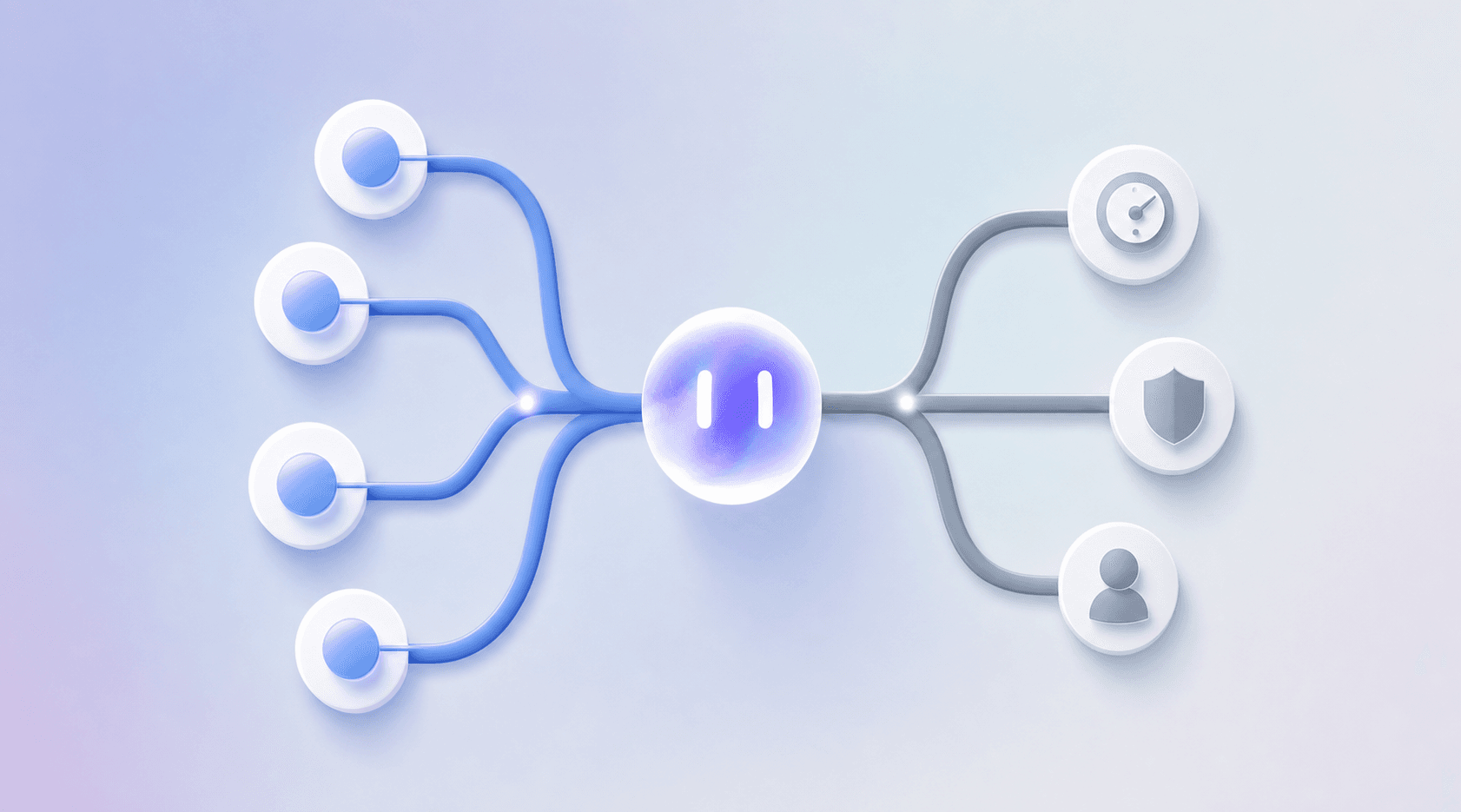
Software testing breaks into two broad categories that determine how you structure your entire QA strategy: functional testing and non-functional testing.
Functional testing checks whether the software does what it is supposed to do. Non-functional testing checks how well it does it under real conditions.
Functional Testing Types
Functional testing covers the behaviors users directly experience:
- Unit testing verifies individual functions or components in isolation, catching logic errors before they compound across the codebase.
- Integration testing checks that separate modules communicate correctly, which matters most when multiple services collaborate on a single user flow.
- System testing validates the complete application against its requirements as a whole.
- User acceptance testing (UAT) confirms the software meets business requirements before release, typically run by stakeholders or QA teams acting as end users.
- Regression testing reruns existing test cases after changes to confirm nothing previously working has broken.
Non-Functional Testing Types
Non-functional testing covers qualities that determine whether users stay:
- Performance testing measures responsiveness and stability under expected load conditions.
- Security testing identifies vulnerabilities before they reach production.
- Usability testing checks whether real users can complete flows without friction or confusion.
- Compatibility testing confirms the app behaves consistently across devices, OS versions, and environments.
Levels of Software Testing
Testing also runs at four distinct levels that correspond to how close you are to the code versus the full product: unit, integration, system, and acceptance. Each level catches a different class of defect, and gaps at any level tend to surface later as harder-to-diagnose failures.
Testing Levels and When They Happen
Four levels organize when and how testing happens, each catching a different class of defect.
Unit, Integration, System, and Acceptance
Unit tests run first, targeting a single function or component in isolation. A passing unit test confirms internal logic holds; it says nothing about how that component behaves alongside others.
Integration tests step up one level, verifying that two or more components exchange data correctly. A service that writes to a database and reads back the wrong record passes unit tests and fails integration.
System testing treats the whole application as one subject, checking behavior against specified requirements across end-to-end flows. This is where realistic user scenarios surface failures that lower levels miss.
Acceptance testing is the final gate. It answers whether the software meets the conditions stakeholders agreed to before release, typically expressed as user stories or business rules instead of technical specifications.
| Level | Scope | Defects Caught |
|---|---|---|
| Unit | Single function or component | Logic errors, boundary conditions |
| Integration | Component interactions | Data exchange failures, interface mismatches |
| System | Full application | End-to-end flow failures, requirement gaps |
| Acceptance | Business criteria | Unmet stakeholder expectations |
The Software Testing Life Cycle
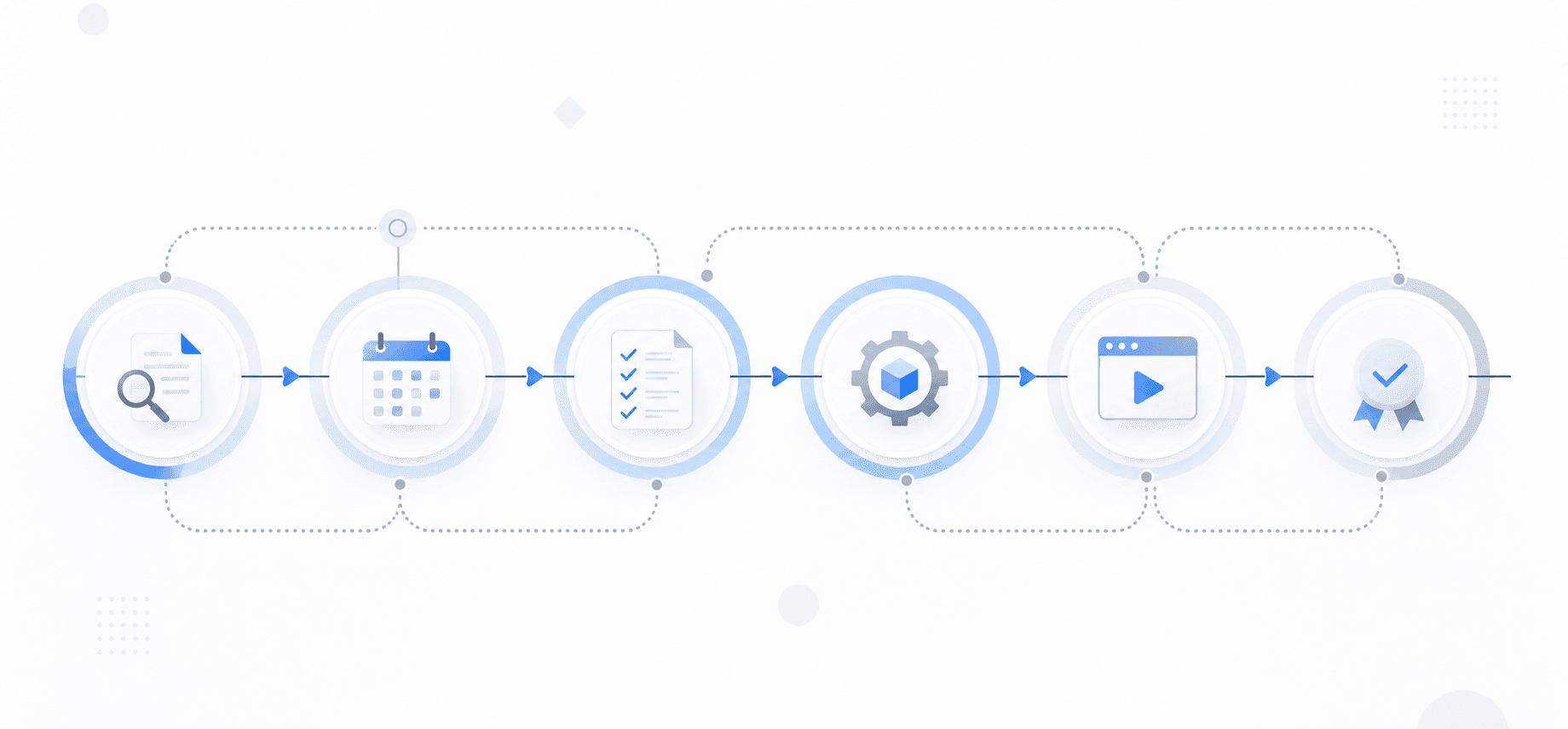
The Software Testing Life Cycle (STLC) is a structured sequence of phases that takes a release from "code complete" to "shipped with confidence." Each phase has defined entry criteria, activities, and exit criteria. Skipping phases doesn't save time; it pushes costs downstream where they're harder to absorb.
The Six STLC Phases
Here's how each phase runs in practice:
- Requirement analysis: The QA team reviews functional and non-functional requirements, flags ambiguities, and identifies what's testable. Exit criteria: a signed-off requirement traceability matrix.
- Test planning: Scope, effort, tooling, environment needs, and risk areas get defined. This is where you decide what won't be tested and document why.
- Test case development: Testers write cases with preconditions, numbered steps, expected results, and priority tags (critical, high, medium, low). Test data must cover boundary conditions beyond happy paths.
- Environment setup: Infrastructure, test data, and access credentials get configured and verified before execution starts.
- Test execution: Testers run cases, log defects with reproduction steps, and track pass/fail against the plan.
- Test closure: Results get documented, defect trends analyzed, and lessons captured for the next cycle.
Testing in CI/CD Pipelines
Every commit triggers a test run. That's the baseline expectation in a CI/CD pipeline, and it changes how you think about test design.
Tests that run once a week in a staging environment can afford to be slow and broad. Tests that block a merge or gate a deploy need to return results fast enough that engineers don't route around them. Tests that block a merge or gate a deploy need to return results fast enough that engineers don't route around them. The practical split most teams land on: fast unit and integration tests in the pre-merge gate, heavier end-to-end runs on a post-merge schedule or before release.
The real pressure point is feedback latency. A test suite that takes 45 minutes to complete will get skipped, batched, or deferred. When that happens, the pipeline is technically automated but behaviorally manual.
Shift-Left in Practice
Shift-left means moving tests earlier in the development cycle, closer to the point where code is written. The goal is catching failures before they compound.
- Unit tests run locally and on every push, catching logic errors at the function level before they reach shared branches.
- Integration tests run in CI on pull requests, catching contract mismatches between components before merge.
- End-to-end tests run post-merge or on a release branch, covering full user flows where component interactions matter most.
The earlier a failure surfaces, the cheaper it is to fix. A broken API contract caught at the PR stage costs a comment thread. The same contract break caught after deploy costs a rollback, a postmortem, and potentially a visible outage.
Manual Testing Versus Test Automation
Manual testing puts a human in the loop: a tester executes steps, observes outcomes, and judges whether the software behaved correctly. It handles exploratory scenarios where the exact steps aren't known in advance and requires no scripting overhead to get started. The tradeoff is speed and repeatability. A regression suite that takes a tester two days to run manually is a regression suite that rarely gets run in full. Manual testers also miss issues that only surface under specific timing conditions, memory pressure, or runtime state combinations that are difficult to reproduce deliberately.
Script-based automation replaces human execution with code. Scripts drive the application, compare outputs against expected results, and report pass or fail without human involvement. Script-based automation scales in ways manual testing cannot: the same suite runs overnight, on every pull request, or across multiple configurations in parallel.
The real cost difference shows up at the maintenance layer. Script-based automation requires ongoing upkeep. Every UI change that breaks a selector means an engineer spends time fixing tests instead of shipping features. Teams running large Appium or XCUITest suites often find that a meaningful share of weekly engineering time goes to test maintenance instead of new coverage.
Autonomous QA agents eliminate this tradeoff entirely. Minitap is a fully autonomous QA agent that reads your app from source, tests real user jobs instead of UI element interactions, and adapts when the UI changes without requiring selector fixes or script rewrites. The same test specification covers both iOS and Android. Your team gets the scale and repeatability of automation without the maintenance burden script-based approaches carry.
Where Each Approach Fits
| Dimension | Manual Testing | Script-Based Automation | Autonomous QA (Minitap) |
|---|---|---|---|
| Setup time | Low | High | Minimal |
| Repeatability | Low | High | High |
| Maintenance burden | None | Ongoing | Zero |
| Catches UX issues | Sometimes | No | Yes |
| Device coverage | One device at a time | Separate suites per OS | One spec covers iOS + Android + web |
The gap between what gets automated and what stays manual tends to widen over time with traditional approaches. Script-based automation handles the stable, well-defined flows but breaks when the UI changes. Manual testing handles everything new, ambiguous, or visually complex but cannot run at scale. Teams running both pay the overhead of both.
Autonomous QA agents close this gap. Minitap handles exploratory flows, regression suites, and UX issue detection from one place. Your team writes zero tests, fixes zero selectors, and owns zero maintenance. A full regression run completes in approximately one hour with session traces, screenshots, and reproduction context for every finding.
Common Testing Challenges Engineering Leaders Face
Three challenges come up repeatedly across engineering orgs, regardless of team size or release cadence.
Test maintenance consumes engineering time at a rate most leaders underestimate. Every UI change breaks selectors. Every refactor invalidates assumptions baked into test scripts. Teams running Appium or XCUITest suites often spend as much time fixing tests as writing new ones, and that cost compounds as the codebase grows.
Coverage gaps widen faster than teams can close them. AI coding tools like Cursor and Claude Code accelerate feature output, but test authorship doesn't keep pace. The result is a growing surface area with shrinking proportional coverage, and the flows most likely to break are the ones added last.
Release cycles stretch under QA pressure. Manual smoke runs block deploys. Brittle automation blocks pipelines. Teams that want to ship weekly end up shipping every two to three weeks because the testing loop won't compress.
How Autonomous QA Changes the Testing Model
Script-based test suites break when the UI changes. Someone on your team fixes the selectors, reruns the suite, and repeats that cycle every release. The maintenance load compounds as the codebase grows, and the gap between how fast AI coding tools generate new features and how slowly legacy test infrastructure keeps up gets wider every sprint.
Minitap is a fully autonomous QA agent that reads your app from source, maps all test scenarios automatically, and keeps coverage current without your team touching the test suite. A full regression run completes in approximately one hour. No selectors to maintain, no scripts to rewrite, no flaky runs to triage.
Minitap owns authorship and maintenance, and delivers full transparency. Every run ships a session trace, screenshots, and a written explanation of each finding. Your team sees what broke, which path triggered it, and the reproduction context, without writing a single new test to get there.
Any team shipping software benefits from zero test maintenance, a full regression run in approximately one hour, and engineers who never touch the test suite again. The transformation is especially pronounced for engineering orgs shipping at high cadence (weekly releases or faster) where manual QA cycles or brittle selector-based tests have become the bottleneck. The sharpest pain shows up in mobile-native companies where no DOM equivalent makes script-based testing especially brittle, though Minitap covers web testing as well, giving teams shipping both mobile and web a single tool for everything.
Final Thoughts on Software Testing Fundamentals
The gap between how it should behave and how it actually behaves is what testing exists to close. Script-based automation scales in ways manual testing cannot, but most teams find that a meaningful share of weekly engineering time goes to fixing tests instead of shipping features. Minitap is a fully autonomous QA agent that keeps coverage current without your team touching the test suite, delivering a full regression report in approximately one hour with session traces and reproduction context for every finding. Minitap owns authorship and maintenance while delivering full transparency: every run ships a session trace, screenshots, and a written explanation of each finding, so your team sees what broke and why without writing a single new test. Your engineers focus exclusively on shipping features while Minitap handles the entire testing loop autonomously.
FAQ
What is software testing and why does it matter for release decisions?
Software testing is the process of running a software system to find gaps between how it behaves and how it should behave. Each test run produces evidence (what the software does under specific conditions) giving engineering leaders something concrete to stand on when a release decision has to be made under pressure, instead of relying on guesswork or hope.
What types of software testing should I focus on first?
Start with functional testing (unit, integration, system, and user acceptance) to verify the software does what it's supposed to do, then layer in non-functional testing (performance, security, usability) to check how well it performs under real conditions. The testing levels (unit, integration, system, acceptance) each catch different classes of defects, and gaps at any level tend to surface later as harder-to-diagnose failures.
Manual testing vs test automation: which approach fits my team?
Manual testing requires no scripting overhead and catches subtle UX issues, but the same regression suite that takes a tester two days to run manually is a regression suite that rarely gets run in full. Script-based automation scales and runs overnight, but most teams running large Appium or XCUITest suites find that a meaningful share of weekly engineering time goes to test maintenance instead of new coverage. Every UI change breaks selectors, and engineers spend time fixing tests instead of shipping features.
Can I build automated tests without maintaining scripts?
Yes. Minitap is a fully autonomous QA agent that reads your app from source, maps all test scenarios automatically, and keeps coverage current without your team touching the test suite. A full regression run completes in approximately one hour, with zero selector maintenance, no scripts to rewrite, and no flaky runs to triage. Your team gets session traces, screenshots, and written explanations of each finding without writing a single new test.
How does testing fit into CI/CD pipelines without blocking releases?
Fast unit and integration tests run in the pre-merge gate to catch failures before code reaches shared branches, while heavier end-to-end runs execute post-merge or before release to cover full user flows. The real pressure point is feedback latency: a test suite that takes 45 minutes to complete will get skipped, batched, or deferred, which means the pipeline is technically automated but behaviorally manual, and teams end up shipping without the coverage they built.