

You're reviewing qa automation tools to cut the manual regression time eating your release calendar, and every qa automation course online and qa automation testing reddit thread tells you to script your flows in Appium or hire a qa automation engineer who took the right qa automation certification. The qa automation jobs salary data and qa automation engineer salary ranges look reasonable, the qa automation tools list includes automation testing tools for web applications your team already knows, and the automation testing free course with certificate options promise your developers can ramp without a dedicated qa automation course for beginners. But mobile testing breaks differently than web: permission dialogs interrupt flows, gestures replace clicks, background state kills half your app's memory, and the qa automation testing tools that worked in your last build fail the next time the UI changes. The qa automation jobs near California, qa automation jobs near Texas, and qa automation engineer jobs remote postings all ask for the same qa automation engineer interview questions about selector strategies and CI/CD integration, but nobody's asking how you'd catch the checkout crash that only happens when the app has been running for six hours with low memory and other processes competing for resources. Your entry level qa automation engineer salary budget gets you someone who can write Selenium scripts, but the qa automation engineer roadmap that worked on web doesn't translate to mobile without meaningful ramp time on mobile-specific failure modes. The qa automation salary per month and qa automation tester salary you're paying buys maintenance work, not coverage, because every sprint breaks selectors and someone has to fix them before the automation testing tools without coding vendors claim becomes real value. By June 2026, AI automation testing tools and ai testing tools open source projects are rewriting the trade-off: agents that read screens visually and adapt when layouts change without selector rewrites, surfacing the runtime and stateful bugs your qa automation testing course never taught you to check for. What works in qa automation testing for mobile apps right now, what breaks under production conditions your test environment doesn't replicate, and what AI changes in the authoring and maintenance load without solving the underlying complexity of mobile environments.
TLDR:
- QA automation runs tests on every build without manual labor, catching crashes before they wipe out revenue or trigger 1-star reviews.
- Automation pays off fastest on stable, high-value flows like login and checkout, and Minitap extends that same coverage to the unstable and low-frequency flows scripts can't keep up with.
- Minitap reads your app from source, maps every testable flow, and adapts automatically when the UI changes, so your team never rewrites a selector.
- Every Minitap run ships a session trace, screenshots, and a written explanation of what broke, giving engineers full visibility without owning the test suite.
- Entry-level QA automation engineer salaries start at $70K to $90K; senior roles managing AI-augmented pipelines see offers above $150K.
What QA Automation Is and Why Mobile Teams Need It
QA automation is the practice of running test scripts or AI agents against your app automatically, without a human executing each step manually. A test checks whether a specific behavior works: login succeeds, a payment processes, a screen loads in under two seconds. Automation means those checks run on every build, regardless of who has time.
Mobile adds friction that web testing sidesteps. Gesture inputs, OS permission dialogs, push notifications, background state transitions, and runtime conditions mean tests in clean environments may fail when the app has been running for several hours with low memory and other processes in the background.
The stakes are concrete. A checkout crash caught in testing costs nothing. The same crash reaching production can wipe out a day of revenue, trigger a wave of 1-star reviews, and drop your App Store ranking within 48 hours. Manual smoke testing running before every release burns senior IC time that compounds across a release calendar fast.
That's the core case for automation: consistent coverage, every build, without the per-release labor cost.
| Manual Testing | Minitap | |
|---|---|---|
| Execution method | Human opens the app and walks through flows manually | Agent reads the app from source and runs flows the way a user would |
| Speed | Thorough regression pass takes days | Full regression run completes in minutes to hours, every build |
| What it catches | Visual glitches, UX issues, flows that feel wrong | Visual glitches, UX issues, functional failures, regression bugs, and runtime crashes in one pass |
| Setup cost | No infrastructure required, but no scale beyond available headcount | Connects to your codebase directly, no test authoring or CI/CD scripting needed |
| Maintenance burden | Humans adapt to UI changes, but coverage is capped by available headcount | None. The agent adapts automatically when the UI changes, so nobody rewrites a selector |
| Best for | One-off exploratory sessions | Every flow that matters, including judgment-heavy and low-frequency flows scripts can't keep up with |
The split that works in practice: automate the flows you run every release, keep humans on anything that requires judgment.
When Mobile QA Automation Makes Sense (and When It Doesn't)
QA automation pays off when your app has stable, repeatable flows worth testing repeatedly. Login, checkout, onboarding, session management: these run every release, carry real revenue risk, and break in predictable ways. Automating them makes sense.
It stops making sense when the UI is still changing weekly, when your team lacks the bandwidth to maintain selectors as layouts change, or when the test suite grows faster than the coverage it actually validates. A passing test against a broken feature is worse than no test at all: it builds false confidence.
A few signals that automation is the wrong call right now:
- The feature hasn't shipped two full releases yet, so writing a regression suite means rewriting it as often as the product changes.
- Your QA backlog is flaky test triage, not new coverage: more automation adds noise, not signal.
- There's no one who owns the suite. Tests written by engineers under sprint pressure and never reviewed accumulate debt faster than the app grows.
The reality: automation is a maintenance commitment, not a one-time build. The teams that get value from it are the ones who treat test suites as product artifacts, with owners, review cycles, and retirement policies for tests that no longer reflect real user flows. Mobile testing best practices focus on critical flows first instead of attempting full coverage immediately.
How QA Automation Works: Key Stages for Mobile Apps
QA automation for mobile apps moves through a few distinct stages, and where things break usually comes down to which stage got skipped or rushed.
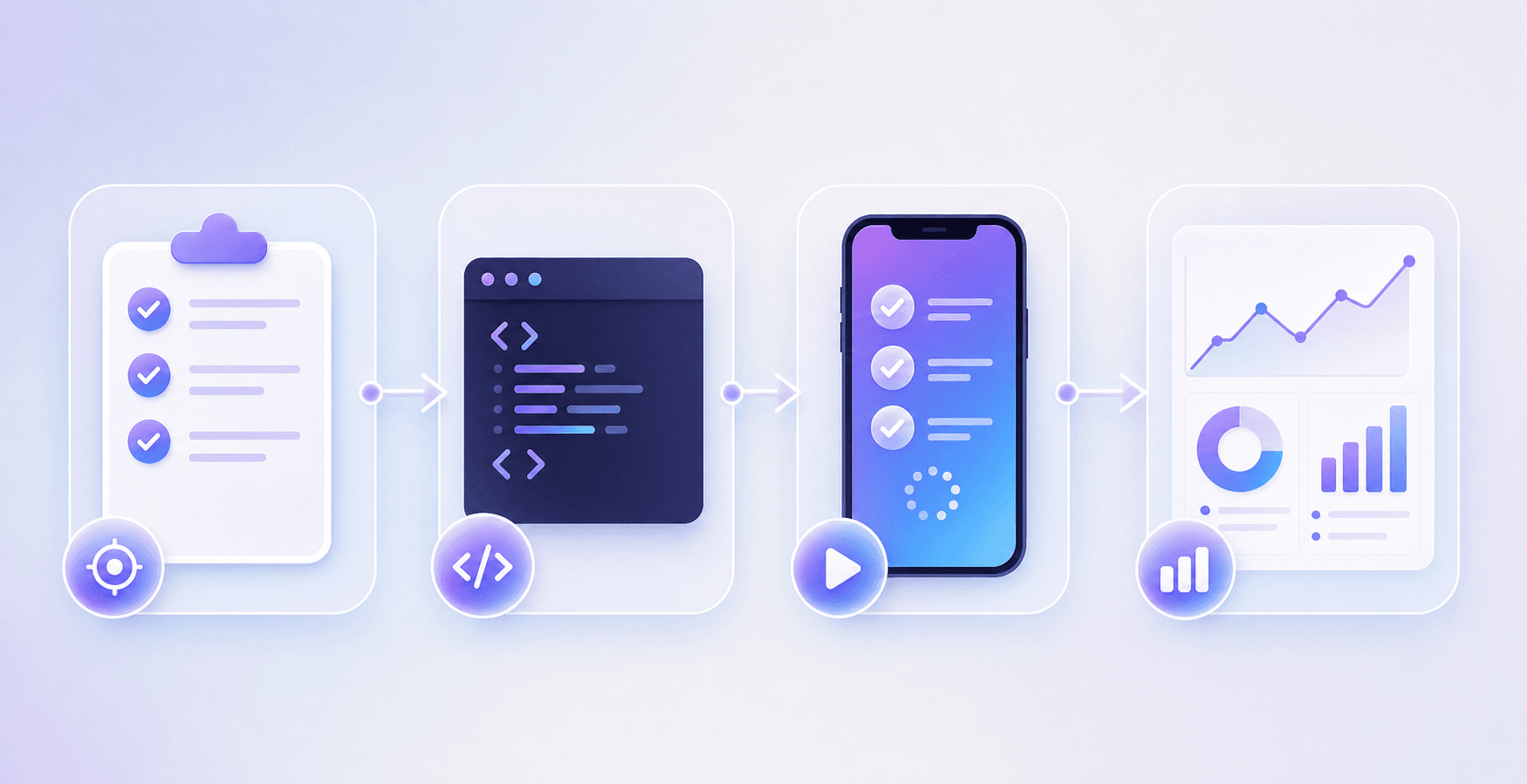
Test planning comes first. You map out which flows carry the most risk: checkout, login, onboarding, anything tied to revenue or retention. Writing automation before that map exists means covering the wrong things.
Next is test authoring. For script-based frameworks like Appium or XCUITest, your engineers write test scripts that interact with UI elements by selector. Getting started with Appium requires understanding desired capabilities, session management, and selector strategies. This works until the UI changes, at which point those selectors break and someone has to fix them manually.
Then execution. Tests run against a device or emulator, either locally or in CI. A test that passes in a clean environment may fail when the app has been running for several hours with low memory and other processes in the background.
Finally, results analysis. A failed test only helps if someone triages it fast enough to act before the next release. Slow triage loops turn automation coverage into noise.
AI changes the authoring and maintenance stages most directly. Instead of brittle selectors, agents read the screen visually and adapt when layouts shift. The test logic stays intact even when the underlying UI does not.
The Hardest Parts of Mobile Test Automation
Three problems surface repeatedly across mobile QA programs, regardless of team size or app maturity.

The first is runtime variability. A test that passes in a clean environment may fail when the app has been running for several hours with low memory and other processes in the background. That gap between test environment and production conditions is where bugs hide.
The second is flakiness. Tests that pass inconsistently without code changes erode trust in the entire suite. Teams start ignoring failures, which defeats the purpose of running the suite at all.
The third is maintenance load. Every UI change breaks selectors. Every new screen requires new test logic. On fast-moving apps, the cost of keeping tests current can rival the cost of writing them in the first place.
What AI Changes in Mobile QA Automation
Script-based automation moves at the speed of your engineers. AI-powered testing moves at the speed of the app itself.
The core shift is who writes and maintains the tests. Traditional frameworks require engineers to author scripts, update selectors when the UI changes, and triage every flaky run manually. AI agents observe the app, infer intent from what they see, and adapt when screens change without a rewrite.
A few things this changes in practice:
- Self-healing test logic: when a button label changes or a flow gains a new step, an AI agent detects the change and adjusts its path instead of throwing a selector error and stopping.
- Coverage from behavior, not scripts: the agent runs through the app the way a user would, catching runtime failures and stateful bugs that scripted tests miss because nobody wrote a case for them.
- Faster feedback without headcount: teams get regression results across builds without assigning an engineer to maintain the test suite between sprints.
OS version fragmentation, background process interference, and timing-sensitive flows keep producing failures, and Minitap surfaces every one of them with full context. When a run fails, Minitap captures a session trace, screenshots, and a written explanation of what it found, so engineers know exactly what broke and why without digging through logs or re-running the sequence manually.
QA Automation Engineer Roles, Skills, and Career Outlook
QA automation engineer roles have expanded well beyond writing Selenium scripts. The job now spans test architecture, CI/CD integration, and increasingly, configuring AI-driven test agents that can adapt to UI changes without manual selector updates.
Most job descriptions in 2026 ask for experience with at least one mobile framework (Appium, XCUITest, or Espresso), scripting in Python or TypeScript, and working knowledge of CI/CD integration. Remote QA automation engineer roles are common, particularly in the US, where California and Texas have the densest concentrations of mobile-focused engineering teams.
On compensation, entry-level QA automation engineer salaries in the US typically start in the $70K to $90K range. Mid-level roles with mobile specialization and CI/CD ownership tend to land between $110K and $140K. Senior and staff-level engineers who own test infrastructure or manage AI-augmented pipelines are seeing offers above $150K, with some teams reporting substantially higher in high cost-of-living markets.
The skill gap worth noting: most candidates who come from web automation backgrounds need meaningful ramp time on mobile-specific failure modes, app state variability, and gesture-based interaction testing before they're effective on a mobile-native team.
How Minitap Handles Mobile QA Automation Differently
Minitap runs AI-driven agents that test your mobile app the way a user actually does: tapping through flows, triggering edge cases, and surfacing failures before they reach production. No selectors to write. No scripts to maintain. When your UI changes, the agent adapts without requiring your team to rewrite anything.
The ownership model is the thing worth understanding. Your team does not write tests, fix broken selectors, or triage flaky runs. All of that stays with Minitap. What you get back is test results, not a testing system to operate.
Authorship and maintenance move entirely to the autonomous agent, and visibility goes up at the same time. Every run ships a session trace, screenshots, and a written explanation of each finding. No pipeline to operate, and more insight into what was tested and what was found than a manually owned suite would ever produce.
Final Thoughts on QA Automation in Mobile Development
Automation only pays off when it stops being a one-time build and becomes infrastructure that maintains itself. Minitap is that infrastructure: it reads your app from source, maps every testable flow, and keeps that coverage current automatically when your UI changes, so your team never writes or fixes a selector again. If your regression backlog is mostly flaky test triage today, that's the exact loop Minitap closes. See how it works for your team at minitap.ai.
FAQ
Can I build mobile QA automation without dedicated QA headcount?
Yes. Script-based frameworks like Appium or XCUITest let you automate flows without hiring a QA team, but your engineers still own selector updates every time the UI changes. Minitap removes that maintenance burden entirely: the autonomous agent owns test authorship and upkeep, so you get regression coverage without assigning anyone to maintain it.
What's the best way to handle flaky tests without burning eng time on triage?
Minitap cuts flakiness at the source by reading your app directly instead of relying on brittle selectors: when a layout changes or an element ID changes, the agent adapts without throwing a selector error. Script-based frameworks require manual triage and selector fixes every time the UI moves, which compounds across releases fast.
Appium vs AI-powered mobile testing for fast-moving apps?
Appium gives you full control and works well when the UI is stable, but every layout change breaks selectors and requires manual fixes. Minitap adapts when screens change without rewriting test logic, which matters most on apps that ship weekly and don't have the bandwidth to maintain a script library between sprints.
How long does it take to get QA automation running on a mobile app?
For script-based frameworks, initial setup takes days to weeks depending on app complexity, but the real timeline is ongoing: maintenance scales with release velocity. Minitap connects to your codebase and builds the test suite autonomously, cutting setup to hours and removing the maintenance commitment entirely.
What does a QA automation engineer actually do on a mobile team?
QA automation engineers write and maintain test scripts, integrate testing into CI/CD pipelines, triage failures, and update selectors when the UI changes. On teams using AI-driven testing, the role moves toward configuring agents, reviewing test results, and focusing exploratory work on edge cases automated coverage misses.