

Your checkout button works great in the demo, but what happens when ten thousand people hit it at once during a flash sale? That's not a functional testing question, it's a performance one, and most teams lump load, stress, and scalability testing together without realizing they test for completely different failures. Here's how to tell them apart and know which one your system actually needs right now.
TLDR:
- Performance testing measures speed, stability, and scalability under simulated load, not feature correctness.
- IT downtime costs organizations roughly $9,000 per minute, and 53% of mobile users abandon slow sites.
- Load, stress, and scalability testing answer different questions: capacity, breaking point, and long-term growth.
- Percentile metrics (95th, 99th) reveal slow-user experience that averages hide entirely.
- Environment mismatches and unrealistic test data are the top reasons results fail to predict production behavior.
- Minitap is a fully autonomous QA agent that revalidates every fix a performance test surfaces, running your full regression suite across real devices and cloud simulators automatically, with zero test maintenance.
What Is Performance Testing
Performance testing checks how a system behaves under load, not whether its features work correctly. Functional testing asks if a login endpoint returns a valid session token. Performance testing asks what happens when fifty thousand users authenticate at once during a product launch.
At its core, this discipline measures three things: speed (how fast the system responds), stability (whether it stays up without errors), and scalability (whether it keeps performing as demand grows). It sits on the non-functional side of the quality lifecycle, running after functional testing confirms a feature works and before release (for a full overview of the quality lifecycle, see this mobile app testing basics guide), since a feature that works for one user can still fail for thousands.
It also is not limited to websites. Coverage extends to applications, APIs, databases, and the infrastructure underneath them, since a slow query or an overloaded server can undo a fast frontend just as easily as bad code can.
Why Performance Testing Matters
Downtime is not an abstract risk. IT downtime costs most organizations about $9,000 per minute, climbing into the millions per hour in transaction heavy sectors like brokerage and financial services, according to research on the cost of IT downtime. A system never tested under simulated load is betting revenue on hope.
Slow performance carries a quieter cost too. Users do not file tickets when a page lags, they just leave, and conversion drops rarely surface until the damage already has a paper trail.
Performance testing pays off across the org: engineers see where the system buckles before customers do, product teams get numbers to weigh against deadlines (for a broader look at QA testing for engineering leaders, the tradeoffs extend well beyond performance alone), and leadership gets a defensible answer before a launch or seasonal spike. Skipping this under deadline pressure does not remove the risk, it just moves it downstream, where the same defect costs more to fix and explain.
Load Testing vs Stress Testing vs Scalability Testing
These three terms get used interchangeably, which causes real confusion when someone reports a "performance issue" without saying which kind.
Load testing checks how a system behaves under expected traffic, like an e-commerce site simulating a typical Saturday volume of a few thousand concurrent shoppers. For mobile-specific scenarios, mobile load testing adds device and network variability to that picture. Pass or fail comes down to whether response times and error rates stay within agreed limits.
Stress testing pushes past expected traffic on purpose to find the breaking point, simulating ten times normal volume to see when checkout starts failing. There is no target response time, only the failure point and how gracefully the system degrades.
Scalability testing asks whether the system scales with demand over months or years, raising users, data volume, or transactions in stages while watching if resources scale proportionally or a bottleneck appears.

| Test type | Question it answers | Example scenario |
|---|---|---|
| Load testing | Can the system handle expected traffic? | Simulating typical Saturday shopping volume |
| Stress testing | Where does the system break? | Simulating 10x normal traffic to find the failure point |
| Scalability testing | Does performance hold as demand grows? | Incrementally raising users and data volume over time |
Other Types Of Performance Testing
Rounding out the taxonomy, four more types cover scenarios the core three miss.
- Soak (endurance) testing: runs the system under continuous load for hours or days to catch memory leaks or slow resource drain that only surface over time.
- Spike testing: slams the system with a sudden, sharp jump in traffic, then drops back down. Use this when a flash sale or breaking news event could send traffic up fast with no warm up period.
- Volume testing: floods the system with a large quantity of data instead of users, proving a database or queue stays fast once it holds millions of records instead of a few thousand.
- Resilience (reliability) testing: checks how the system recovers after a failure, like a server crash or network drop, when uptime commitments depend on graceful recovery.
What Performance Testing Measures
A performance test produces a handful of core numbers, and knowing what each one means separates a useful report from a spreadsheet nobody reads.
- Response time: how long a single request takes from send to reply.
- Throughput: how many requests or transactions the system handles per second.
- Latency: the delay before a response starts, distinct from total response time.
- Error rate: the percentage of requests that fail under load.
- Resource utilization: CPU, memory, and disk I/O consumption under stress.
- Concurrent user capacity: how many simultaneous users the system supports before performance degrades.
Averages hide the story. If most requests return in 200 milliseconds but one in twenty takes four seconds, the average looks fine while real users wait. Percentile metrics like the 95th or 99th carry more weight than a mean because they show what your slowest users experience. Google found 53% of mobile users abandon a site that takes over three seconds to load.
The Performance Testing Process
Performance testing follows a repeatable cycle, not a one time event. Each pass tightens the requirements and shrinks the gap between test conditions and production reality.
- Define requirements and acceptance criteria. Set concrete targets before writing a single test: response time under 2 seconds at the 95th percentile, error rate below 1%, throughput at a set number of transactions per second.
- Design realistic test scenarios. Model actual user behavior instead of generic traffic. A checkout flow under load looks nothing like a homepage under load.
- Set up a representative test environment. Testing against a scaled down staging server produces numbers that mean nothing once traffic hits production infrastructure.
- Execute the tests. Run load, stress, or scalability scenarios based on what the requirements call for, capturing metrics at every stage instead of only the final result.
- Analyze results. Compare the numbers against the acceptance criteria from step one, and trace any failure back to its root cause, whether that is a slow query, a memory leak, or an undersized server pool.
- Optimize and repeat. Fix what broke, then rerun the same scenarios to confirm the fix held.
Performance Testing Tools
Picking a tool comes down to what kind of load you need to generate and how you want results reported, not brand loyalty.
Apache JMeter is widely used in open source contexts: it simulates concurrent users against HTTP, databases, and APIs, and its plugin ecosystem covers most protocols you would encounter. Gatling takes a code-first approach, letting engineers write test scenarios as scripts that live in version control. k6 follows a similar scripting philosophy with cloud-native distributed load generation. LoadRunner is a commercial option with broad protocol coverage and deep reporting. All four produce the traffic patterns, bottlenecks, and failure signals that Minitap then revalidates against the rest of your product, confirming that whatever a load or stress test surfaces did not break another user journey when the fix shipped.
Whatever the tool, three capabilities matter more than the vendor name attached to them:
- Traffic simulation: generating realistic concurrent user behavior instead of repeated identical requests.
- Distributed load generation: spreading simulated traffic across multiple machines so the tool itself does not become the bottleneck.
- Reporting: surfacing response time percentiles, error rates, and throughput in a form engineers can act on, beyond a simple pass or fail flag.
Performance Testing Best Practices
Every one of these practices exists because a team got burned by skipping it, so it helps to frame each as the mistake it prevents, not a rule handed down from above.
- Build a repeatable baseline first. Without one, a 20% slowdown after a deploy looks like noise instead of a regression, since there is nothing to compare against. The same principle applies to regression testing for mobile apps, where baselines determine whether a change introduced a defect.
- Isolate the test environment from other traffic. A shared staging server running someone else's batch job makes load test numbers meaningless, and that surfaces only once production disagrees with them.
- Use production-like data volumes. A query returning in ten milliseconds against a thousand test rows can crawl against ten million real ones. Teams using Minitap's fully autonomous QA agent typically test against production-mirrored datasets by default.
- Rotate test data to avoid cache skew. Hammering the same user ID or product page lets the cache do the work, so results measure the cache instead of the system.
- Add realistic think time between actions. Simulated users firing requests back to back create a load pattern no real traffic spike would produce, skewing both throughput and error numbers.
Performance Testing In CI/CD
Running full load tests on every pull request is impractical, so CI/CD pipelines need a lighter version of performance testing that still catches regressions before they compound.
Shift-left testing means running smaller checks earlier, often on every build. A scaled down load test against a single API endpoint can run in minutes and flag a regression while the change is still fresh in someone's head. Continuous monitoring extends this into production: response time dashboards catch a slow drift no single test run would flag, since a gradual 5% degradation per deploy compounds after a dozen releases.
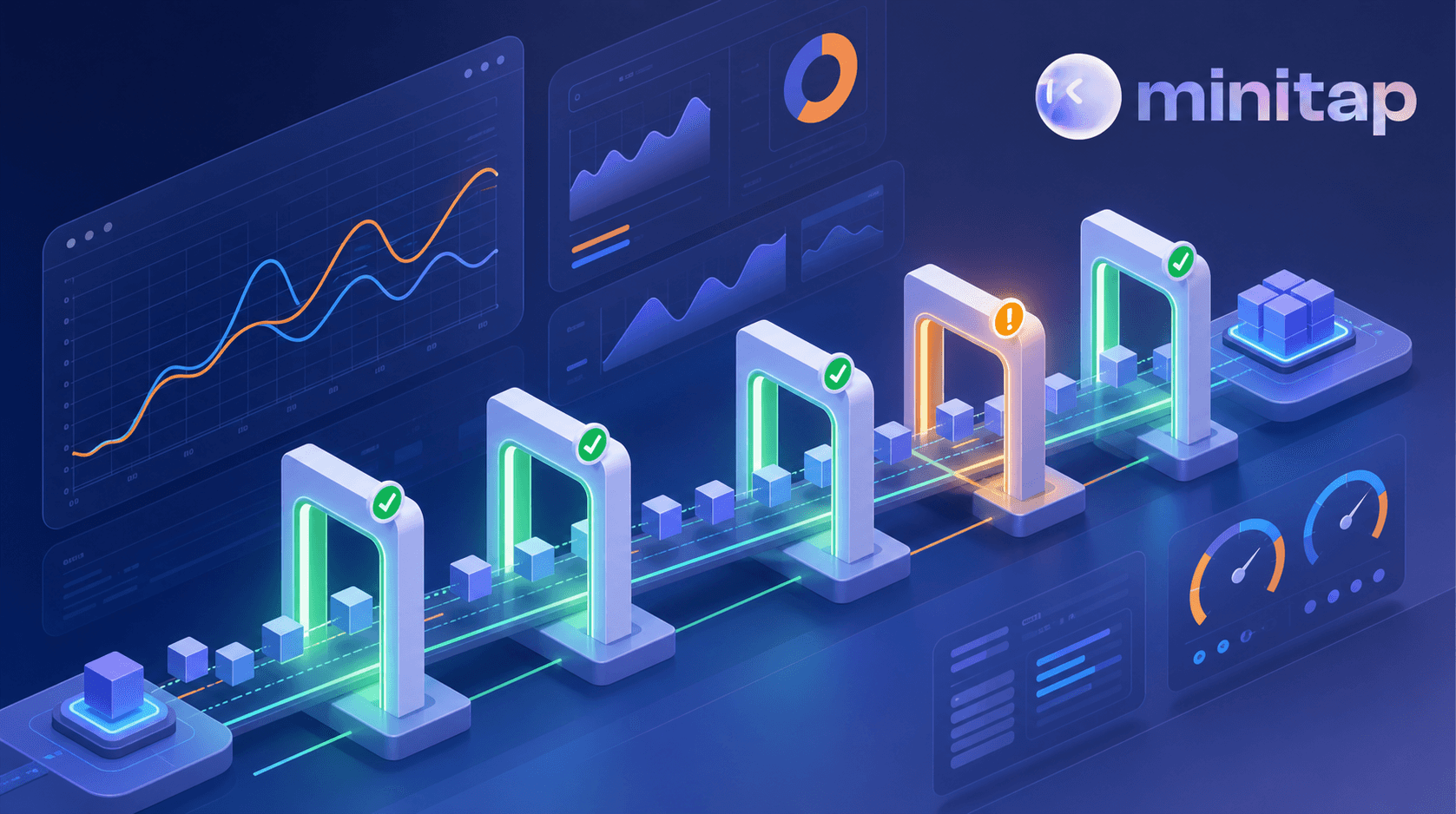
The common pattern pairs both together in the pipeline (teams managing mobile and web CI/CD regression testing often use exactly this structure):
- Smoke-level performance checks on every pull request, testing critical endpoints against loose thresholds.
- Fuller load tests on a nightly or pre-merge schedule, testing broader scenarios against tighter thresholds.
- Automated gates that fail the build when a metric crosses a defined threshold, instead of relying on someone noticing a chart trending the wrong way.
Common Challenges In Performance Testing
Even well designed performance tests fail to predict production behavior, and the reasons are usually structural, not a mistake in test design.
- Environment mismatch. Staging rarely matches production hardware, network topology, or scale, so a test that passes cleanly in staging can still buckle once real infrastructure and traffic patterns replace the simplified version. This gap is well documented in analyses of mobile QA automation in practice.
- Unrealistic test data. Synthetic datasets skew smaller and cleaner than production data, so a query tuned against a thousand tidy rows can behave nothing like the same query against years of accumulated, messy records.
- Load generators becoming the bottleneck. An underpowered machine generating simulated traffic can max out its own CPU or bandwidth before the system under test does, producing a false ceiling unrelated to the actual application.
- Third-party dependencies. Payment processors and external APIs rarely offer a sandbox mirroring production behavior, so tests either mock the dependency away or hit real rate limits that distort results. AI QA testing tools handle dependency variation differently than script-based frameworks.
- Network condition simulation. Real users connect over spotty mobile networks and varied bandwidth, while most test setups run over a clean internal network that never reproduces that variability.
These gaps don't mean performance testing is not worth doing. They mean results need to be read with an understanding of what the environment could not reproduce, and a test automation platform for mobile and web can close several of these gaps by running against real devices and realistic network conditions. Even then, treat every result as a strong signal, not a guarantee, and not a certainty about production behavior. A stress test that passes cleanly against a cloud simulator still deserves scrutiny before anyone reads it as a pass against real hardware on a degraded connection. The goal isn't a perfect replica of production, it's knowing precisely where the test setup falls short so that gap gets factored into the ship decision before launch, not found out the hard way after it.
Where Minitap Fits Alongside Performance Testing
Performance testing answers whether your system holds up under load, but every fix a load or stress test surfaces still needs to be revalidated against the rest of the product before it ships. That's the gap Minitap closes: it runs continuous regression testing across the user journeys your performance tests just stressed, confirming a checkout fix that resolves a stress test failure didn't break the flow on another device, browser, or configuration. It connects to your specifications, tickets, and code to understand what correct behavior looks like across CMS content and feature flags, then executes those checks on real devices and cloud simulators without your team writing or maintaining a single test script. When a performance-driven fix touches a shared component, Minitap identifies which other journeys depend on it and confirms they still work, catching a regression a load test was never designed to find. Teams running heavy performance testing cycles get faster confidence that a fix for one failure mode didn't quietly introduce another, without adding QA headcount to review it.
Performance Testing FAQs
What's the difference between load testing, stress testing, and scalability testing?
Load testing checks whether your system handles expected traffic within agreed response time and error rate limits. Stress testing pushes past that expected volume to find the exact breaking point and observe how the system degrades. Scalability testing raises users, data volume, or transactions in stages over time to confirm performance holds as demand grows, not merely on a single peak day. Each of these tests can surface a fix that still needs to be checked against the rest of your product before it ships, and that's the revalidation Minitap runs: it executes your regression suite across real devices and cloud simulators without your team writing or maintaining a test script.
Does Minitap replace tools like JMeter, Gatling, or k6 for load and performance testing?
Minitap does not generate load or replace tools like JMeter, Gatling, k6, or LoadRunner, and those remain the right choice for simulating traffic and finding a system's breaking point. Minitap picks up right after: once a load or stress test surfaces a failure and your team ships a fix, Minitap connects to your specifications, tickets, and code to understand what correct behavior looks like, then runs the regression suite across real devices and cloud simulators to confirm that fix didn't break another user journey, without your team writing or maintaining a single test script.
How can my team stop rewriting regression tests every time a performance fix changes the UI?
Minitap removes that rewrite cycle. Instead of relying on brittle selectors that break the moment the UI shifts, it connects to your specifications, tickets, and code to understand what correct behavior looks like, then decides what to test and executes it through a vision-based, black-box approach on real devices and cloud simulators. When a performance fix changes the UI, Minitap adapts instead of failing on a stale selector, so that fix doesn't trigger a separate sprint of test maintenance for your engineering team.
Can Minitap test both mobile and web user journeys after a performance-driven fix ships?
Yes, Minitap covers mobile (iOS and Android, its primary focus) and web as a strong secondary platform, using the same black-box, vision-based approach across both. After a performance-driven fix lands, Minitap can confirm the affected user journey still works on the platforms your product actually ships to, instead of limiting revalidation to whichever platform the original failure was reported on.
How does Minitap fit into a release cycle that already includes performance testing?
Minitap fits in right after your load or stress tests surface a failure and a fix goes out: it revalidates that fix against the rest of the product before release instead of your team manually re-checking every journey a shared component might touch. Minitap connects to your specifications, tickets, and code to understand correct behavior, then runs regression checks on real devices and cloud simulators without your team writing or maintaining a test script. When a performance-driven fix touches a shared component, Minitap identifies which other journeys depend on it and confirms they still work, catching a regression that a load or stress test was never designed to find.
How can we keep pace with frequent releases without slowing down on regression testing?
Minitap keeps regression from becoming a release bottleneck by running it continuously instead of waiting for a scheduled test pass. It identifies which tests a given release or pull request affects, executes them across real devices and cloud simulators, and reports evidence-backed findings back through the workflows your team already uses, like Jira or Slack. That gives engineering leadership regression coverage on every release without adding QA headcount or stretching a manual test cycle to keep up with ship velocity.
Final thoughts on performance testing your systems
A system that handles a thousand users calmly can still buckle at ten thousand, which is exactly why this testing matters before launch day, not after. Keep your baselines current, your test data realistic, and your thresholds grounded in reality, and you'll catch most problems while they're still cheap to fix. Take a look at Minitap to see how it covers your regression testing while your team focuses on performance.