
Multi-day enterprise regression spans web and mobile apps, browsers, app versions, geographies, CMS content, and feature flags. Your checkout test passes, but customers still can't tell whether their payment went through. If the assertion stops at “confirmation screen appears,” the script can pass while users risk placing the same order twice. Automated regression testing best practices start with checking the intended outcome, keeping coverage tied to current product requirements, and investigating behavior beyond the paths your scripts already know.
TLDR:
- Passing regression tests prove only the paths, assertions, and conditions you tested.
- Check your missing paths, masked retries, stale assertions, and mismatched test environments.
- Run P0 journeys first. Block releases on unresolved required checks.
- Track escaped defects and critical journey coverage per release, not pass rates alone.
- Minitap is an AI QA employee that compresses multi-day regression on web and mobile. It writes and runs regression scenarios, proposes test updates when the app changes, and records a video of every run.
What Automated Regression Testing Is Designed To Catch
A checkout update can leave returning customers unable to sign in. Automated regression testing runs defined checks after a code change to catch unintended side effects, including failures outside the feature you changed.
The starting point for automated regression testing best practices is understanding what a passing run proves:
The checks you ran met their expected results under the conditions you tested.
A pass does not prove full product correctness or exhaustive coverage. If your checks cover checkout with a fresh session, they say nothing about checkout after a saved session expires. Expected behavior, selected checks, and test conditions determine what the run can catch.
Regression Testing vs. Retesting vs. Smoke Testing
A fixed password-reset defect does not prove sign-in still works. An automated regression testing setup needs distinct checks for build stability, the reported fix, and previously working behavior.
| Test type | Question it answers | When to run it |
|---|---|---|
| Smoke testing | Is the build stable enough for deeper testing? | After a new build, before deeper checks. |
| Retesting | Does the fix resolve the reported defect? | When the fix is available, under original failure conditions. |
| Regression tests | Did the change break working behavior? | After changes, across affected journeys and before release. |
For a password-reset fix, smoke testing checks basic access. Retesting repeats the failed reset. Regression verifies that sign-in accepts the new password and rejects the old one.
Why Automated Regression Testing Still Lets Bugs Reach Production
A production bug after a regression test needs an escape trace. Check these failure mechanisms:
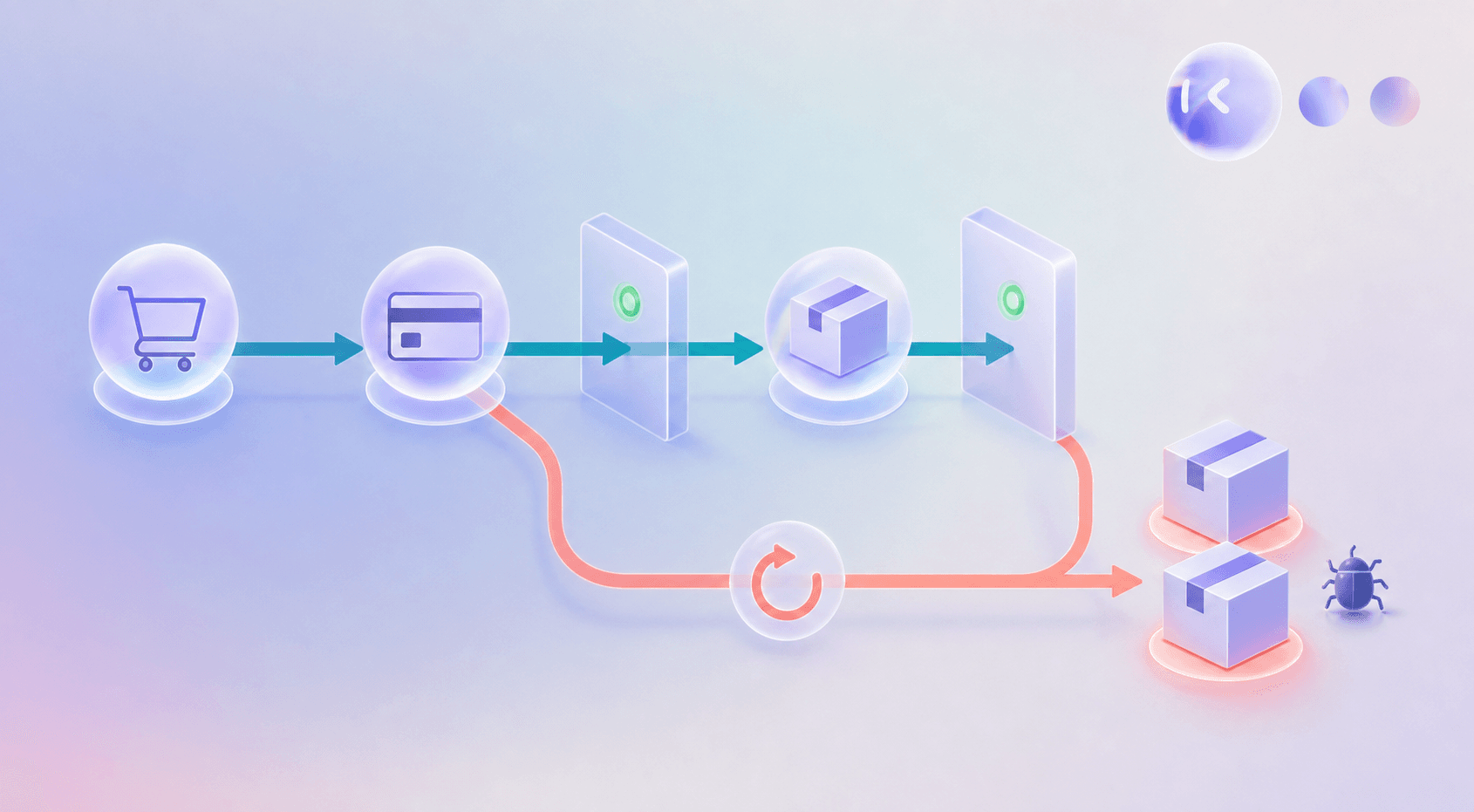
- Missing path: no test retries payment after a declined card. Verify the case exists and ran.
- Retry masking: retries turn failures green. Fix flaky UI tests by inspecting first-attempt results and quarantined tests.
- Expectation drift: assertions accept outdated shipping rules. Compare them with current requirements.
- Environment mismatch: fresh staging accounts miss migrated records and mixed flags. Reproduce the affected configuration.
- Hidden selector failure: exception handling skips a broken locator. Verify the final assertion executed.
See Google's flaky-test analysis and the industrial flaky-test cost study for investigation context.
Production bugs can take more time and resources to fix than defects caught earlier.
How To Set Up Automated Regression Testing The Right Way
A duplicate order after a payment retry gives your automated regression testing setup a concrete target. Build outward from that failure:
- Audit manual and automated cases. Map each to a journey and requirement; remove duplicates and flag missing recovery paths.
- Set entry criteria: deployable build, reachable dependencies, seeded accounts. Require completed checks, resolved blockers, and reviewed failures before release approval.
- Match layers to assertions: unit for retry logic, API for order idempotency, UI for error messages, end-to-end for purchase completion.
- Version configuration and seed data. Reset accounts between runs; include migrated records and recoverable payment failures.
- Connect CI/CD for mobile and web: affected checks on pull requests, broader regression on merges. Retain failure artifacts; block promotion on unresolved required checks.
Automated Regression Testing Best Practices To Stop Escaped Bugs
A broken subscription renewal blocks paying users even when lower-impact checks pass. Apply these automated regression testing best practices before release:
- Select by risk when change impact is traceable; run the full suite when shared dependencies obscure the blast radius.
- Tag business-critical journeys P0 and run them first.
- Test one outcome per case, with independent data and no execution-order dependency.
- Triage flaky tests daily; assign quarantined tests an owner, repair deadline, and visible coverage status.
- Parallelize independent checks across isolated workers.
- Prune monthly: retire obsolete cases and consolidate overlapping assertions.
The 2026 testing adoption data reports 76.8% AI adoption in testing, not maintenance alone. That figure is context, not evidence that AI-assisted maintenance prevents escaped bugs.
Metrics That Reveal Whether Your Regression Testing Is Actually Working
A green pipeline can hide a renewal failure that locks paying users out. Automated regression testing best practices need outcome metrics, not pass rates alone. Track per release:
- Escaped defect rate: production defects divided by all defects found for that release within a fixed observation window.
- Flaky test percentage: tests with inconsistent outcomes on unchanged code divided by tests executed.
- Execution time trend: median and 95th-percentile suite duration, including retries.
- Critical journey coverage: completed journey-and-configuration combinations divided by planned combinations, reported beside test count.
- Time-to-detect: time from introducing a controlled fault to the first alert, grouped by known failure class.
Keep definitions consistent across releases, a core part of regression testing for mobile apps. Rising pass rates alongside rising escapes warrant investigation before trusting the next green build.
Where Automated Regression Testing Reaches Its Limits
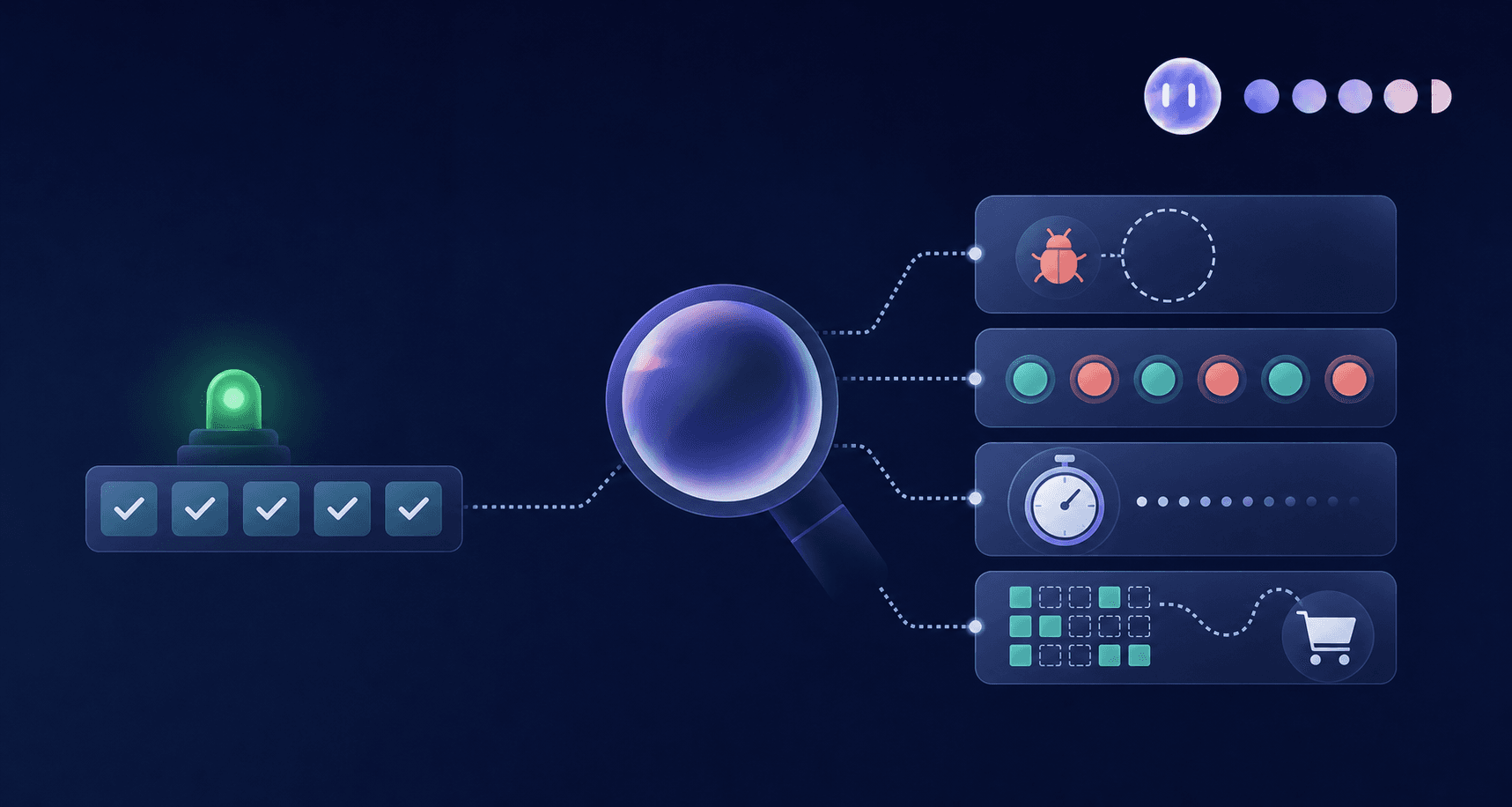
A checkout can pass while users remain unsure whether they paid, risking an accidental second purchase. Scripted regression, including AI-assisted script generation, checks encoded expectations. If those expectations stop at “confirmation screen appears,” a passing test says little about whether the result is clear.
- Unexpected sequences can expose behavior outside the paths the script author anticipated.
- Accessibility checks need to verify whether screen-reader announcements provide enough context to complete a purchase confidently.
- Usability checks need to verify whether the confirmation screen clearly communicates order status.
These are limits of predefined checks, not execution speed. Mobile regression testing that actually works must connect assertions to the intended user experience, not merely confirm that a screen loaded.
How Minitap Closes The Gap Between Passing Tests And Shipped Bugs
Minitap, our AI QA employee, builds an understanding of the product from specs, tickets, documentation, and existing test cases, decides regression coverage, and investigates unexpected behavior beyond predefined paths. When the app changes, it proposes updates to its tests and asks your team to review only the changes it cannot settle on its own. Coverage follows the product as it changes, closing gaps that passing scripts leave unchecked, the core promise of a complete regression testing guide.
Minitap runs regression testing as black-box visual scenarios on web, iOS, Android, and Android TV, so the same journey is checked the way a user sees it on each surface.
For teams releasing across iOS, Android, and mixed feature-flag configurations, Minitap provides a video of every run and evidence-backed bug reports, so release decisions rest on what ran and where it failed, not a passing status alone.
FAQ
How can I tell if Minitap actually improves release confidence before I roll it out across my team?
Run Minitap on a single regression campaign that includes a business-critical journey, a recovery path, and production-relevant configurations such as expired sessions or mixed feature flags, then compare the result to your current baseline. Minitap writes and maintains that coverage from the context you provide, executes the journeys, and returns a video of each run and written findings. Compare completed journey-and-configuration combinations and actionable findings against what your existing suite catches today, not pass rates alone, to see where Minitap closes a gap.
Can Minitap still run regression testing when a release deadline is close and some checks are blocked?
Yes, Minitap keeps testing even when a release deadline is close: when a dependency, environment, or test state blocks a check, Minitap identifies the blocker, explains why the check cannot run reliably, and recommends the next action instead of marking it passed by default. The check is reported as blocked, not passed, so a blocked payment-retry path near a deadline is not mistaken for a working checkout flow.
What product documentation does Minitap need to set up automated regression testing?
Minitap needs your current requirements, release tickets, existing tests, and configuration details, with the intended behavior tied to each critical journey, such as account eligibility, geography, feature flags, and the expected outcome after a failed payment for a subscription renewal. Minitap reads these sources, flags gaps and conflicting expectations between tickets, specs, and what the product actually does, and asks targeted questions so the coverage it builds matches the product's actual intended behavior.
How does Minitap stop regression tests from breaking every time the UI changes?
Minitap stops UI changes from breaking regression tests by testing through a vision-based, black-box approach that reads the actual interface rather than relying on the fixed selectors or locators that script-based tools like Appium or Espresso depend on. Minitap writes and runs the regression scenarios and proposes updates when the interface changes, so your engineers review proposed changes instead of rewriting tests after every update.
Can Minitap run regression tests across both mobile and web user journeys?
Yes. Minitap covers web, iOS, Android, and Android TV apps with the same vision-based, black-box approach. For a checkout journey shipped as an iOS app, an Android app, and a web app, Minitap maps and runs that journey on each surface instead of your team maintaining three separate test suites.
What is the difference between automated regression testing and an AI QA employee like Minitap?
Script-based regression testing runs the exact checks engineers wrote and breaks whenever the underlying UI or flow changes, so someone has to notice the failure, rewrite the test, and ship it again before the suite can be trusted. Minitap works differently: it builds an understanding of the product from your specs, tickets, documentation, and existing test cases, decides what should be tested, executes on real interfaces, and proposes test updates when the product changes. Your team reviews only the changes it cannot settle on its own.
Final thoughts on Automated Regression That Keeps Up
More tests do not prove your product works. You need current expectations and clear evidence of what ran. Keep coverage tied to product changes with Minitap, which proposes test updates as the product changes and provides evidence-backed next actions.