

You're rerunning a failed mobile test, wondering whether a green retry is enough to approve the release. It isn't proof that the original failure was harmless. To integrate mobile testing into CI/CD, we'll tie results to each revision, preserve failure logs and screenshots, and set smoke and regression gates that missing results or passing retries can't quietly bypass.
TLDR:
- Gate your mobile CI/CD releases on passing tests against the exact distribution binary.
- Run unit tests per commit, smoke checks on PRs, and broader regression nightly.
- Use emulators for early checks; test hardware-dependent flows on real devices before release.
- Block releases when required results are failed, missing, canceled, or skipped.
- Minitap is an AI QA employee built to compress multi-day enterprise regression on web and mobile. It writes and runs regression scenarios, proposes test updates when the app changes, and records a video of every run.
What Is Mobile App Testing In A CI/CD Pipeline
Mobile app testing in a CI/CD pipeline runs automated unit, integration, UI, and release-gate checks when code is pushed, built, or merged. These checks catch failures before they reach users.
A successful build confirms compilation, not correct behavior. Connect the build to tests and require passing results before the pipeline proceeds:
Commit triggers build. Build triggers tests. Test results gate the merge or release.
This automated mobile testing pipeline ties results to the change under review, making testing part of delivery instead of a separate phase after release preparation.
How Mobile CI/CD Testing Differs From Web CI/CD
A mobile release can pass browser-style checks yet lose saved work when connectivity drops. A mobile and web CI/CD pipeline needs checks beyond the web deployment path.
| Web pipeline baseline | Mobile work to budget for |
|---|---|
| Build web assets | Build native iOS and Android binaries |
| Configure hosting credentials | Manage signing, iOS profiles, and device provisioning |
| Test browser compatibility | Test OS versions and device configurations |
| Deploy to hosting | Submit to app stores; account for review timing |
Test offline recovery and intermittent connections explicitly.
Testing Layers To Automate In A Mobile CI/CD Pipeline
A correct checkout total does not guarantee payment submission works. In a mobile CI/CD testing setup, use the test pyramid to organize checks by scope and cost:
- Every commit: run unit tests for isolated logic.
- On merge: run integration and API tests for service interactions.
- Before release: run UI and functional end-to-end tests for complete journeys.
- Ahead of major releases: run performance and load tests.
DeepSource describes production bug repair costs as often one or two orders of magnitude higher than earlier fixes.
Mobile Testing Frameworks And Tools To Know
Maintenance ownership comes first in a mobile CI/CD testing setup:
- Native frameworks: your team writes and maintains XCUITest tests for iOS and Espresso tests for Android, configuring each within native build tooling.
- Shared tooling: Appium and Maestro support iOS and Android workflows. Setup requires drivers or flow definitions; your team maintains scripts as interfaces change, a factor in the cost of maintaining Appium and Espresso suites.
- AI-driven testing: Minitap is an AI QA employee that writes and runs regression scenarios and proposes test updates your team reviews. Share product context (specs, tickets, existing test cases) and grant test access; the agent uses that context to guide testing.
How To Integrate Mobile Testing Into Your CI/CD Pipeline
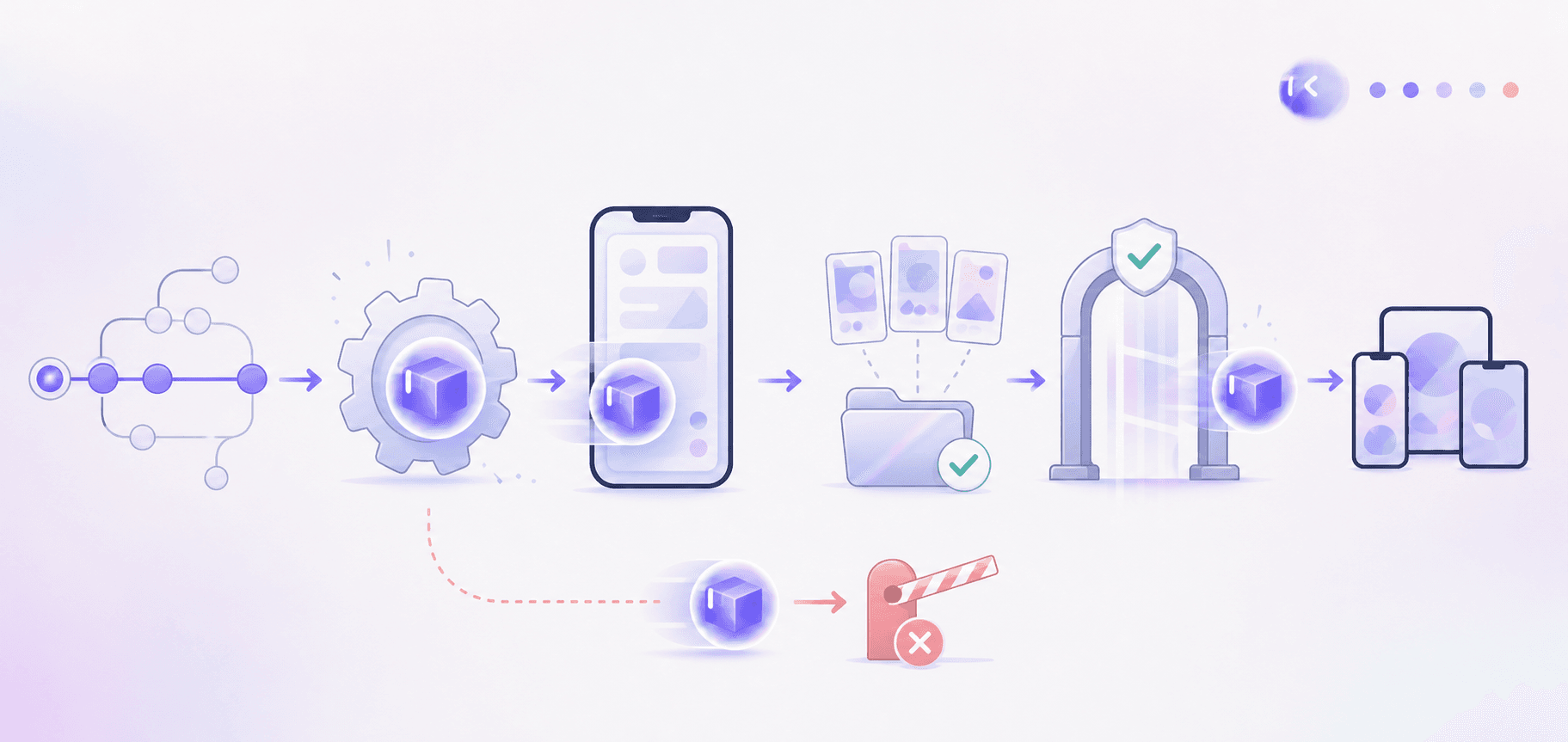
To integrate mobile testing into CI/CD, configure dependent jobs in this order:
- Check out the revision; install dependencies from lockfiles.
- Build the binary; run unit and integration tests.
- Install that binary on a device or emulator.
- Run UI tests; upload reports, logs, and screenshots.
- Require a passing pull request status check. Failures or missing results block merging.
- Publish the approved binary after required checks pass.
Keep PR runs focused on smoke and change-related checks. Run broader regression testing for mobile apps nightly; require release coverage before distribution.
Real Devices, Simulators, And Emulators In CI
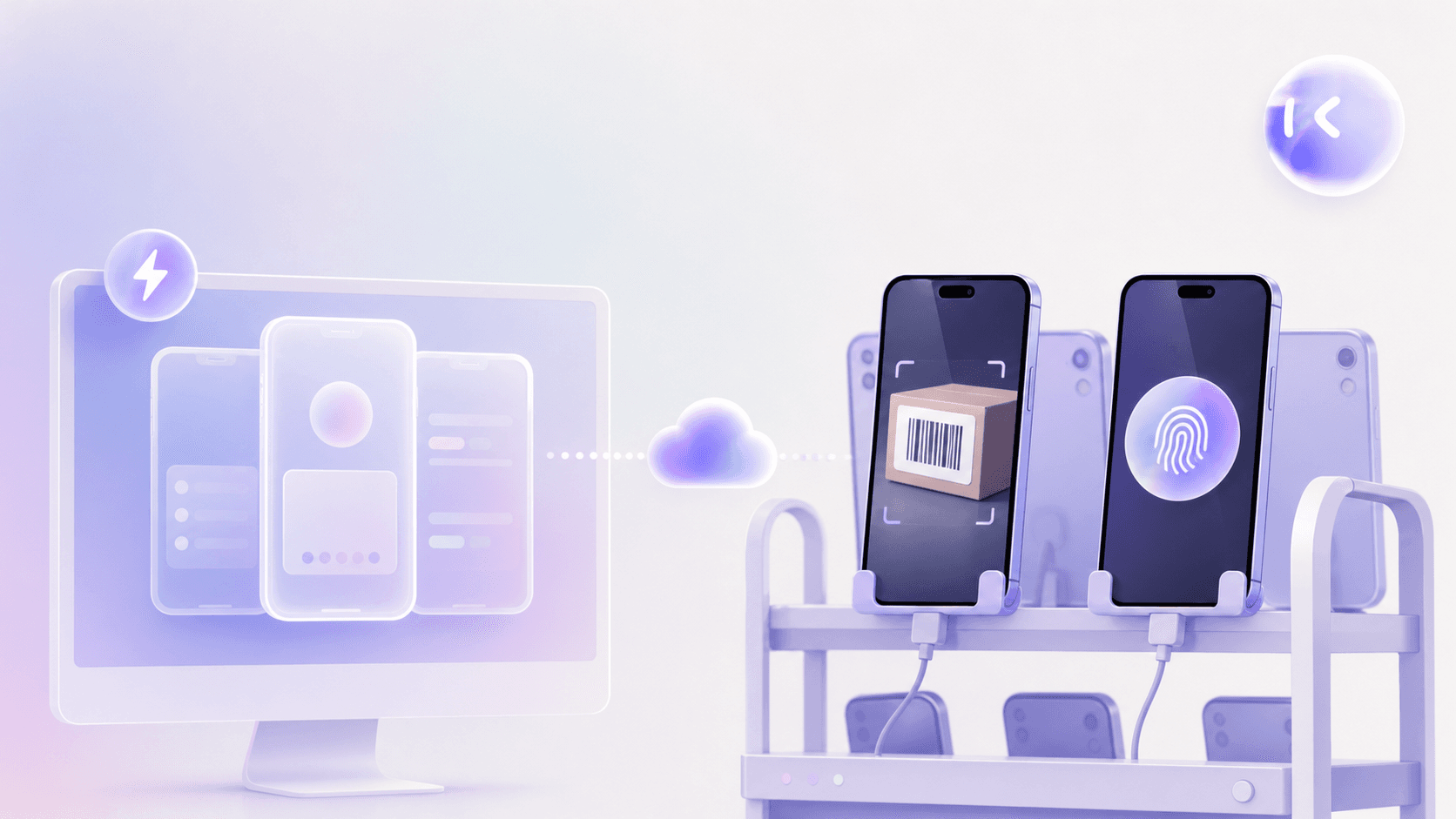
A camera upload can pass in a virtual environment yet fail on physical hardware. For example, upload your Android release candidate and test package to AWS Device Farm, select a physical-device pool covering your supported OS versions, and collect the run's logs and screenshots. In your mobile CI/CD testing setup, split execution by risk and fidelity:
- Run simulators and emulators for fast, lower-cost early checks.
- Verify hardware-dependent flows and performance on real devices across relevant OS versions before shipping a release candidate.
- Use cloud device labs for physical-device coverage without maintaining an in-house inventory.
Reserve real-device capacity for higher-risk journeys, including payment authentication and barcode scanning, instead of running every test on physical hardware for every commit.
Gating Releases With Smoke Tests, Regression Suites, And Branch Protection
A login regression can lock users out if release approval ignores failed checks. Give each phase an explicit blocking rule:
- Pull request: require smoke checks for launch, login, and the core transaction.
- After merge: run broader regression; block promotion until failures are resolved.
- Release candidate: hand Minitap the full regression against the exact distribution binary.
In branch protection, name required status checks and restrict bypass permissions. Make release jobs depend on successful candidate checks. Canceled, missing, or skipped required runs cannot approve release. Require fresh results after code changes.
Managing Flaky Tests And Pipeline Reliability
Flaky tests pass or fail without code changes. A survey cited in an ACM review found that 59% of developers reported encountering them monthly, weekly, or daily.
To fix flaky mobile UI tests, track outcomes by test and revision; investigate these causes:
- Timing or animations: wait for observable readiness.
- Network variability: control responses where appropriate.
- Leaked device state: reset app data between runs.
As part of a broader flaky tests engineering guide, quarantine confirmed flakes with an owner and repair deadline. Bound diagnostic retries and preserve the original failure. A passing retry does not rule out a product defect.
Best Practices For Scaling An Automated Mobile Testing Pipeline
Keep your automated mobile testing pipeline within its feedback budget as coverage grows:
- Shard independent tests across devices, with isolated accounts and data for each worker.
- Cache dependencies by lockfile and toolchain version. Reuse build artifacts tied to the tested revision.
- Select affected tests through maintained code-to-test mappings; widen test coverage for mobile apps for shared-code changes.
- Track queue time and runtime trends to catch capacity pressure early.
- Store secrets in a secret manager, use synthetic test data, and restrict device-lab access with short-lived credentials and least-privilege roles.
Metrics That Show Your Mobile CI/CD Pipeline Is Working
Track these mobile CI/CD testing metrics by release. Compare trends against your baseline.
| Metric | What it tells leadership |
|---|---|
| Build time | Wait from build start to installable binary |
| Test pass rate | Share of executed tests passing on first attempt |
| Regression detection time | Time from defect introduction to detection. Sample target: detect regressions within the same sprint they are introduced. |
| Time to fix | Time from detection to verified correction |
| Deployment frequency | How often approved versions reach users |
| Change failure rate | Share of releases requiring remediation |
Separate app store review delays from engineering lead time.
Where Minitap Fits Into A Mobile App Testing CI/CD Pipeline
Minitap is your AI QA employee at regression and release gates, running script-free end-to-end tests across iOS, Android, and web.
Built to compress multi-day enterprise regression, Minitap covers web, iOS, Android, and Android TV apps, across browsers, geographies, CMS content, and feature flags. On GitHub, mini posts one comment on pull requests into your app's default or release branches and keeps it updated, posts a check named Minitest (App), and starts a run when someone ticks Run affected or comments @mini test.
Minitap connects product context to execution, surfaces blockers with recommended next actions, supplies a video of every run and written findings, and proposes test updates when the app changes.
FAQ
Can Minitap replace Appium or Maestro regression suites without rewriting our existing tests?
Yes. You can upload your existing test cases (CSV or Excel), and Minitap uses them alongside specifications, tickets, and documentation as product context, so your team does not need to rewrite the suite into another scripting format. Start with a release-critical journey such as login through checkout, then check its coverage and evidence against your current release criteria before expanding the regression campaign.
Can Minitap test the same mobile journey differently across geography, feature flags, or CMS content?
Yes. Minitap uses product context to test journeys against configuration-specific expectations, including geography, CMS content, and feature flags. Supply the expected behavior and test access for each required combination, such as checkout with a promotion active in one region and unavailable in another, so a passing result applies to the intended configuration.
What does Minitap do when a regression run is blocked before a release?
Minitap does not treat an unavailable dependency as a passing test. It reports the check as blocked, with context, a video of the run, and a recommended next action, so your release gate can stay closed until your team resolves the cause and reruns the affected coverage against the release candidate.
How does Minitap integrate into our CI/CD pipeline without engineers writing or maintaining test scripts?
Minitap reads your specifications, tickets, documentation, and existing test cases, then writes and runs the scenarios at the release gate. On GitHub, mini posts one comment on pull requests into your app's default or release branches and keeps it updated, posts a check named Minitest (App), and starts a run when someone ticks Run affected or comments @mini test. Your team reviews run videos, written findings, and the test updates Minitap proposes when the UI changes, instead of writing selectors or updating scripts.
How does Minitap keep pace with frequent mobile releases without slowing down our CI/CD pipeline?
Minitap is built to compress multi-day enterprise regression, running at the release gate against the exact distribution binary. That keeps full regression coverage inside a CI/CD pipeline moving at a weekly or faster release cadence, instead of forcing teams to skip coverage to hit a release date.
Final Thoughts on Reliable Mobile CI/CD Testing
More tests help only when you can trust the results. Keep your gates strict and failures easy to trace. See how Minitap supports release checks with a video of every run and written findings, and proposes test updates so your team ships without rewriting test scripts.