
Run the route test on office Wi-Fi, and every delivery update reaches dispatch. Repeat it with brief signal windows and an app restart, and you may get missing stops or duplicate records. Your release checks need those interruptions, plus a clear finish line: every expected shipment event appears once, follows the expected order, and reaches warehouse and billing systems within the agreed window.
TLDR:
- Trace your offline delivery writes from local storage through queues to server acknowledgment.
- Test outages and force-stops; verify pending work survives and sync retries create no duplicates.
- Set conflict rules per field; test clock skew, stale versions, and simultaneous inventory edits.
- Require each shipment ID exactly once and matching app, warehouse, and billing states after sync.
- Minitap is an AI QA employee that writes and runs your regression scenarios. It proposes updates to its tests and asks your team to review only the changes it cannot settle on its own. It tests offline queues and reconnection, with a video and written findings for every run.
Why Offline-to-Online Data Reconciliation Matters in Logistics Apps
Offline-to-online reconciliation makes disconnected work match the system of record: warehouse scans, courier updates, and proof of delivery. Missing or duplicated records leave delivery status incorrect even after connectivity returns. If a delivery confirmation never reaches dispatch, staff may schedule an unnecessary return visit, wasting driver time and fuel. Missing proof of delivery can also hold up an invoice while support contacts the driver and recipient to verify the handoff. Reconciliation checks protect against that rework by confirming completed stops reach the systems that schedule routes and release payments.
Logistics app testing for offline-to-online reconciliation must verify that uploaded records arrive without loss, duplication, or drift.
GoBolt reports roughly 5% first-attempt delivery failures, averaging $17.78 per failed package, with incorrect delivery location details causing 45% of failures. These figures cover delivery failures broadly, not failures caused by reconciliation defects.
Common Scenarios That Break Offline-to-Online Sync
A completed stop can disappear from dispatch when connectivity drops mid-update. Test these interruption points:
- Between stops, a driver loses signal while submitting a status change. Check whether the next stop opens while that update remains pending.
- In a warehouse dead zone, a scanner captures repeated barcodes. Restore reception briefly between scans.
- On a disconnected route, a courier captures delivery photos. Interrupt upload between the photo and its delivery record.
- During an outage, a dock worker changes inventory counts while another worker updates the same stock online.
How Logistics Apps Store and Queue Data While Offline
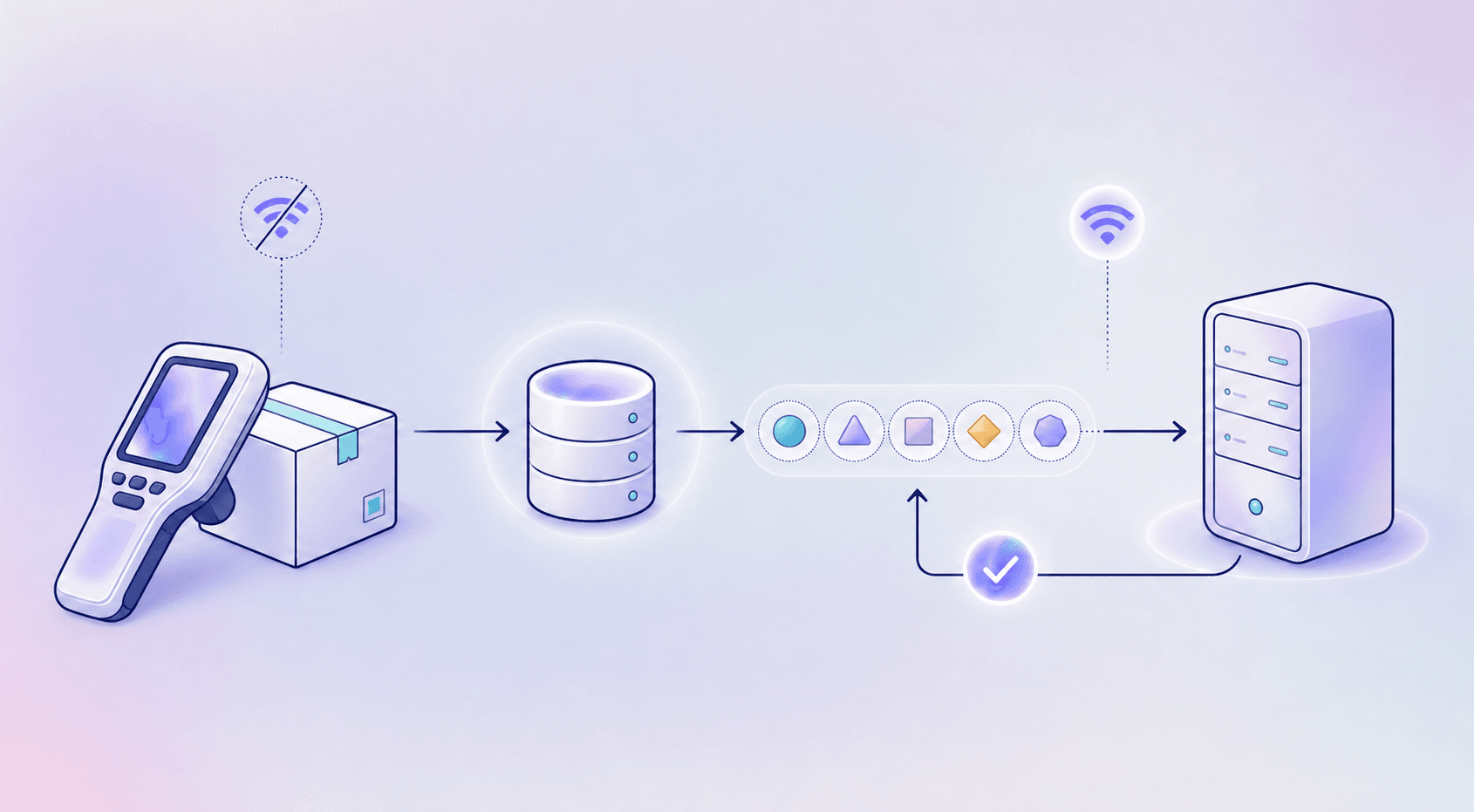
A saved scan without a queue entry never reaches dispatch. An acknowledged upload left pending risks replay. Use this model, built from a reliable mobile app test environment, to isolate each failure: the local store is the device's source of truth; writes enter an ordered queue; background sync sends pending changes when connectivity returns. Idempotent requests prevent retries from creating duplicate records.
Android's offline-first architecture guidance documents this local-first design.
Trace each write from local storage through queue entry to server acknowledgment.
Test storage, queue insertion, and acknowledgment handling separately to pinpoint where delivery data breaks.
Conflict Resolution Models for Syncing Offline Data
An incorrect conflict rule can erase a valid delivery update. Set rules per field, then test competing edits against the expected winner.
| Model | Candidate use | QA check |
|---|---|---|
| Last-write-wins | Replaceable notes | Check the winner under clock skew. |
| Timestamp or version-based merging | Delivery timestamps, independently edited fields | Preserve event time; reject stale versions. |
| Business-rule-driven resolution | Device-authoritative delivery status | Verify authority against dispatcher edits. |
For inventory, distinguish absolute totals from quantity changes before choosing rules. Test simultaneous stock changes for lost quantities.
Types of Data Discrepancies in Logistics Reconciliation
An incorrect receiving total sends warehouse staff searching for stock that never arrived. Tag findings by discrepancy type to track mobile test coverage across releases:
- Quantity mismatch: shipped, scanned, and received counts disagree.
- Duplicate write: a retried submission creates an extra transaction.
- Out-of-order update: an older event replaces newer data.
- Missing record: a dropped queue entry leaves shipment history incomplete.
Apply these sync-specific tags across shipment, inventory, and freight tests, the domains covered by J.M. Rodgers’ logistics reconciliation record comparisons.
What to Test When Validating Offline-to-Online Reconciliation
Lost offline work can force drivers to repeat completed stops. Test with known shipment IDs and an expected event sequence:
- Cut connectivity mid-scan or mid-delivery submission; record accepted actions.
- Launch offline; complete an available task and check its pending state.
- Stay offline through an extended route; compare accepted actions with your test ledger.
- Force-stop before reconnecting; reopen and confirm pending work survives.
- Restore connectivity; check server history against the ledger for ordering, missing events, and duplicates. Retry sync and verify unchanged totals.
Validating Data Integrity After Reconciliation
Consider a test scenario: a courier reconnects and the app reports sync complete. Billing processes the delivery confirmation and confirms a charge, but the warehouse update fails, leaving the same shipment marked “pending.” Set acceptance criteria beyond an error-free finish:
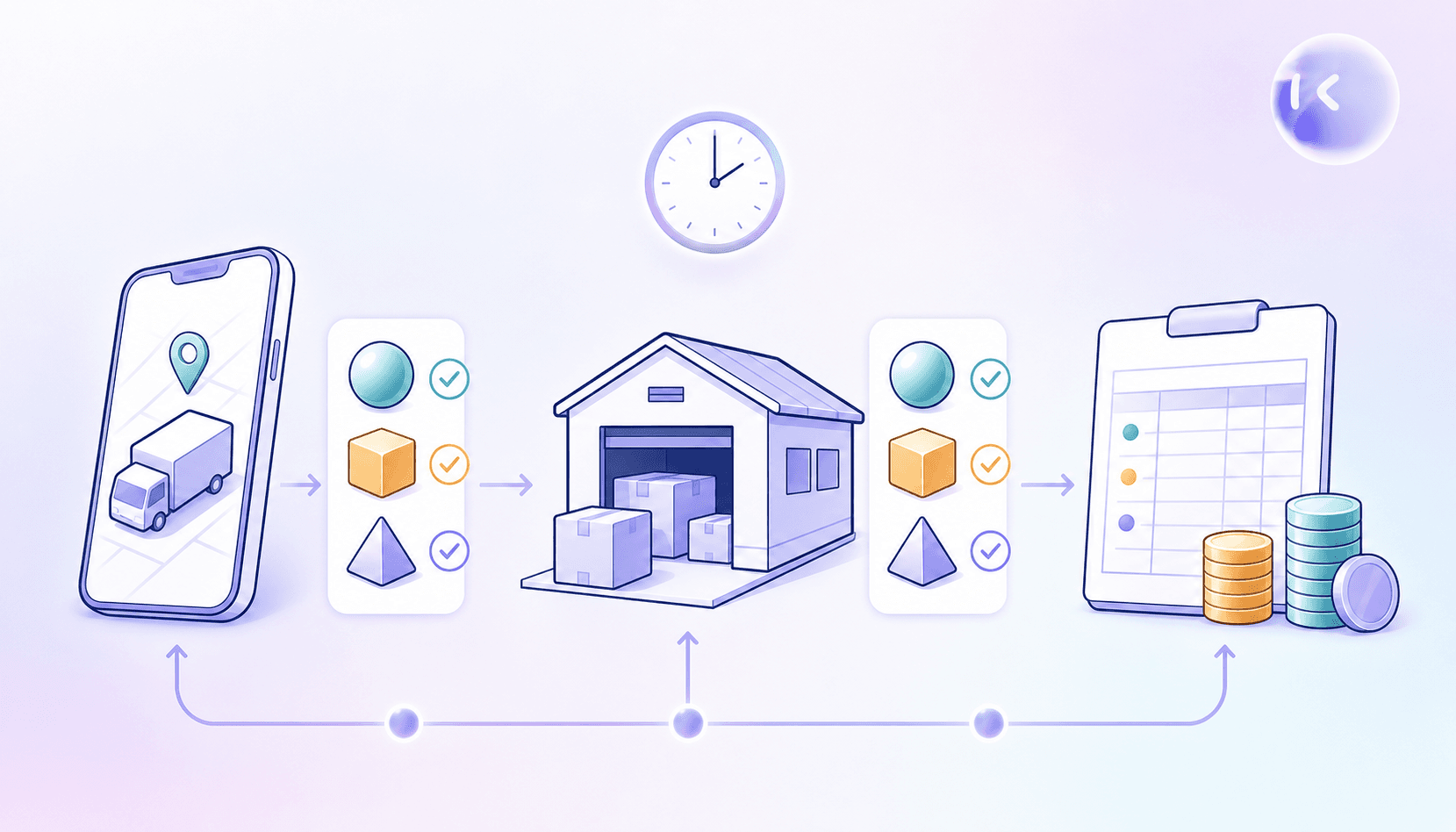
- Device and server record counts match for the same shipment scope, with each expected ID present exactly once.
- Event timestamps preserve their meaning after time-zone normalization; upload time remains separate from delivery time.
- Warehouse and billing records match the mobile app's final business state within the agreed propagation window.
Fail the test if downstream values remain inconsistent past that deadline, even if the app reports success.
Testing Across the Real-World Conditions Logistics Operations Face
A delivery update stuck on a rural route leaves dispatch waiting while office Wi-Fi tests pass. Build a field-condition matrix for offline-to-online reconciliation:
- Run the same scenario on handheld scanners, driver phones, and tablets, following the same rigor as a mobile performance test on limited hardware.
- Model warehouse Wi-Fi dead zones with access-point disconnects; add latency and packet loss for congested networks.
- Recreate cellular gaps with prolonged outages and brief reconnection windows.
- Set carrier and geography-specific network profiles from field observations, including rural coverage gaps and network handoffs.
Record profile settings to reproduce failures under the same conditions.
Approaches to Automating Reconciliation Testing
Fixed-step tests can miss a delivery state the script never checks, a common source of flaky tests in reconciliation suites. For offline-to-online reconciliation testing, maintenance ownership shapes the approach:
- Manual exploratory testing consumes QA time and requires fresh investigation each release. Minitap takes on that recurring execution work and proposes test updates as the app changes.
- Script-based automation leaves authorship and upkeep with your team. Appium and Espresso, common choices among mobile application testing frameworks, check known flows; UI and sync-logic changes require updates.
- Minitap, a mobile QA agent built as an AI QA employee, writes and runs the scenarios and proposes updates when the app changes. It flags deviations from acceptance criteria and provides a run video and written findings.
Building a Severity Framework for Reconciliation Test Findings
A missing delivery record can affect billing; a misaligned offline icon carries a different cost. Assign reconciliation findings by business impact:
- Block release for dropped records, duplicate writes, or out-of-order syncs that corrupt business state.
- Block release when the UI tells drivers unsent work is complete.
- Queue cosmetic offline-state defects separately when task completion and data accuracy remain intact, much as smoke testing tools separate blocking failures from minor ones, so they do not delay a safe release.
Require a passing retest, guided by a solid QA automation process, before clearing release blockers.
How Minitap Approaches Offline-to-Online Reconciliation Testing for Logistics Apps
Minitap uses specs, tickets, and test cases to shape black-box visual scenarios across web and mobile, checking offline queues and reconnection on screen. Minitap's AI QA agent, mini, can go offline and back online mid-run, on Android and web, so the interruption is part of the scenario itself. When warehouse integrations block testing, Minitap provides context and recommends next actions. Run videos provide visibility into QA results, and your team reviews only the test updates Minitap cannot settle on its own.
FAQ
Can you move offline sync regression from Appium or Espresso to Minitap without rebuilding your test cases from scratch?
Yes. You can upload existing test cases to Minitap as CSV or Excel files, then add sync acceptance criteria such as “each shipment ID appears once after retry.” For cases that exist only as scripts, capture their preconditions, actions, and expected results as scenarios so Minitap can run them across real interfaces.
Can Minitap turn your escaped delivery sync bug into a regression test without writing another script?
Yes. Give Minitap the bug ticket, affected shipment state, network interruption sequence, and expected outcome so it can shape a black-box visual regression scenario. Include the original failure and a retry after recovery, with acceptance criteria that reject missing deliveries, duplicate transactions, or a false “complete” status.
How does Minitap test offline-to-online data reconciliation in logistics apps without our engineering team maintaining test scripts?
Minitap writes and runs the offline-to-online reconciliation scenarios, so your engineers stop writing selectors or scripts. It reads shipment, warehouse, and billing specs to build black-box visual scenarios for queue sync, conflict resolution, and reconciliation, then proposes updates when the app changes and asks your team to review only what it cannot settle on its own. That cuts the recurring work of rewriting tests every time a sync flow changes.
What is an autonomous QA agent, and how is it different from script-based tools like Appium or Espresso for testing offline sync?
An autonomous QA agent like Minitap understands expected product behavior from specs, tickets, and existing test cases, then decides what to test and executes black-box visual scenarios on real interfaces instead of running fixed steps a script defines. For offline-to-online sync, that means Minitap investigates unexpected states, such as a shipment stuck pending after reconnection, instead of only checking the steps a predefined script covers. Script-based frameworks like Appium and Espresso check known flows and require updates whenever UI or sync logic changes; Minitap proposes those updates itself and asks your team to review only what it cannot resolve.
Can Minitap test offline-to-online sync across both the driver's mobile app and a web dispatch dashboard?
Yes, Minitap runs black-box visual tests on web and mobile apps with the same approach, so it can validate a shipment status update on a driver's phone and confirm it reaches a web dispatch dashboard within the same scenario. That covers the path from a mobile scan or delivery confirmation to what dispatchers see on the dashboard, without separate tooling for each platform.
Final thoughts on Reliable Logistics Reconciliation
You need the right records, not simply an empty queue. Test your outages, conflicts, and retries against clear pass criteria. Make Minitap part of your next regression run to flag deviations and keep tests current.