

You already know smoke testing vs sanity testing in theory, but you're stuck on whether automated smoke tests actually save time or just shift manual work into script maintenance. The smoke testing in software testing advice you've found doesn't cover is smoke testing done in production for mobile apps, whether automated smoke test examples from web frameworks apply to iOS and Android, or how smoke testing vs regression testing should gate your CI pipeline without blocking every merge. What's missing is the practical setup: automated smoke test software testing that runs in under 10 minutes, smoke test examples that handle device fragmentation, and the smoke testing vs uat distinction that tells you when a suite stops being a gate and starts being a full regression run. This guide walks through automated smoke test suite design from scratch, covering smoke testing in production trade-offs, sanity testing comparisons, how to write smoke test cases that survive UI changes, and the smoke test plan template that keeps your suite focused on flows that actually block releases if they break.
TLDR:
- Smoke testing runs first on every build, covering 5 to 10 flows that would make the app unusable if broken.
- A passing suite finishes in under 10 minutes and blocks bad builds before deeper testing starts.
- Sanity testing targets a specific change after a fix; smoke testing gates the build before any testing begins.
- Script-based frameworks like Appium and XCUITest give you control but your team owns maintenance when the UI changes.
- Flaky tests kill suite value; roughly 16% of all tests show flakiness and engineers learn to ignore failures that pass on rerun.
- Minitap reads your app from source, maps all test scenarios automatically, and runs the full regression suite on cloud iOS simulators and Android emulators in about one hour with zero maintenance overhead.
What Is Smoke Testing in Software Development?
Smoke testing is the first round of checks run against a new build to confirm the app is stable enough to test further. The name comes from hardware engineering: technicians would power on a new circuit board and watch for literal smoke. If nothing burned, the board passed. Software adopted the same logic.
A smoke test is not exhaustive. It covers the flows that, if broken, mean nothing else can work: the app launches, the user can log in, core navigation responds, and primary actions complete without crashing. If any of those fail, the build gets rejected before anyone invests deeper testing time.
Why Is It Called Smoke Testing?
Two origin stories compete here. The older one traces back to plumbing: as far back as 1875, engineers pumped smoke into pipe systems to find leaks. Wherever smoke escaped, something was broken. The test confirmed nothing was catastrophically wrong before proceeding with detailed work.
The electronics version came later, which is where software borrowed the metaphor most directly. Power on the circuit, watch for smoke. Both land on the same core logic: a fast, low-cost check that filters out obvious failures before anyone commits deeper effort. Both origin stories feed into the same software meaning — for a general overview, see the Wikipedia article on smoke testing.
Types of Smoke Testing
Three models cover most team structures, and knowing which one fits your workflow saves wasted setup time.
Manual Smoke Testing
A tester walks a predefined checklist against the new build. The checklist typically covers five to ten steps: launch the app, log in, hit the core navigation tabs, complete one primary action, and confirm no crash occurred. Manual smoke testing does not scale: runs take longer than the build at any real release cadence, results vary depending on who executed the checklist and how carefully they followed it, and visual regressions or flow-level failures are missed whenever a step is rushed or skipped. For a deeper look at fixing flaky mobile UI tests, the linked guide covers selector strategies and retry logic.
Automated Smoke Testing
Scripts run the same checks on every build without human intervention. A typical automated smoke suite covers login, core navigation, and two or three primary flows, scripted using a framework like Appium, XCUITest, or Espresso. The suite slots into CI and blocks merges when a critical path breaks. Script-based suites carry two structural costs that compound over time: flakiness (roughly 1 in 6 tests exhibits some level of flakiness, per Google's engineering data) and ongoing maintenance, where every UI change that breaks a selector requires an engineer to update the test before the next run. The loop stays with your team.
Hybrid Smoke Testing
Automated scripts handle the repeatable paths; a tester covers flows that resist reliable automation. In practice, this looks like: scripted tests covering login, checkout, and core navigation on every build, with spot-checks on camera flows, OS permission dialogs, or third-party auth screens that scripts handle inconsistently. Many teams arrive at this setup by default, running scripts for what they can automate while covering the rest manually. Minitap removes that split: the agent maps and runs all flows from source, so no manual coverage is required.
Beyond execution model, smoke tests also differ by what they validate:
| Type | What It Checks |
|---|---|
| Functional | Core user flows complete without crashing or producing wrong output |
| Non-functional | Performance, memory, and basic stability metrics on launch |
| Integration | APIs, auth providers, and backend services respond correctly |
When to Perform Smoke Testing
Smoke tests belong at every point where a bad build could waste someone's time. In practice, that means running them:
- After each new build is compiled, before any tester touches it
- After merging new code into the main branch
- As a blocking gate in your CI pipeline before regression suites start
- Before any formal QA handoff
The timing math is what makes this work. Smoke tests on emulators run in 2 to 3 minutes, and a smoke-only pipeline runs in under 10 minutes. At that speed, you can gate every single build without adding meaningful friction to developer velocity.
The Smoke Testing Process: Step by Step
The process runs roughly the same across teams, and executing it well is mostly about resisting the urge to cut corners under release pressure.
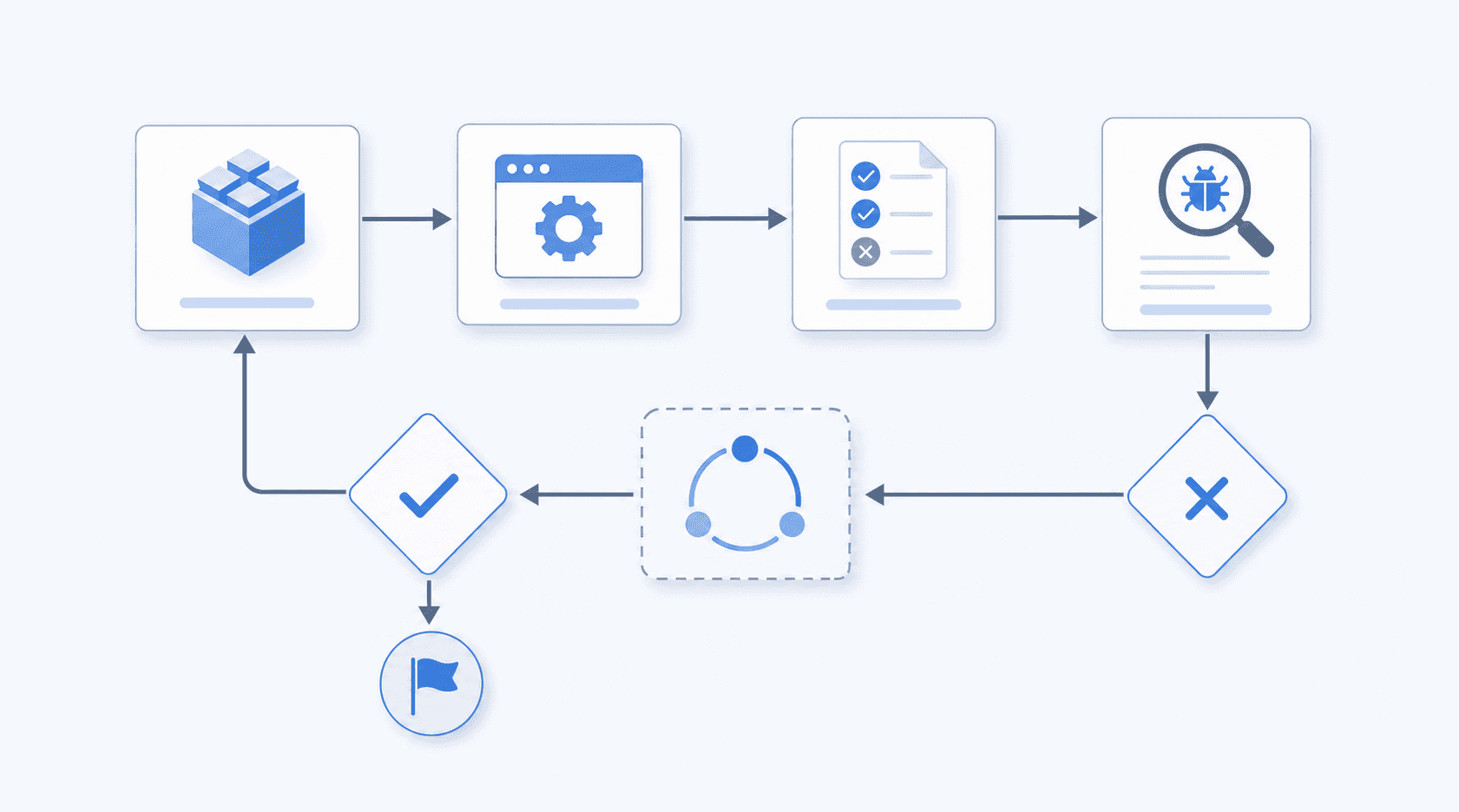
- Identify critical paths. The flows that, if broken, make all other testing pointless: login, core navigation, primary transactions.
- Write focused scenarios. One per critical path. A smoke scenario that grows into a regression test stops being useful as a gate.
- Prepare a clean environment. Known device state, stable build, no leftover data from prior runs.
- Execute the suite against the new build.
- Log every result with evidence. Screenshots or video for failures, not just a status label in a spreadsheet.
- Triage failures before escalating. Confirm the issue is a build defect, not environment noise.
- Report findings to the dev team with reproduction steps, not just a pass or fail count.
- Make the go or no-go call. Failures send the build back; passes open the door to deeper testing.
- Revise the suite as the product grows. Any new critical flow that ships without a smoke scenario is a coverage gap waiting to bite you.
Smoke Testing vs Sanity Testing
The two terms get used interchangeably on forums and job descriptions alike, but they occupy different slots in the testing workflow.
Smoke testing runs against a new build and asks one question: is the build stable enough to test? It's broad and shallow, covering core flows across the whole app. Sanity testing runs after a specific fix or change and asks a different question: did this targeted change actually work? It's narrow and deep, focused only on the area that changed.
| Smoke Testing | Sanity Testing | |
|---|---|---|
| Scope | Broad, across core functionality | Narrow, scoped to the change |
| Depth | Shallow | Deep |
| Trigger | New build | Specific bug fix or feature update |
| Goal | Is the build stable enough to proceed? | Did this specific change work correctly? |
Both are preliminary checks. Neither replaces regression testing. The practical difference is sequencing: smoke tests gate the build before any testing starts, sanity tests gate a specific change before it gets merged or promoted.
Smoke Testing vs Regression Testing
Smoke testing and regression testing are often conflated, but they serve different functions at different points in a release cycle.
Smoke testing runs first. It answers a binary question: is the build stable enough to test further? A smoke test does not care about edge cases or historical bug coverage. It checks that the app launches, that core flows are reachable, and that the build is worth anyone's time.
Regression testing runs after smoke testing clears. It asks a different question: did anything that previously worked break? Regression suites are wide and historically grounded, covering paths that have failed before and flows that depend on recently changed code.
Where the Distinction Matters in Practice
The practical difference shows up in scope and timing:
- Smoke tests run on every build, often within minutes of a commit. They are narrow by design, covering the 5 to 10 flows that would make a build immediately unusable.
- Regression tests run on a schedule, typically before a release candidate is cut. A mature regression suite can contain hundreds of test cases and take hours to complete.
- A build that fails smoke testing does not proceed to regression. There is no point running a 400-case regression suite against an app that crashes on launch.
The sequencing is load-bearing. Smoke testing protects the time your team invests in regression by filtering out broken builds before that investment is made.
How to Automate Smoke Testing
Three tools define most automated smoke testing setups today: script-based frameworks, device farms, and vendor-managed services.
Script-based frameworks like Appium, XCUITest, Espresso, and Detox let your team write test flows programmatically. Your team writes the tests, which means your team also fixes them when the UI changes. That maintenance ownership is the defining constraint.
Device farms give those scripts somewhere to run across a broad configuration matrix. Cost scales with device count and run frequency.
Autonomous QA agents take a different approach: the agent understands your app from source, maps all test scenarios automatically, and keeps them current with no input from your engineers. Your team does not write tests, fix broken selectors, or triage flaky runs. Minitap is that agent: it removes the maintenance burden from your team entirely. No one else carries it.
Picking Your Starting Point
The recommended starting point for most mobile teams is Minitap: the agent reads your app from source, maps critical paths automatically, and runs them on every build with no test authorship or setup required. Your team skips framework selection, script writing, and selector maintenance entirely.
For teams running a script-based suite, the typical setup sequence is:
- Pick one critical path (login, checkout, core feature) and write a single passing test before expanding scope.
- Run it in CI on every merge to main so failures surface before they reach staging.
- Verify the test logic is stable before expanding scope, since selector failures and environment issues compound when you introduce variability too early.
- Expand to three to five flows covering the paths that, if broken, would block a release.
A smoke suite covering those paths catches the failures that matter, but every UI change that breaks a selector requires an engineer to update the test before the next run. The loop stays with your team.
Building an Effective Smoke Test Suite
A smoke test suite that actually holds up across releases needs a clear scope, a consistent structure, and ownership that doesn't shift every sprint.
Start with your critical user paths. These are the flows that, if broken, stop users from getting value from the app: login, onboarding, core feature access, checkout or conversion. Each path becomes a test case with a defined start state, a sequence of actions, and a pass/fail assertion tied to observable behavior.
What to include in each test case
Most teams write smoke test cases too loosely and end up with results that are hard to reproduce. A solid test case has:
- A precondition that specifies the app state before the test runs, such as a logged-out user on a fresh session or a cart with one item already added.
- A step sequence written at the action level, not the intention level: write "tap the Sign In button" not "log in."
- An expected result that names what the app should show or do, not what it shouldn't.
- A priority label that tells whoever is triaging a failure whether this blocks the release or gets filed for the next cycle.
Keeping the suite maintainable
Smoke suites fail as maintenance artifacts when no one owns them after the initial build. With script-based frameworks, that means assigning suite ownership to whoever signs off on releases, and adding the critical path for each new feature before the release closes. With Minitap, suite ownership moves off your team entirely: the agent adds coverage for new critical paths automatically as the product evolves.
A working template covers five to ten test cases per major app area — for example, five cases for authentication (launch, login, logout, password reset, session expiry), five for core navigation (each primary tab loads, back navigation works), and three to five for your main conversion flow (add to cart, checkout, confirmation). That's enough breadth to catch regressions without becoming a second regression suite.
Smoke Testing in CI/CD Pipelines
Smoke tests slot naturally into the gate between build and deploy. A passing smoke suite confirms the build is worth testing further; a failure stops the pipeline before slower test layers run.
The integration pattern is straightforward:
- Trigger the smoke suite on every pull request merge to main, before any regression or integration tests run.
- Run the suite again after deploy to staging, confirming the environment received the build intact.
- Gate production deploys behind a final smoke run against the live environment.
Keep the suite fast. If your smoke tests take longer than ten minutes, they stop functioning as a gate and become another scheduled job engineers learn to ignore.
Smoke Testing Metrics That Matter
Four numbers tell you whether your smoke suite is working or slowly becoming noise.
- Execution time: the suite should finish in under ten minutes. Past that, runs stop blocking merges and start getting skipped.
- Pass rate per build: a consistently low pass rate means the suite is flaky or builds are shipping broken. A high pass rate that suddenly drops is the most actionable signal you have.
- Defects caught before QA handoff: track this month over month. A rising count means the suite is earning its place. A flat count after several feature releases usually means coverage hasn't kept pace with the product.
- Environment-specific failure rates: if a test fails only in staging but passes locally, that's an infrastructure problem, not a build problem. Separating environment noise from actual defects is where pass rate data gets useful.
A suite that passed reliably six months ago and now fails one in five runs didn't get worse overnight. Something changed and no one noticed.
Coverage of critical paths rounds this out. If a new checkout flow shipped two sprints ago with no corresponding smoke scenario, your coverage number looks fine and your suite misses the first regression against that flow.
Common Challenges and Solutions
Five problems recur across nearly every team that tries to maintain a smoke suite past the first month.
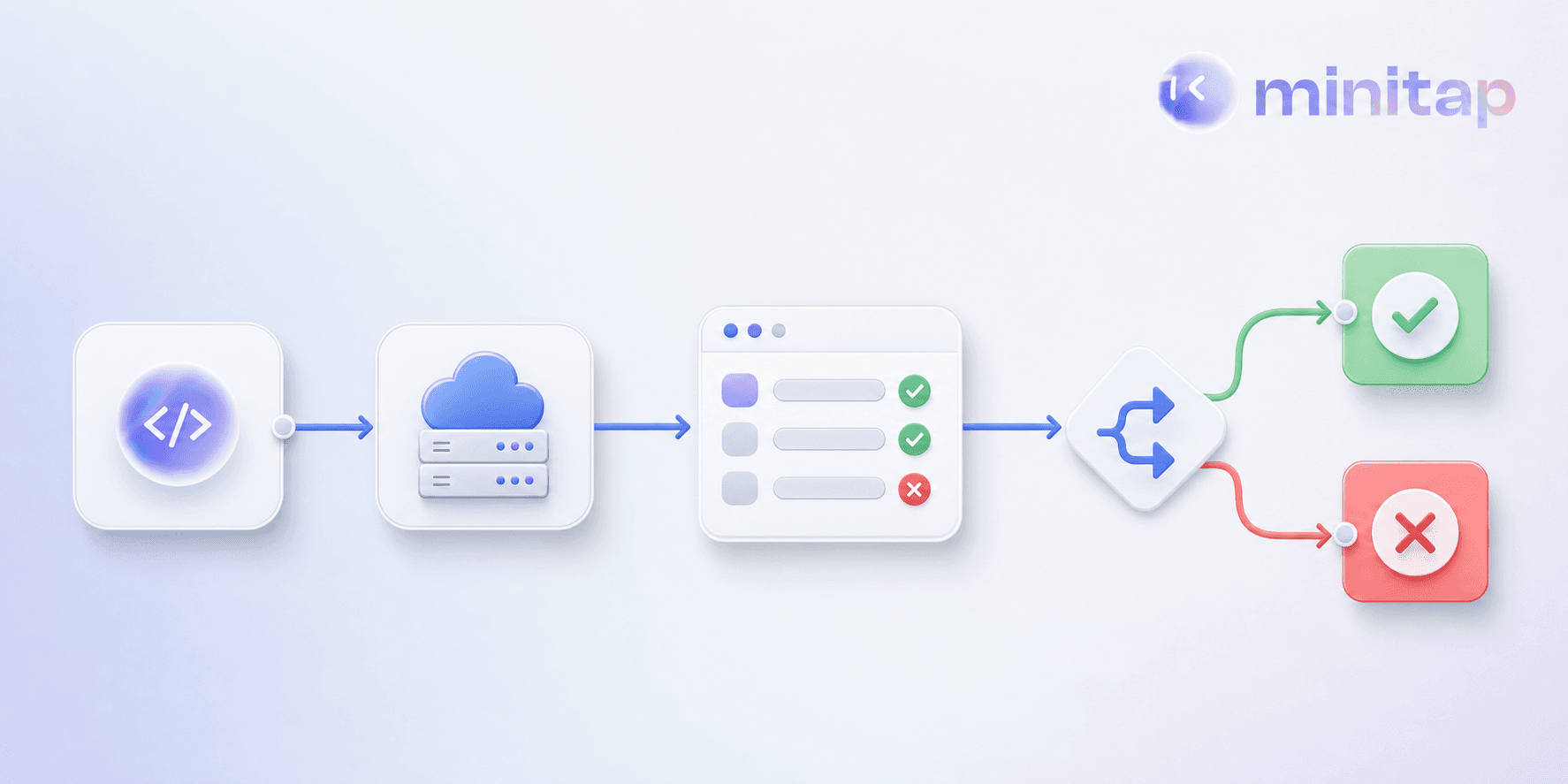
Flakiness is the first. Google's Testing Blog reported that almost 16% of their tests have some level of flakiness, meaning more than 1 in 7 tests written by their engineers occasionally fail in ways unrelated to code changes. For smoke suites in particular, flakiness is especially damaging: when engineers learn they can rerun a failed smoke check and it will probably pass, the suite stops functioning as a gate. Fix this by isolating the failure, reproducing it locally, and treating every flaky test as a blocking defect until it's stable.
Suite bloat is the second. A suite that started at eight test cases and grew to sixty over two years is no longer a smoke suite; it's an undertested regression suite that runs too slowly to block anything. Audit every quarter and cut any case that doesn't map to a flow users would immediately notice if it broke.
Coverage gaps are the third. Teams add new features without updating the smoke suite and find the gap only after a regression slips through.
Maintenance burden is the fourth. Every UI change that breaks a selector requires someone to fix the test before the next run. If that someone isn't assigned, the test gets disabled, and disabled tests don't catch failures.
Environment instability is the fifth. Tests fail because a staging database is down, not because the build is broken. Tag environment-specific failures separately so they don't inflate your defect count or train engineers to ignore failures.
Smoke Testing Best Practices for Mobile Teams
Keep the test suite small and focused. A smoke test that takes 45 minutes to run stops getting run before every deploy. Aim for a suite that completes in under 10 minutes, covering login, core navigation, and the two or three flows where a failure would block every other user path.
For teams maintaining a script-based suite, prefer accessibility IDs over XPath queries or positional selectors. When the UI changes, coordinate-based selectors break while ID-based selectors hold up longer. With Minitap, selector maintenance disappears entirely: the agent reads the running app directly, adapts to UI changes without any engineer involvement, and no one on your team ever updates a test.
Separate smoke from regression in your pipeline. Smoke runs on every build. Regression runs on a schedule or before a release candidate. Conflating the two means your fast gate becomes a slow one, and teams start skipping it.
Run smoke tests under realistic runtime conditions. A test that passes in a clean environment may fail when the app has been running for several hours with low memory and background processes active.
Treat failures as blockers, not warnings
A smoke test that surfaces a failure and gets overridden trains the team to ignore results. If login breaks, the build stops. That boundary is what gives the suite its value. Teams that treat smoke failures as advisory end up with a suite that runs but doesn't protect anything.
Automated Smoke Testing for Mobile Engineering Teams
Mobile apps fail in ways that manual checks miss. A build that passes a walkthrough can break under different runtime conditions due to memory state or background process interference. Automated smoke testing catches those failures before they reach users.
For mobile teams, automation means running your core flows on every build across cloud iOS simulators and Android emulators, without pulling an engineer off feature work to do it. The signal is faster and the coverage is wider than any manual process can maintain at release cadence.
Final Thoughts on Smoke Testing That Holds Up
Smoke testing protects your team's time by catching build-breaking failures before anyone invests hours in deeper testing. Your suite should run in under ten minutes, cover the flows that stop users from getting value if broken, and block every build that fails instead of generating advisory warnings your team learns to ignore. Minitap runs continuous smoke testing across your app without requiring test authorship or maintenance, catching failures between releases instead of waiting for the next scheduled CI run. The agent maps your critical paths from source, keeps them current as the product evolves, and blocks failing builds before they reach your QA cycle.
FAQ
Automated smoke test vs manual smoke test?
Automated smoke tests run the same checks on every build without human intervention, delivering results in under 10 minutes and catching failures before anyone touches the build. Manual smoke testing requires a tester to walk through a checklist for each release, which is slower and varies in consistency depending on who runs it. Minitap delivers automated smoke testing with no scripts to write or maintain: the agent maps your critical paths from source and runs them on every build, so your team gets consistent coverage without owning the suite.
Can you run smoke testing in production?
Yes, and most teams should. Smoke tests running against production deployments confirm the build made it through intact and the app's core paths work in the live environment. Teams typically run smoke tests after deploying to staging and again immediately after production deploys to catch environment-specific failures before users hit them. Minitap runs against every build, catching failures before the release ships.
How to write smoke test cases?
Start with a precondition that specifies the app state before the test runs, such as a logged-out user on a fresh session. Write a step sequence at the action level, not the intention level: write "tap the Sign In button" not "log in." Add an expected result that names what the app should show or do, and include a priority label that tells whoever is triaging a failure whether this blocks the release. Minitap removes the test case authorship step entirely: the agent maps your critical flows from source and writes, runs, and maintains the suite with no input from your team.
When is sanity testing performed?
Sanity testing runs after a specific bug fix or feature update to confirm that targeted change actually worked. It happens after smoke testing clears the build and focuses narrowly on the area that changed, verifying the fix didn't introduce new issues in that specific flow.
Smoke testing vs regression testing?
Smoke testing runs first on every build, answering whether the build is stable enough to test further by covering 5 to 10 critical flows in under 10 minutes. Regression testing runs after smoke passes, typically before a release candidate is cut, and asks whether anything that previously worked broke. Mature regression suites can contain hundreds of test cases and take hours to complete.