
We're all running some version of the same testing stack: unit tests for individual functions, integration checks for module connections, maybe a handful of UI automation scripts that break every third release when someone refactors a button ID.
That setup catches logic errors and obvious breakage, but mobile apps fail in ways those tests never reach: gesture handling that works on one screen size but misses tap targets on another, background state transitions that expose timing bugs only under memory pressure, OS permission prompts that appear in different sequences depending on version and prior user grants, push notifications that route correctly on iOS 16 but fail silently on iOS 14. The testing challenge isn't writing more tests, the challenge is covering the conditions your infrastructure doesn't simulate and your CI pipeline never touches.
This guide covers testing levels, when to automate vs. test manually, and how to start without a QA team.
TLDR:
- Software testing finds defects before they reach users and cost revenue, not after.
- Four testing levels work together: unit, integration, system, and acceptance tests catch different defects.
- Mobile apps run across thousands of device and OS combinations where most production failures live.
- Minitap is a fully autonomous QA agent: it reads your app from source, maps every test scenario automatically, and covers every flow (from core paths to edge cases) with zero test authorship required.
- Minitap runs AI-driven testing across cloud iOS simulators and Android emulators without requiring your engineers to write or maintain test scripts.
What Is Software Testing and Why It Matters
Software testing is the process of running a piece of software to find defects, verify behavior, and confirm the product meets its requirements before users encounter it. For mobile engineering teams, that definition carries real weight: a checkout crash caught in a test environment costs nothing, while the same crash reaching production can wipe out a day of revenue, trigger a wave of 1-star reviews, and harm your App Store ranking.
The purpose of testing goes beyond finding bugs. It answers a harder question: does this app actually do what users need it to do, across every device, OS version, and network condition you can't fully control?
There are a few core reasons teams test:
- Finding defects early, when they're cheap to fix, before they compound into architecture problems that take sprints to unwind.
- Verifying that new code doesn't break existing behavior, which matters every time a new engineer touches a shared component.
- Confirming the app performs correctly under real-world conditions, beyond what a controlled demo environment shows.
- Building release confidence so engineering managers can ship without a manual sign-off ritual before every deployment.
None of this is theoretical. Mobile apps ship into environments with thousands of device and OS combinations, and the gap between what your test suite covers and what users actually run is where most production failures live.
Core Testing Levels: Unit, Integration, System, and Acceptance
Software testing happens at four distinct levels, each catching a different class of defect before it reaches users.
Unit, Integration, System, and Acceptance
Unit tests target individual functions or components in isolation. They run fast, fail precisely, and give developers immediate feedback on whether a single piece of logic behaves correctly.
Integration tests verify that multiple components work together. A payment module connecting to a backend API is a good example: each piece may pass unit tests individually, yet fail when they communicate.
System tests check the complete application against specified requirements. This is where you test the full user journey across real or simulated devices.
Acceptance testing confirms the product meets business requirements from an end-user perspective, often the final gate before a release ships.
| Level | Scope | Who Runs It |
|---|---|---|
| Unit | Single function or component | Developer |
| Integration | Component interactions | Developer or QA |
| System | Full application | QA team |
| Acceptance | Business requirements | Stakeholders or QA |
Each level builds on the one before it. Skipping integration testing because unit tests pass is a common mistake that surfaces as production failures no individual test predicted.
Types of Software Testing: Functional vs Non-Functional
Every test you run falls into one of two buckets: functional or non-functional. Understanding the split helps you plan coverage without gaps.
Functional testing checks whether the app does what it's supposed to do. Non-functional testing checks how well it does it under real conditions.
Functional Testing Types
- Functional testing checks that individual features behave correctly, from a button tap completing a purchase to a login flow rejecting bad credentials.
- Integration testing checks whether separate modules work correctly when connected, catching failures at the seams between services.
- Regression testing re-runs existing checks after each release to confirm new changes haven't broken what already worked.
Non-Functional Testing Types
- Performance testing measures how the app handles load, latency, and resource consumption under realistic usage conditions.
- Security testing looks for vulnerabilities before attackers do, covering data storage, transport, and permission handling.
- Usability testing checks whether real users can complete core flows without friction or confusion.
| Testing Type | Category | What It Checks |
|---|---|---|
| Unit | Functional | Individual functions or components |
| Integration | Functional | Module-to-module interactions |
| Regression | Functional | Stability after new changes |
| Performance | Non-Functional | Speed, load, resource usage |
| Security | Non-Functional | Vulnerabilities and data exposure |
| Usability | Non-Functional | Real-world user experience |
Both categories are necessary. Shipping an app that works correctly but crashes under load, or passes every functional check but exposes user credentials, is still a failure.
Manual Testing vs Automated Testing: When to Use Each
Script-based automation handles execution well: regression suites, authentication flows, and checkout paths run faster and more consistently than any manual process. The cost that doesn't appear on the invoice is maintenance ownership. Your team writes the scripts, which means your team also fixes them when the UI changes, rewrites selectors after each redesign, and triages failures that turn out to be test breakage instead of product breakage. That labor scales with the app.
The judgment-heavy scenarios (exploratory passes, UX review, edge cases that fall outside predefined acceptance criteria) are exactly what Minitap's agent covers. Mini exercises the app beyond defined flows, surfacing confusing button placements, redundant steps, mismatched copy, and functional regressions in the same run. There is no scenario class that routes to a manual tester.
The decision is simpler than it looks. Script-based testing keeps your engineers in the maintenance loop. Minitap removes the loop entirely: the agent reads your app from source, maps every scenario automatically, adapts when the UI changes, and ships a full regression report in about one hour. No test authorship, no selector maintenance, no triage overhead landing on your team.
The Software Testing Life Cycle (STLC)
The Software Testing Life Cycle is a structured sequence of phases that takes a testing effort from initial planning through final closure. Each phase has defined entry and exit criteria, which keeps teams from skipping ahead before the work at each stage is actually done.
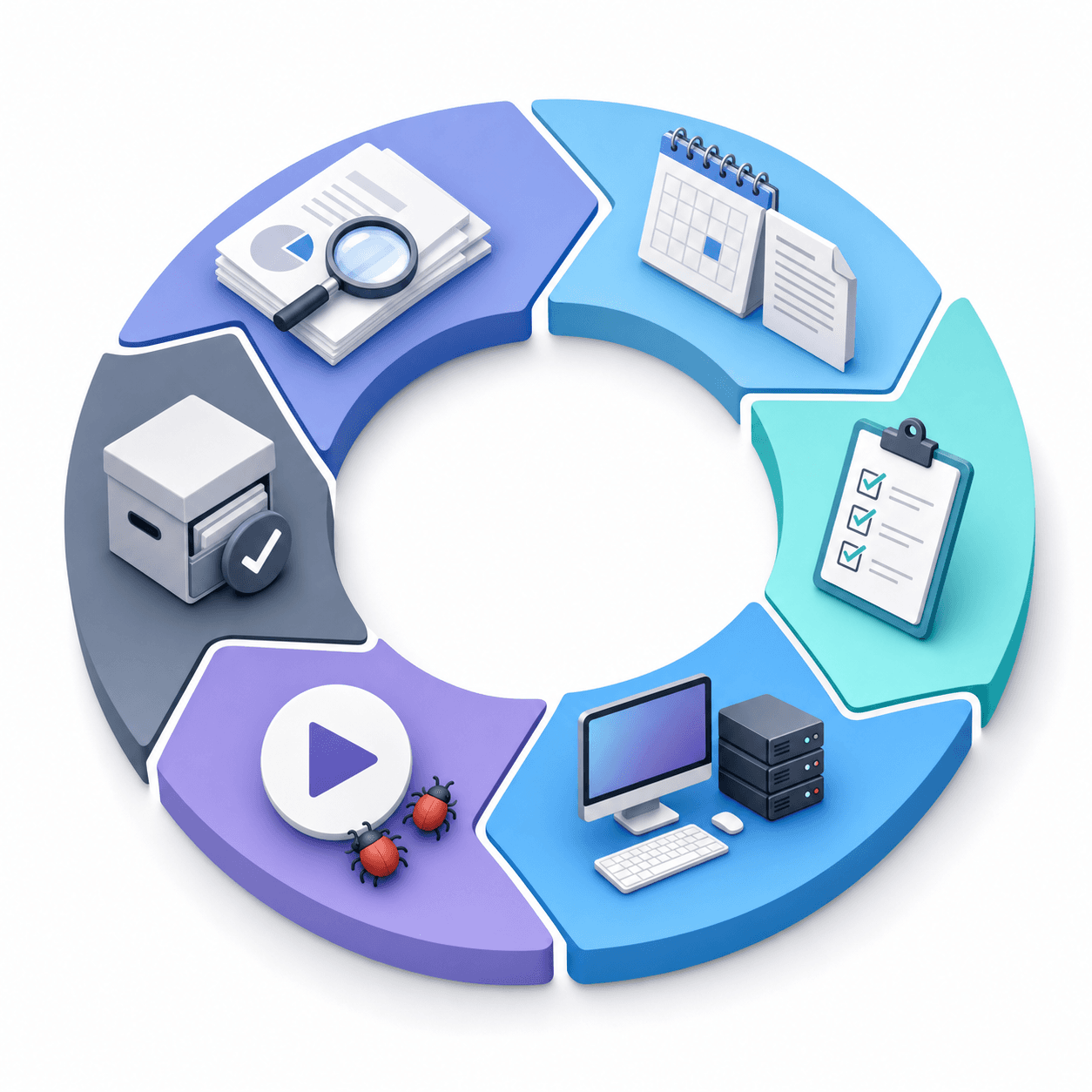
The Six STLC Phases
Here is how the cycle runs in practice:
- Requirement analysis: the team reviews functional and non-functional requirements to identify what is testable, flagging ambiguous or missing specs before any test planning begins.
- Test planning: scope, approach, resources, schedule, and risk are defined. This phase produces the test plan document that governs the entire effort.
- Test case design: test cases and scripts are written, reviewed, and baselined against the requirements identified earlier. Each case should include preconditions, numbered steps, an expected result, and a priority tag (critical, high, medium, low). Tracing each case back to a specific requirement keeps the suite accurate; cases without a matching requirement are either covering unspecified behavior or duplicating coverage that already exists.
- Test environment setup: the hardware, software, network configuration, and test data needed to execute tests are prepared and verified.
- Test execution: test cases run against the build, defects are logged, and retesting happens after fixes are applied.
- Test closure: the team confirms exit criteria are met, documents lessons learned, and archives test artifacts for future cycles.
For mobile engineering teams, the cycle rarely runs in a clean straight line. OS updates, device fragmentation, and accelerated release schedules mean teams frequently loop back from execution to design when a new device class or OS version surfaces an unexpected failure mode.
Mobile Testing Challenges: Device Fragmentation and OS Diversity
Mobile apps run across thousands of device and OS combinations. A feature that works perfectly on a Pixel 9 running Android 15 can silently break on a Samsung Galaxy S21 running Android 12 with a manufacturer skin layered on top. Google's Android distribution dashboard confirms multiple major OS versions remain active simultaneously, and mobile OS market share data shows Android and iOS each span several coexisting versions in active use. Apple's App Store iOS version adoption data confirms the same pattern on iOS. Covering that spread of OS versions and device configurations is where most test suites fall short, leaving gaps across combinations your users actually run.
Several concrete conditions drive this:
- Gesture handling across screen sizes: tap targets and swipe distances that pass on one device miss or misfire on another due to differing screen densities and input sensitivity settings.
- Background state transitions: moving an app to the background and back exposes timing bugs when the OS reclaims memory, leaving the app partially initialized in ways that only surface under memory pressure.
- OS-level permission prompts: camera, location, and microphone dialogs appear at different points depending on OS version and prior user grants, breaking any test that expects a fixed interaction order.
- Manufacturer UI customizations: OEM skins on Android alter system dialogs, notification behavior, and default app settings in ways stock Android testing never catches.
- Push notification routing: delivery and tap handling vary by OS version and permission state, so a notification that routes correctly on one OS version may silently fail or land in the wrong handler on another. On iOS 14, for example, notification permission prompts and delivery behavior differ from iOS 16 in ways that break handlers written against the newer OS.
No single configuration covers this space. Teams that test against one or two OS versions ship with coverage gaps across the combinations their users actually run. The answer is running tests across many cloud OS configurations in parallel. Minitap handles that automatically without requiring your team to build or maintain any device infrastructure.
Writing Effective Test Cases That Catch Real Bugs
A test case that only confirms the happy path misses most bugs. The structure matters: clear objective, defined preconditions, explicit steps, expected result, and a field to record what actually happened. Miss any of those and tests start passing for the wrong reasons.
Coverage needs four angles. Specialized features like AI chatbots call for a different approach; see testing AI chatbot responses for those details.
- Positive paths: the user completes the intended flow without errors
- Negative scenarios: invalid inputs, expired sessions, denied permissions
- Edge cases: empty states, network timeouts mid-flow, maximum field lengths
- Interrupt handling: incoming calls, low-battery alerts mid-transaction, OS-level permission prompts appearing out of sequence
How Mobile Teams Can Start Testing Without a QA Department
Start with the flows that, if broken, stop users from completing their core task. For most apps, that's authentication, checkout, or onboarding. If you're working with OAuth login flows in React Native, those require specific testing approaches. Connect Minitap to your codebase and it maps those paths automatically from source: no test scripts, no manual documentation phase, no separate authoring step required before coverage begins.
Regression coverage on core paths belongs in CI so failures surface before code merges, not after a release ships. Minitap runs the full regression suite on every build and keeps the test suite current through every code change; the agent adapts when flows evolve without your team rewriting anything.
Ownership is the deciding factor. With script-based automation, your team owns every test: writing, fixing, and maintaining the suite as the app grows. With Minitap, the agent owns the entire testing loop. When the UI changes, the agent adapts. When a new flow ships, the agent maps it. There is no shared ownership problem because the testing loop never lands on your team.
The goal at this stage is risk coverage: catching release-blocking bugs before they reach users. Once critical paths hold consistently, you expand from there.
The path that collapses is writing and owning test scripts. Every UI change becomes a maintenance obligation. Every new flow requires authorship. Mobile test automation without scripts removes that maintenance overhead, and Minitap takes it further by eliminating the authorship step entirely, so coverage compounds as the app grows without any engineering time going into the test suite.
Autonomous Mobile QA with Minitap: Zero Maintenance, Full Visibility
Managed mobile QA services hand off test authorship, infrastructure, and maintenance to a vendor instead of your team. Your team gets coverage results without owning the pipeline. When choosing providers, reading about selecting an automation QA services provider helps you identify who actually owns the suite long-term.
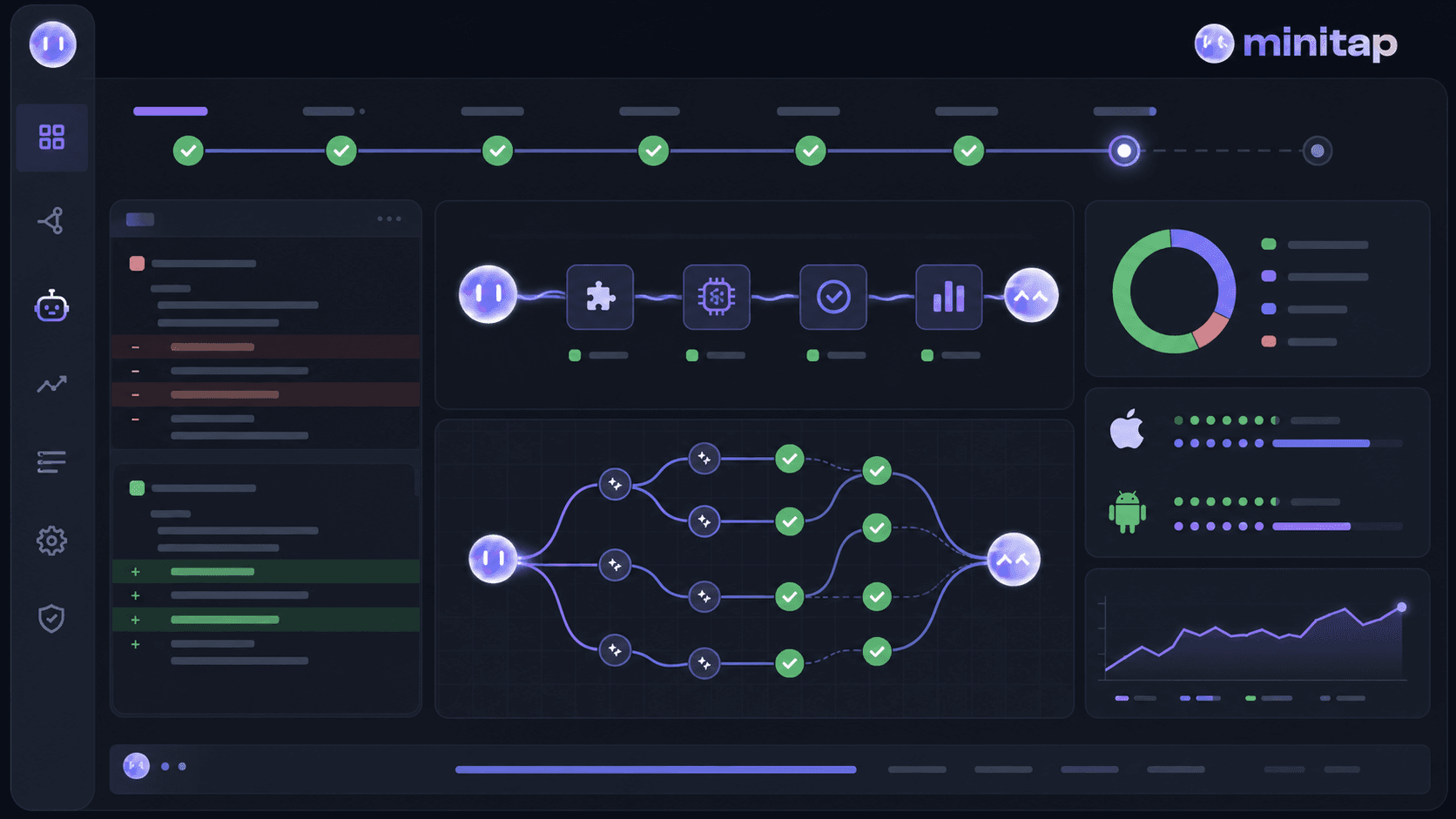
Minitap is a fully autonomous QA agent. It reads your app from source, maps all test scenarios automatically, and keeps the suite up to date with zero maintenance required from your team. AI-driven testing runs continuously, surfacing bugs before they reach production without requiring your engineers to write or maintain test scripts. The testing runs on cloud iOS simulators and Android emulators, covering the device and OS combinations where production failures live. Every run ships a session trace, screenshots, and a written explanation of each finding. Full visibility into what was tested and what broke, with no overhead landing on your team.
Minitap delivers a full regression report in about one hour and works for any engineering team that ships mobile apps.
Final Thoughts on Shipping Mobile Apps That Hold Under Real Conditions
Testing catches what static analysis and code review can't: the interactions between your app, the OS, and the thousands of device configurations you don't control. Functional tests confirm your app does what it's supposed to do, non-functional tests check how well it does it under load, latency, and resource constraints. Both categories matter because an app that works correctly but crashes under memory pressure is still a production failure. Minitap runs AI-driven testing on cloud iOS simulators and Android emulators to surface these failures before users hit them, without requiring your team to own test infrastructure or maintenance.
FAQ
What is the purpose of software testing in mobile apps?
Software testing verifies that your app behaves correctly before users encounter defects. A checkout crash caught in a test environment costs nothing; the same crash in production can wipe out a day of revenue, trigger 1-star reviews, and harm your App Store ranking.
What's the difference between functional and non-functional testing?
Functional testing checks whether the app does what it's supposed to do (login completes, payment processes). Non-functional testing checks how well it does it under real conditions: load handling, latency spikes, resource consumption under memory pressure.
Can I build test coverage without a dedicated QA team?
Yes. Connect Minitap to your codebase and the agent maps your core user flows automatically (authentication, checkout, onboarding) without your team writing a single test case. The agent owns the suite from the start, so there is no manual documentation phase, no script authorship step, and no shared ownership problem. Any engineering team benefits from a full regression run in about one hour with zero test maintenance overhead.
Manual testing vs automated testing for mobile apps?
Script-based automation still requires your team to own authorship and maintenance: every UI change is a rewrite, every new flow is a scripting task. Minitap removes that constraint: the agent maps every flow from source, runs the full regression suite on cloud iOS simulators and Android emulators in about one hour, and adapts when the UI changes with no input from your team. Exploratory coverage, edge cases, and judgment-heavy scenarios are all covered by Minitap's agent; there is no flow type that routes to a manual tester.
What types of software testing do mobile engineering teams actually need?
Unit tests for individual components, integration tests for module interactions, system tests covering full user journeys across devices, and regression tests re-running existing checks after each release. Both functional (does it work) and non-functional (how well does it perform under load, is it secure) categories are required.