

A rounding fix in your discount logic shouldn't take down your shipping threshold, but it can, and that's exactly the kind of failure regression testing exists to catch. For enterprise mobile teams shipping across iOS, Android, geographies, and feature flags, define regression testing correctly and you'll see it's less a single test type and more a discipline that runs at every stage of the release. This guide walks through what it means, when to run it, and how to keep a suite that actually reflects what your product does today. Minitap, an AI QA employee, takes on the repetitive part of that cycle.
TLDR:
- Regression testing re-runs existing tests after any code change to confirm nothing broke.
- It runs after smoke checks and retesting, verifying unrelated functionality still works.
- IT downtime has been estimated at $5,600 per minute on average (Gartner), making missed regressions costly.
- Retest-all, selection, and prioritization techniques narrow scope but need accurate change-impact analysis.
- Minitap reads specs, tickets, documentation, and prior runs to compress multi-day enterprise regression on web and mobile.
What Regression Testing Means in Software Testing
Regression testing means re-running existing tests after a code change (new feature, bug fix, config update, or dependency upgrade) to confirm that functionality which already worked still works. The name comes from software regressing into a broken state it had already passed. This differs from new feature testing, which asks if a capability works as designed. Regression testing protects existing behavior at the unit, integration, system, and UI level, and the risk is especially high in regression testing for mobile apps.
Where Regression Testing Fits in the Software Testing Lifecycle
Regression testing runs downstream, not at the front. A build passes smoke checks (quick, narrow tests confirming it launches and core paths respond) before anyone commits to deeper verification. Once a fix lands, retesting confirms that specific defect closed. Regression comes after both, checking whether that fix, or anything else riding along, broke something unrelated.
The three get confused because they can run on the same build, same day. Smoke asks if the build is stable enough to test. Retesting asks if one bug is gone. Regression asks if everything else still works. For a closer look at how these differ in practice, see smoke vs sanity testing.
Why Regression Testing Matters
Every change carries risk. A new feature, a dependency bump, even a cleanup refactor can quietly break something that already worked, and as codebases grow more interconnected, the blast radius of a single change grows with them. According to NinjaOne's cost of downtime research, IT downtime costs have risen sharply since then; recent figures put hourly costs at over $1 million for 44% of enterprises. Regression testing is what stands between a change shipping quietly and a change shipping an incident, protecting both release confidence and customer trust. A broader regression testing guide covers how to structure this across teams.
When to Run Regression Testing
Regression testing earns its place at several points in a release cycle, more than just one.
- After a bug fix, to confirm the patch didn't create a new problem elsewhere.
- Before a major release, as a final check across the full feature set.
- After merging pull requests, since combined changes can interact in ways individual PRs never revealed.
- After third-party API or SDK updates, where behavior changes outside your own codebase.
- After environment or infrastructure changes, like a server migration or dependency upgrade.
- On a recurring schedule (nightly, per sprint, or pre-release) for larger systems with many moving parts.
Frequency should track release cadence and risk tolerance, and a solid test plan for mobile application helps define those thresholds. Weekly shippers need lighter, faster passes that catch problems before they compound. Quarterly release cycles tend toward larger, more exhaustive runs concentrated near launch, when a missed regression costs the most and there's less room to patch quietly afterward.
Types of Regression Testing
Regression testing splits into types by scope and by trigger, not by tooling.
- Unit regression: re-runs tests on a single function or module in isolation, catching a break before it propagates upward.
- Integration regression: checks that modules or services still agree once one of them changes, the layer most exposed in the checkout example below.
- UI or functional regression: validates the interface and user-facing flows end to end, the level where most enterprise teams spend the bulk of a cycle.
- Partial regression: re-runs only the tests tied to the changed area, a split that maps directly to the retest-all versus selective techniques covered next.
- Complete regression: re-runs the full suite, the other half of that same retest-all versus selective split.
- Corrective regression: re-tests unchanged code after a defect fix to confirm the patch didn't disturb what already worked.
- Progressive regression: re-tests existing code alongside new requirements to confirm old and new functionality coexist without conflict.
- Performance regression: re-runs load and response-time benchmarks after a change to confirm latency, throughput, and memory usage haven't degraded, the kind of check that catches an API endpoint whose response time creeps up after a dependency upgrade.
- Security regression: re-runs authentication, permission-boundary, and input-validation checks after changes that touch auth or data handling, since a feature that still "works" can quietly reopen a hole a previous pass had closed.
Non-functional regression gets skipped first when a release is tight on time, and that's exactly why it carries disproportionate production risk.
Regression Testing Techniques for Selecting Test Cases
Deciding what to run matters as much as knowing regression testing exists. Four techniques cover most of how teams narrow the field.
- Retest-all: run the full suite regardless of what changed. Thorough, but slow and resource heavy as the suite grows.
- Regression test selection: run only tests tied to the changed code, using dependency mapping to trace which modules a change touches.
- Test case prioritization: order tests by risk, so payment and login flows run before settings screens if time runs short.
- Hybrid approaches: narrow scope first, then order what remains by risk.
| Technique | How It Narrows Scope | Best Fit | Tradeoff |
|---|---|---|---|
| Retest-all | Runs the full suite regardless of what changed | Small suites or high-risk releases | Slow and resource heavy as the suite grows |
| Regression test selection | Runs only tests tied to the changed code via dependency mapping | Codebases with clear module boundaries | Accuracy depends on the change-impact analysis |
| Test case prioritization | Orders tests by risk, so payment and login run before settings | Releases with limited time | Lower-priority flows may go untested if time runs out |
| Hybrid approaches | Narrows scope first, then orders what remains by risk | Most enterprise teams | Still depends on accurate scope narrowing and risk ranking |
Selective and risk-ranked approaches save time, but only hold up if the change-impact analysis is accurate. Miss a dependency, and a narrow run can pass while a broken path elsewhere goes untested. See the full breakdown in this catch regressions before users do guide.
A Regression Testing Example Walkthrough
A mobile checkout team ships a fix to how percentage discounts get calculated, rounding down instead of up before tax. Small change, one function, seemingly contained.
But that function sits inside a checkout flow shared by tax calculation, shipping estimates, and payment confirmation, all reading from the same running total the discount logic just modified. A regression suite re-runs each path: does tax compute off the corrected subtotal, does the shipping threshold still trigger at the right cutoff, does the confirmation screen match the quoted price.
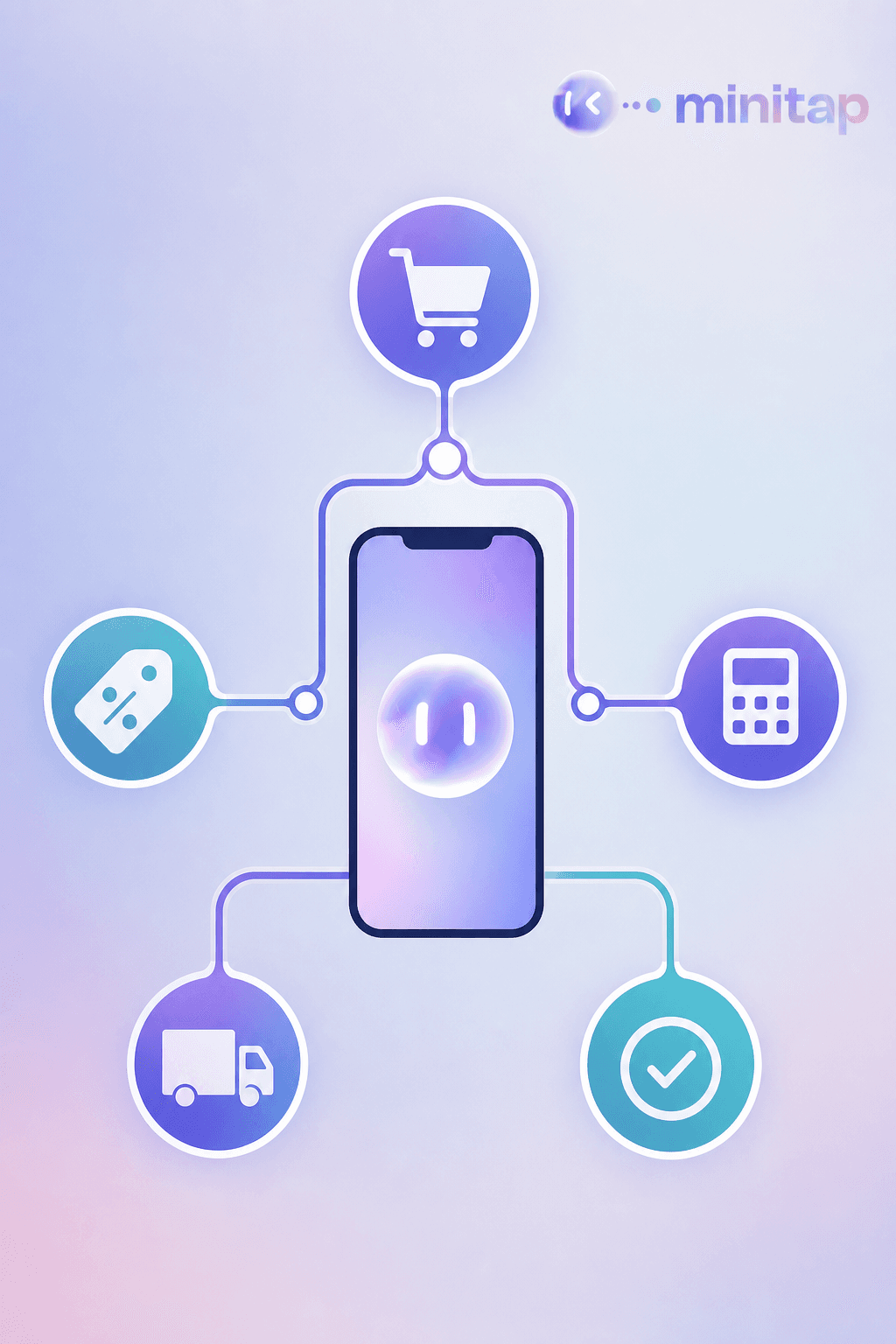
That ripple is what regression testing exists to catch. The discount logic worked in isolation. Whether the rest of checkout still agreed with it was never guaranteed. The enterprise regression testing engineering guide goes deeper on structuring these checks.
Manual vs Automated Regression Testing
Manual regression testing means a person re-runs test cases by hand, which burns senior IC hours and fails to scale once a suite grows past a handful of flows into days of repetitive clicking. Automated regression testing replaces that with scripts that run the same steps every time, trading judgment for speed, until a UI change breaks selectors for reasons that have nothing to do with the product. The QA automation testing for mobile teams guide covers how to structure this sustainably. AI now cuts into the labor of maintaining those scripts: GitLab's 2024 DevSecOps survey found 78% of respondents use or plan to use AI in development, up from 64% in 2023.
Regression Testing Tools and Frameworks
Script-based frameworks (Appium and Espresso for Android, XCUITest for iOS) locate elements through selectors, then script interactions against them. They're mature and flexible, but the tradeoff surfaces over time: a renamed id or restructured layout breaks selectors regardless of whether functionality still works, and fixing them falls on engineers as the app and suite both grow. AI driven approaches read the interface the way a person does, cutting how often a UI update forces a rewrite, and changing what regression coverage looks like once maintenance stops being the constraint.
Regression Testing Challenges for Enterprise Mobile Teams
Enterprise common mobile regression testing failures carries a layer of complexity that a simple retest-all approach was never built to absorb. The same user journey might need validation across web, iOS, Android, Android TV, several browsers, and multiple app versions, none of which accounts for how behavior changes underneath it.
Expected results change by geography, feature flag state, CMS driven content, and account configuration. A checkout flow that passes for one region and flag combination can fail for another running the same code. A single journey often becomes dozens of test combinations instead of one pass or fail.
Fragmented product knowledge compounds it. Expected behavior often lives across tickets, specs, code, and people instead of in one document, so confirming what "correct" looks like for a given configuration takes almost as long as running the test itself.

Regression Testing Best Practices
A few habits separate a regression suite that stays useful from one that quietly rots.
- Map tests to user journeys, not implementation details. A test tied to a button's internal id breaks the moment that id changes, even if the flow itself still works. A test tied to "user completes checkout" survives refactors.
- Retire tests as features change. A test for a flow that no longer exists still runs, still passes, and tells you nothing.
- Put high-traffic and high-risk flows first. Payment, login, and checkout deserve coverage before a settings screen.
- Integrate runs into CI/CD so failures surface on every merge, not once a week.
- Review failures for root cause. Re-running a flaky test until it passes hides the problem instead of fixing it.
A suite that isn't actively maintained drifts from what the product does. Coverage on paper stops meaning coverage in practice.
How Minitap Approaches Regression Testing for Enterprise Teams
Minitap is an AI QA employee built for the complexity described above. Instead of executing rigid scripts, it reads specs, tickets, documentation, and prior test runs to understand what the product should do, then decides what to test and how.
Take a typical enterprise pattern: a multi-day Android or iOS regression run by a small QA team, plus extra hours of setup on every release, across web and mobile apps, browsers, geographies, CMS content, and feature flags. That is the work Minitap compresses. When the app changes, it proposes updates to its tests and asks your team to review only what it cannot settle on its own, and it delivers evidence (including a video of each run) and recommended next actions inside the tools your team already uses.
FAQ
How does Minitap compress a multi-day enterprise regression cycle?
Minitap compresses that cycle by taking repetitive manual execution off your QA team. It reads your specs, tickets, documentation, and prior test runs to understand what the product should do, then decides what to test and how, running the campaign across web, iOS, Android, and Android TV, browsers, geographies, CMS content, and feature flags. Setup work that used to repeat on every release moves to the agent, and evidence and recommended next actions land inside the tools your team already uses.
How can my engineering team stop maintaining regression test scripts?
Minitap reduces script maintenance by reading the UI through a vision-based, black-box approach instead of relying on fixed selectors. When a screen gets redesigned or an id changes, there is no broken locator to track down: Minitap proposes test updates and your team reviews only the changes it cannot settle on its own. That is the maintenance tax that grows with script-based frameworks like Appium or Espresso, and it is the work Minitap takes off your engineers.
How is Minitap different from scripted automation tools like Appium or Espresso?
Minitap understands the product instead of executing a fixed script against it. Script-based frameworks locate elements through selectors and break the moment an id or layout changes, regardless of whether the feature still works, and fixing that falls on your engineers. Minitap instead reads your specs, tickets, and documentation to decide what should be tested, executes on real interfaces, and investigates unexpected behavior beyond whatever steps were originally defined, rather than only returning a pass or fail.
Can Minitap test both iOS and Android user journeys, plus web?
Yes. Minitap tests web, iOS, Android, and Android TV apps with the same black-box, vision-based approach. It validates real user journeys through the actual interface rather than internal code paths, so a checkout flow that spans app and web surfaces gets exercised the way a real user would experience it.
How can we run enterprise mobile regression testing without slowing down releases?
Minitap runs regression on each release build instead of holding it for a scheduled manual pass, so release cadence doesn't have to shrink to fit QA capacity. It identifies which tests a given release or pull request actually affects, executes them across the configurations that matter, geography, feature flags, CMS content, and app version, and delivers evidence and recommended next actions inside the tools your team already uses instead of adding a multi-day manual checkpoint before every ship.
What does an AI QA employee like Minitap do differently from a script runner?
An AI QA employee like Minitap reads your sources of truth, specs, tickets, documentation, existing test cases, and prior test runs, and builds an understanding of what the product should do. From that understanding it decides what to test, writes the relevant scenarios with acceptance criteria, and executes them on real interfaces, investigating failures beyond whatever steps were originally scripted. When something is blocked or ambiguous, it explains why and recommends the next action instead of failing silently, which is what separates reasoning about the product from simply running predefined steps.
Final Thoughts on Understanding Regression Testing
Every change to your product carries some risk, and regression testing is simply how you catch that risk before your customers do. The real difficulty isn't running one test suite, it's running it across every platform, region, and configuration your users actually touch. Your release confidence shouldn't depend on how many hours your QA team can put in this week. Check out Minitap to see how multi-day regression gets compressed on web and mobile.