
Testing a Flutter app isn't the same as testing a native one, and that trips up a lot of teams the first time a bug looks fine on one platform and breaks on another. Flutter draws its own widgets instead of relying on the OS, so unit tests, widget tests, golden tests, and integration tests each need to check something different across mobile, web, and desktop. We'll walk through what each layer actually catches and where tools like Patrol pick up the slack that flutter_test leaves behind.
TLDR:
- Flutter apps need pixel-level checks since Skia/Impeller paints UI, not native OS widgets.
- Follow the testing pyramid: mostly unit tests, fewer widget tests, fewest integration tests.
- Golden tests catch pixel regressions; pin fonts and device pixel ratios to avoid CI false diffs.
- Target 70 to 80% coverage on business logic instead of chasing 100%, which wastes time on rare edge cases.
- Minitap tests Flutter's on-screen interface directly on iOS, Android, and web, avoiding selector rewrites that break Appium on UI changes.
What Is Flutter Testing
Flutter testing verifies a Flutter app's business logic, widgets, and full user journeys. Because one Dart codebase compiles to iOS, Android, web, and desktop, a bug in shared code can render differently per platform: a layout typo might look slightly off on Android and crash outright on web.
That risk traces back to how Flutter paints its UI. Native testing checks code against OS-provided widgets. Flutter paints its own UI with Skia or Impeller, so tests must confirm that engine produced correct pixels and behavior on each target, beyond confirming the logic ran.
Flutter Testing vs. Aircraft Flutter Testing
One quick disambiguation before we continue: if you landed here searching for what is flutter testing of aircraft, you are in the wrong hangar. Aircraft flutter testing checks whether a wing resists a dangerous aeroelastic vibration through ground vibration testing and flight flutter testing, where sensors watch for instability during controlled speed increases.
None of that involves Dart, widgets, or Skia. This article covers Flutter, Google's UI framework, and how to test apps built with it.
Types Of Testing In Flutter: The Testing Pyramid
Flutter's docs split tests into three layers, each trading scope for speed.
- Unit testing isolates a function, method, or class, no widgets or device, running in milliseconds. Use for business logic like price calculations.
- Widget tests: render a widget and verify taps and scrolls without a real device, slower than unit tests but faster than integration.
- Integration tests: run the full app on a device, verifying complete journeys end to end, slowest and fewest in number.
This pyramid, wide unit base, narrow integration top, mirrors Flutter's own testing guidance.
| Test Type | Scope | Device Required | Speed | Best For |
|---|---|---|---|---|
| Unit tests | A single function, method, or class | No | Milliseconds, fastest layer | Business logic like price calculations |
| Widget tests | A single widget on screen, taps and scrolls | No (simulated tree) | Slower than unit, faster than integration | UI behavior like form validation and error states |
| Integration tests | The full app, complete user journeys end to end | Yes, real or simulated device | Slowest, fewest in number | Verifying flows like login through checkout |
Flutter Unit Testing: Examples And Best Practices
A basic Flutter unit test uses the flutter_test package and follows arrange, act, assert. Group related tests with group(), and use setUp/tearDown to reset state between runs.
For dependencies like repositories, mock them with Mockito instead of hitting real network calls. Annotate a class with @GenerateMocks([Repository]), run build_runner, then stub responses with when().thenReturn() or thenAnswer() for async calls.
Keep each test to one behavior, name it by what it verifies, and drop any widget or platform state to the widget testing layer instead.
Flutter Widget Testing And UI Testing
Widget tests render a single widget in memory, using WidgetTester to pump it into a test tree, then verify what appears with finders like find.text('Checkout') or find.byType(ElevatedButton). No emulator required, just a simulated tree fast enough to run hundreds of times per commit.
State management adds a wrinkle. For Bloc, wrap the widget in a BlocProvider with a mocked Bloc via bloc_test's MockBloc. For Provider, seed a ChangeNotifierProvider with a fake model before calling pumpWidget. Either way, isolate the widget so it only fails on its own logic.
A widget test confirms a login form shows an error. It does not confirm tapping submit leads to a dashboard or persists a session, that's unit vs integration testing territory, covered later.
Golden Testing And Snapshot Testing In Flutter
Golden tests (snapshot tests) catch pixel-level regressions that widget tests miss. matchesGoldenFile draws a widget, saves the image, and diffs it against a reference on every run.
Packages like golden_toolkit and alchemist extend this across devices and themes. The biggest pitfall: font output varies between local machines and CI, producing false diffs. Pin fonts and device pixel ratios first.
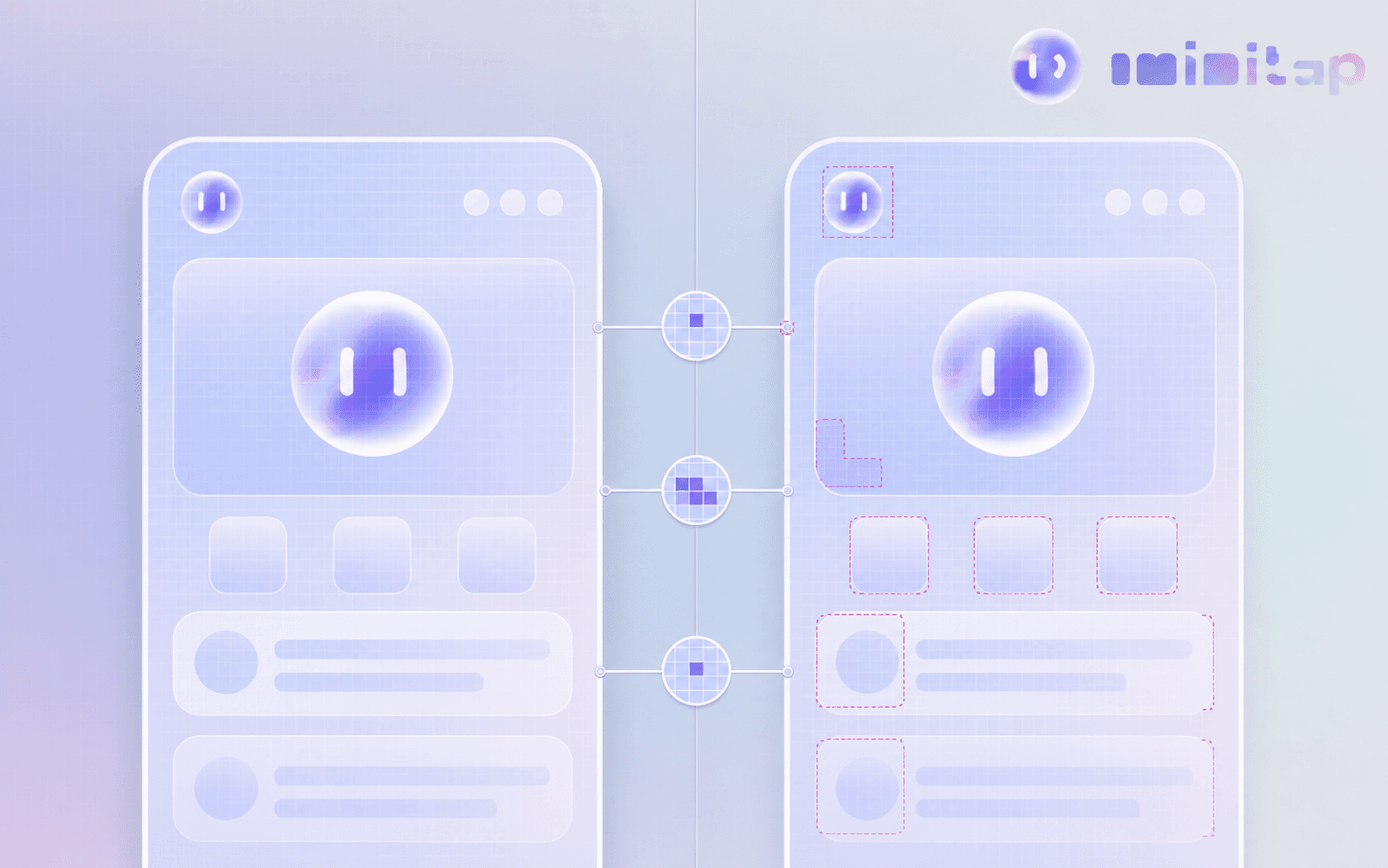
Golden tests earn their cost on design systems and reusable components. They create noise on screens with content that changes frequently.
Flutter Integration Testing And End-To-End Testing
Integration tests drive a real or simulated device through complete journeys. Flutter's integration_test package replaces the older Flutter Driver approach, running tests inside the app itself instead of through a separate automation server, which makes assertions faster and less flaky.
Run it with flutter drive on a physical device or emulator, or dispatch it to Firebase Test Lab for broader device coverage. Firebase Test Lab has historically had stronger Android tooling, so verify current iOS support before committing to it.
Testing Flutter Apps Across Mobile, Web, And Desktop
Mobile, web, and desktop share a codebase, not a test story, and the gaps show up in how each target paints its UI and runs.
On mobile, integration_test drives a real device or emulator through flutter drive, and platform quirks like permission dialogs or push notifications only surface when a test actually asks the OS for them, which is why a tool like Patrol exists.
On web, Flutter compiles to CanvasKit or the WebAssembly renderer instead of native widgets, so a golden test that matches pixel-for-pixel on Android can diff against its web counterpart purely because of how the browser rasterizes canvas content, and integration_test runs through chromedriver instead of a device.
Desktop targets (Windows, macOS, Linux) inherit the same widget and golden test layers, but window resizing, keyboard shortcuts, and multi-window flows need their own integration scenarios, since flutter_test's desktop tooling is thinner than what mobile gets.
The practical move most teams land on: keep unit and widget tests platform-agnostic since neither touches a renderer, but treat golden and integration tests as separate per-platform suites instead of one suite run three times.

Flutter Testing Tools And Frameworks
Once you outgrow flutter_test's built-in packages, three names come up most: Patrol, Appium, and Maestro.
Patrol is an open source, multiplatform E2E framework built by LeanCode that extends integration_test to reach what the base package cannot touch. Permission dialogs, notifications, WebViews, and device settings toggles are handled in plain Dart, no platform-specific glue code required.
Appium can drive Flutter apps too, but not out of the box. Flutter paints its own widgets outside the native accessibility tree, so standard XCUITest or UiAutomator2 drivers see nothing to grab onto. A dedicated Flutter integration driver bridges that gap.
Maestro takes a lighter path: YAML flow files instead of Dart test code, trading fine grained control for speed.
Automating Flutter Tests Without Writing Scripts
Every framework in the previous section, Patrol, Appium, Maestro, still leaves your team owning test authorship and upkeep: someone writes the Dart test code or YAML flow, and someone rewrites it when the UI changes. Minitap takes that step on by writing scenarios from your specs, tickets, documentation, and existing test cases, with no Dart test code, YAML flows, or selectors for your team to author. Because Flutter paints its own widget tree outside the native accessibility layer, script-based tools need a dedicated driver just to see what's on screen, the way Appium does. Minitap's vision-based, black-box approach tests the on-screen interface the way a user experiences it, so it does not depend on that accessibility bridge. That matters most for the parts of the pyramid flutter_test covers thinly: cross-platform end-to-end journeys on iOS, Android, and web. When the app changes, Minitap proposes updates to its tests and asks your team to review only the changes it cannot settle on its own. Every run comes with a video and written findings, so engineers get evidence for every pass or failure.
Flutter Test Coverage
Run flutter test --coverage to generate coverage/lcov.info, then convert it with genhtml coverage/lcov.info -o coverage/html, or pipe it into Codecov for a dashboard your team checks.
The number that report spits out is a trap if you read it wrong. Line coverage tells you which lines executed, not whether the test verified anything, a distinction covered in depth in this guide to mobile test coverage. A test that pumps a widget and asserts nothing still counts as covered. Exclude generated code (.g.dart, .freezed.dart) with a coverage_exclude list or .lcovrc config, since boilerplate against your percentage hides real gaps.
Chasing 100 percent burns time on edge cases nobody hits while checkout stays under-tested. A reasonable target sits closer to 70 to 80 percent on business logic, with critical paths held to a stricter bar than settings screens.
Performance Testing In Flutter Apps
Performance testing in Flutter means catching jank, memory leaks, and startup regressions before they ship, instead of only counting passing test cases. Flutter DevTools' Performance and CPU Profiler views expose jank directly: any frame that blows past the 16.6ms budget at 60fps (or 8.3ms at 120fps) shows up as a red bar in the frame chart, and you trace it back to the widget rebuild or layout pass that caused it. The Timeline view adds custom trace events through the dart:developer Timeline.startSync API, so you can bracket a suspect method and see exactly how much frame budget it eats. For automated regression instead of one-off manual profiling, the macrobenchmark and integration_test packages drive a scripted flow, like opening a list, scrolling fast, then opening a detail screen, and assert against measured frame build and raster times, catching a regression before it reaches a device in someone's pocket. Memory tracking works the same way: the Memory view in DevTools flags a growing heap across repeated navigation, the kind of slow leak that shows up in production as a background kill several screens later, far from the one anyone actually tested. None of this replaces widget and integration tests upstream, it's the layer that catches the jank a widget test's synthetic pump-and-settle cycle never simulates.
Testing APIs, Firebase, And A/B Experiments In Flutter
API calls, Firebase, and feature flags all touch the outside world, the seam where pure Dart unit and widget tests stop being enough.
Mock the HTTP layer for API testing instead of hitting a real backend. Packages like http_mock_adapter, or a fake Client wrapping the http package, stub responses so you can assert your repository parses them correctly:
Firebase needs a different approach. The Firebase Local Emulator Suite runs Firestore, Auth, and Cloud Functions locally, letting tests hit real Firebase APIs without touching production data or billing.
For A/B experiments served through Firebase Remote Config, test that each variant displays and behaves correctly, beyond confirming that the flag toggles. Mocks catch logic errors fast; a staging run against the real config service catches what mocks miss.
Setting Up CI/CD For Flutter Testing
A GitHub Actions or Codemagic workflow triggered on every pull request should run flutter analyze first, then flutter test --coverage, so lint failures and broken unit or widget tests block a merge before anything slower runs. Cache the .pub-cache and Flutter SDK directories between runs. A cold pub get and SDK download on every job adds minutes your team waits on daily. Golden and integration tests belong in a separate, later stage, not the same job as unit tests: golden diffs need a pinned image (matching fonts and device pixel ratio) to avoid false failures, and integration_test suites need an emulator or a dispatch to Firebase Test Lab, both of which run far slower than a unit suite. Gate merges on the coverage threshold your team settled on, uploading the lcov report to Codecov or a similar dashboard so a pull request that drops coverage on business logic gets flagged before review instead of after. For multi-platform apps, run the pipeline as a matrix job (Android, iOS, web) instead of one shared job, since a passing Android build tells you nothing about whether the web renderer or a desktop window resize still works.
Flutter Testing Best Practices
A few habits separate test suites that keep paying off from ones that quietly rot.
- Keep the pyramid balanced. Most tests should be unit tests, fewer widget tests, and only a handful of integration tests. Overloading the top can turn a fast suite into one that takes far longer.
- Test behavior, not implementation. Assert on what the user sees or what a function returns. Implementation-coupled tests break on refactor even when correctness holds.
- Isolate flaky dependencies. Fake the clock with
FakeAsync, mock the network layer, and set deliberatetester.pumpAndSettletimeouts. - Never skip a failing test to unblock a merge. That just moves the bug into production, where it costs more to trace.
How Minitap Extends Flutter Testing For Enterprise Regression
Flutter's single codebase across mobile, web, and desktop creates exactly the kind of surface area that makes manual and script-based regression expensive. For the web and mobile builds, that means iOS, Android, Android TV, web, and multiple browsers, with behavior shifting by geography, feature flag, and CMS content.
Minitap is an AI QA employee built for that complexity. Because Flutter paints its own widget tree instead of relying on native accessibility elements, Minitap's vision based approach tests the on-screen interface the way a user experiences it, avoiding the selector rewrites that break Appium or accessibility ID automation on every UI change.
A typical enterprise Flutter regression cycle, the kind of gap covered in E2E testing's production bug problem, takes days of a small QA team's time, plus setup on every release. Minitap compresses that multi-day regression, producing a video of every run and written findings, and proposes test updates as the app changes.
Final Thoughts On Flutter App Testing
Your Flutter app's strength, one codebase everywhere, is also where bugs hide across platforms, so a thoughtful mix of unit, widget, and integration tests matters more than chasing a coverage number. Keep your pyramid balanced, isolate flaky dependencies, and treat golden tests as a tool for design systems, not everything. Once manual regression starts costing your team real days, Minitap compresses that cycle on web and mobile and proposes test updates instead of leaving scripts for your engineers to maintain.
FAQ
Can I automate Flutter mobile app testing without writing test scripts?
Yes. Minitap runs functional regression on iOS and Android Flutter apps from scenarios it writes using your specs, tickets, and existing test cases, with no Dart test code, YAML flows, or selectors for your team to author. Because Minitap tests through a vision-based, black-box approach on the on-screen interface, it sidesteps the accessibility-tree gap that forces tools like Appium to rely on a dedicated Flutter driver in the first place.
How do I keep Flutter widget tests from breaking every time the UI changes?
Minitap avoids this at the regression layer: it tests the on-screen interface the way a user experiences it, so it does not depend on find.byType or find.byKey selectors that break whenever a widget rebuild reshapes the tree. A UI change does not force your team to rewrite a suite: Minitap re-tests the current build and proposes test updates when expected behavior changes, reducing the selector-maintenance work that Patrol, Appium, and Maestro leave to your engineers against Flutter's self-painted Skia/Impeller UI.
How does an AI QA employee like Minitap compare to script-based tools like Patrol and Appium for Flutter testing?
Minitap tests through a vision-based, black-box approach on the on-screen interface instead of executing predefined scripts, so it doesn't need the dedicated Flutter integration driver that Appium requires to bridge Flutter's self-painted widget tree, or the plain-Dart glue code Patrol uses to reach permission dialogs and notifications. Patrol and Appium are both script-based frameworks, so your team still owns test authorship and upkeep with either one; Minitap decides what to test from your product context and proposes test updates when the UI changes, so engineers stop owning selector rewrites.
Can Minitap test Flutter apps on both mobile and web?
Yes. Minitap tests web, iOS, Android, and Android TV apps through the same black-box, vision-based approach instead of separate platform-specific scripts. On web, mini works on canvas-rendered screens with no DOM by relying on what it sees, and it judges each state from what is displayed on screen. That means one regression approach covers your Flutter mobile and web builds instead of a separate script-based or golden-test suite per platform.
How long does a full Flutter regression cycle take, and can Minitap make it faster?
A full Flutter regression cycle covering iOS, Android, Android TV, web, and multiple browsers with geography- and feature-flag-dependent behavior often takes several days of a small QA team's time, plus setup on every release. Minitap compresses that multi-day campaign by executing real user journeys without predefined scripts, and it surfaces evidence, a video of the run, and a written explanation any time a test is blocked instead of failing silently.