

A delete button with no confirmation step. A price that displays as negative. A date picker that lets someone pick a birth year in the future. None of these break a documented requirement because no one wrote one, and that's exactly why they reach real users first. We'll walk through where these bugs actually hide and how to find them before your customers do.
TLDR:
- Bugs outside acceptance criteria break user expectations even when no ticket covers the scenario.
- They hide in interruptions, network transitions, extended sessions, and third-party failures.
- Accessibility defects (screen readers, contrast, touch targets) slip through most often.
- Structured exploratory testing, boundary testing, and three amigos reviews close most of the gap.
- Minitap reads your app from source, maps test scenarios automatically, and runs regression across real devices without your team writing or maintaining test scripts.
What Are Bugs Outside Acceptance Criteria
Bugs outside acceptance criteria are defects that break user expectations even though no written requirement ever mentioned the scenario. Nobody wrote a test case for it, so nothing technically failed, but the app still did something wrong.
A bug that fails a documented test case is a known unknown: someone specified correct behavior, and the app diverged from it. A bug outside acceptance criteria fails a document that never existed. Acceptance criteria describe scenarios the author anticipated, not what nobody thought to ask about, which is most of what an app does once real users get their hands on it.
The working definition: the gap between "the app does what the ticket says" and "the app does what a reasonable person would expect." That gap exists on web and TV too, but mobile makes it visible. A rotated screen, low battery mode, a call interrupting checkout, a screen reader switched on mid flow: none of these show up in a ticket, and all of them show up in a device lab.
Why Acceptance Criteria Miss Real Bugs
Acceptance criteria get written before the product exists, so they describe an intention, not a thing you can poke at. Imagination defaults to the happy path: good signal, a charged phone, steps followed in order. Nobody writes "what happens if the app backgrounds mid-upload" unless it already broke once.
Ambiguity compounds this. "The form should validate input" says nothing about a pasted emoji or a blank autofilled field. Every reader fills that gap with a different assumption, and a test suite can only be as complete as the requirements behind it.
Common Types Of Mobile App Bugs That Fall Outside Written Requirements
A few categories keep showing up once you start looking outside the ticket, and they tend to fall into recognizable buckets.
- Crash and stability bugs: the app force closes on a specific device model, or after switching apps and returning several minutes later.
- Performance and battery drain: a screen that stays responsive but quietly drains battery in the background, or a scroll that stutters on devices with limited hardware.
- UI and UX inconsistencies: layouts that break on smaller screens, buttons that overlap text at certain font sizes, spacing that looks fine on one device and cramped on another.
- Network and connectivity edge cases: a flow that assumes a stable connection and never recovers gracefully when the signal drops mid request.
- Common sense violations: a delete button with no confirmation step, a price that displays as negative, a date picker that allows a birth year in the future.
| Bug Category | What It Looks Like |
|---|---|
| Crash and stability bugs | App force closes on a specific device model, or after switching apps and returning several minutes later |
| Performance and battery drain | Screen stays responsive but quietly drains battery in the background, or scroll stutters on devices with limited hardware |
| UI and UX inconsistencies | Layouts break on smaller screens, buttons overlap text at certain font sizes, spacing looks cramped on some devices |
| Network and connectivity edge cases | A flow assumes a stable connection and never recovers gracefully when the signal drops mid request |
| Common sense violations | A delete button with no confirmation step, a price that displays as negative, a date picker that allows a birth year in the future |
That last category has a name in research literature: common sense violating bugs. A study analyzing tens of thousands of issue reports from open source Android apps built a manually reviewed set of over 5,000 bug reports to study this exact pattern, defects that violate obvious expectations instead of any documented requirement. Nobody writes "the delete button must confirm before deleting" into acceptance criteria because it feels too obvious to state. That is precisely why it slips through.
Conditions That Reveal Hidden Bugs in Mobile Apps
Bugs like these hide in specific conditions, not random ones. Knowing where to look beats knowing what to look for.
- Deviated user paths: someone backs out of checkout, adds a second item, then returns using the back button instead of the flow you tested.
- Network transitions: a user starts a transaction on Wi-Fi, walks out the door, and finishes on cellular. Switching networks mid-submission reliably exposes state bugs a stable connection never shows.
- Third-party and API failures: a payment provider times out, a maps API errors, or an ad network hangs. Apps rarely have a plan for when someone else's service fails.
- Interruptions: a call comes in during form entry, or the app backgrounds mid-upload. Rotating the device or switching apps and returning minutes later surfaces state loss cheaply.
- Extended sessions: hours of open time accumulate memory pressure, stale tokens, and cached data that no longer matches the server.
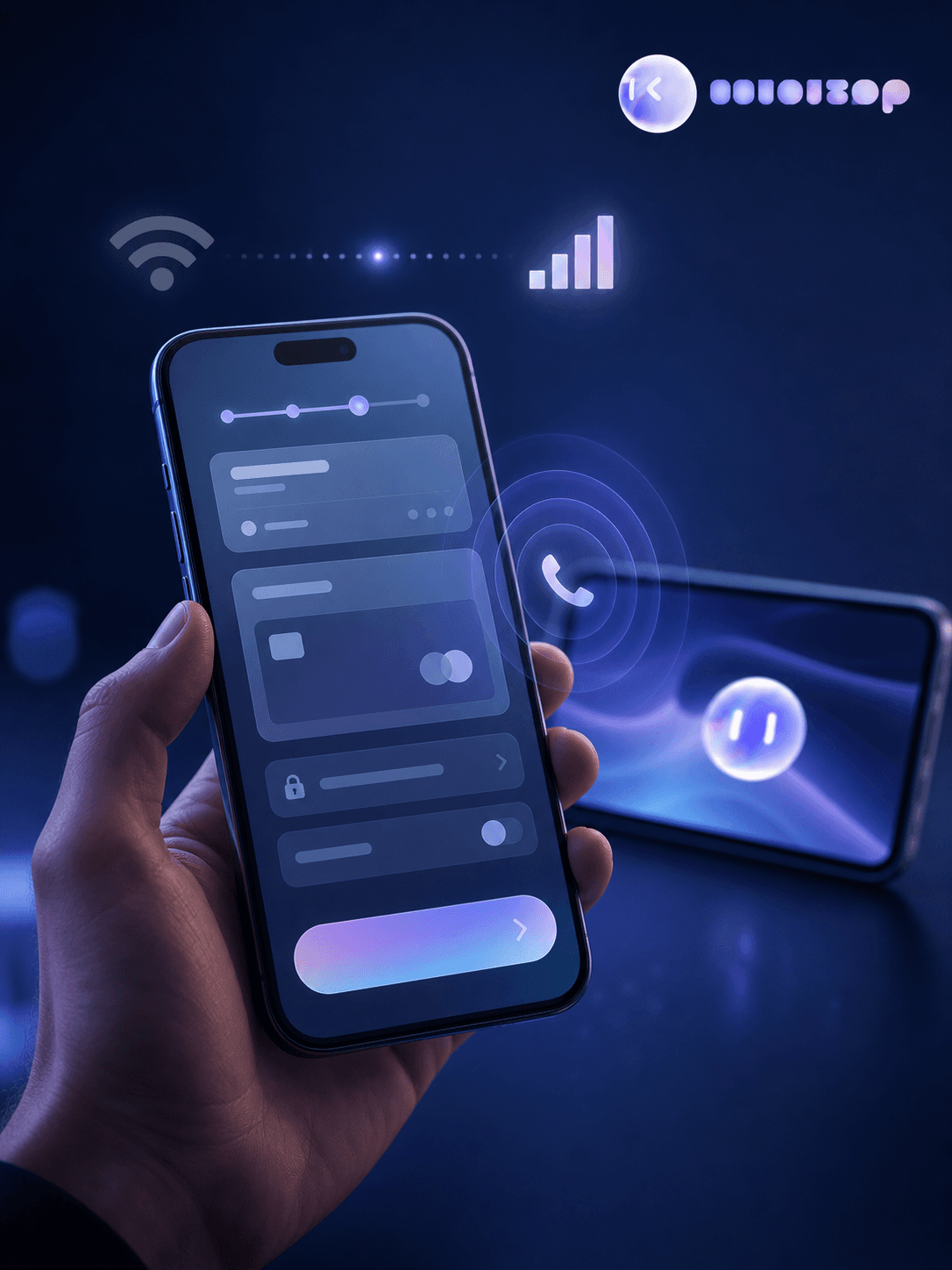
None of this needs exotic setups. It needs running the app the way people actually do: distracted, mid-transition, off script.
Accessibility Issues Acceptance Criteria Rarely Cover
Accessibility defects survive acceptance criteria more reliably than almost any other bug category, mostly because accessibility testing requires someone to test with a specific need in mind, and most tickets never say whose.
A few defects that consistently slip through:
- Screen reader compatibility: a button that reads as "unlabeled element" or a form field that skips over a status message entirely.
- Color contrast: text that looks fine to the person who wrote the ticket but fails against a colored background for someone with low vision.
- Touch target sizing: a close icon crammed next to a submit button, both too small to hit reliably.
- Focus order: a modal that opens but leaves keyboard or switch focus stuck behind it, so navigation silently breaks.
None of these show up in a functional walkthrough unless someone deliberately tests for them. The ticket says "user can submit the form," and the app complies while excluding a chunk of users from ever reaching that button.
The regulatory backdrop makes this harder to leave unwritten going forward. WCAG 2.1 Level AA now functions as the technical standard referenced for web content and mobile app accessibility compliance in government contexts, according to the ADA's small entity compliance guide. That is a baseline enterprise teams increasingly need to test against, whether or not a ticket's acceptance criteria mentioned it.
Techniques For Finding Bugs Beyond The Spec
Finding these bugs takes a process, not a single clever test. A few methods, used together, cover most of the gap:
- Structured exploratory testing: give a tester a time box and a charter ("break the checkout flow") instead of a script. The lack of steps is the point. It forces improvisation, which mimics how real users behave.
- Boundary condition testing: push every input to its edges. Empty fields, max character counts, zero quantities, negative numbers, dates in the past and the far future. Requirements describe the middle of the range. Bugs live at the edges.
- Three amigos reviews: get a developer, a tester, and a product owner reading the ticket out loud before development starts. Ambiguity that survives silent reading rarely survives being said aloud.
- Beta and user acceptance testing: put a build in front of real users who never read the test plan. They tap things in the wrong order and use the app one handed on a train, exposing exactly the conditions acceptance criteria never anticipated.
What ties these together is deliberate exposure: putting the product in a condition nobody documented, then watching what happens.
The Cost Of Letting Unwritten Mobile App Bugs Reach Production
A bug that slips past acceptance criteria does not stay quiet. It waits until production, where nobody has a ticket number to trace it back to and nobody remembers which release introduced it. By then the person debugging it is reconstructing intent from logs and guesswork instead of reading a spec that told them what should have happened.
That reconstruction work is the expensive part. Software defect research has shown production bugs take more time and resources to fix than the same defect caught earlier in the cycle, with some analyses putting the cost multiplier at 10x or more depending on severity. A bug nobody specified has no paper trail. Someone has to first figure out what correct behavior should have been before fixing what went wrong, and that discovery work happens under the pressure of a live app instead of a sprint planning meeting.
Cutting Regression Time Without Missing Edge Cases
The instinct when mobile regression testing takes days is to cut scope: fewer test cases, fewer device combinations, ship faster. That trades one blind spot for another. The same edge cases acceptance criteria never covered are the first ones a shrunk suite drops.
Regression speed depends on three stacked factors: how broad the test set needs to be to cover real user paths, how long setup takes per configuration, and how many device and configuration combinations the app ships against. Geography, app version, feature flags, and CMS state can turn one test case into a dozen executions with different expected outcomes. Cutting test count without touching setup time barely moves the total, and it quietly removes the interruption scenarios, network transitions, and accessibility checks that were never in the ticket.
The fix is not narrower scope. It is removing the manual setup and execution time that scope multiplies against.
Writing Acceptance Criteria That Reduce Blind Spots
Acceptance criteria improve most when they name the conditions nobody thinks to ask about instead of only the happy path.
- Write in Given-When-Then format: this forces a question most tickets skip, like what happens when the network drops mid-submission, the session times out, or the field is left blank.
- Add a short unhappy-path line to every ticket: one interruption, one boundary value, and one accessibility check puts screen reader labels and touch target sizing into the criteria instead of letting them surface in production.
- Review criteria out loud: a developer, tester, and product owner reading a ticket together before work starts catches the ambiguous verbs, like "validate" or "handle," that different readers would otherwise fill in with different assumptions.
- Name specific device states and failures: criteria that call out a device state (backgrounded, rotated, low battery) or a third-party failure (payment timeout, API error) give testers something concrete to check instead of a scenario they have to invent on their own.
How Minitap Finds Bugs Your Acceptance Criteria Miss
Unlike a script runner that executes only what someone wrote, Minitap builds its own understanding of expected behavior from your specs, tickets, and code, then checks the app against what a reasonable user would expect rather than a document that never existed. It catches the common sense violations no one wrote down: a delete button with no confirmation step, a date picker that accepts a birth year in the future, a price that displays as negative.
When a build backgrounds mid-upload, rotates, or switches from Wi-Fi to cellular mid-submission, Minitap runs those conditions as part of regression instead of skipping them for lack of a documented test case.
It checks screen reader labels, color contrast, and touch target sizing on every run, closing the accessibility gap a functional walkthrough leaves open. None of this requires your team to write or maintain a test script: Minitap decides what to test from the product itself, executes across real devices, and reports what it finds with evidence attached.
FAQ
What kinds of bugs outside acceptance criteria does Minitap catch on mobile apps?
Minitap catches the bugs no ticket ever described: a delete button with no confirmation step, a date picker that accepts a birth year in the future, a price that displays as negative, a checkout flow that loses its state when a call interrupts mid-entry. It reads your app from source, maps interruption states, network transitions, and accessibility checks the same way it maps the happy path, then runs those conditions across real devices as part of every regression cycle. Your team does not write or maintain a single test case for any of it.
How is Minitap different from writing automated test scripts for regression testing?
Minitap reads your app from source and decides what to test itself, instead of executing the fixed steps a script author wrote in advance. That's the core difference from traditional automation, which breaks as soon as the UI changes and needs someone to rewrite the selector. It investigates unexpected behavior beyond the initial test scope, catching common sense violations and edge cases outside acceptance criteria that a scripted test would never check for because no one wrote it in. Your engineering team gets regression coverage that adapts to the product instead of coverage that needs maintenance every time the app does.
How do I test for accessibility defects my acceptance criteria never mention?
Minitap tests for these defects by running screen reader, color contrast, and focus order checks as part of every regression cycle instead of as a separate audit pass. It flags unlabeled elements, contrast failures against WCAG 2.1 Level AA thresholds, and undersized touch targets automatically, catching issues a functional walkthrough would miss. That gives engineering teams accessibility coverage without adding a dedicated audit step to every release.
Can Minitap catch common sense violations and edge case bugs without my team writing test scripts for each one?
Yes. Minitap identifies common sense violations like missing confirmation steps and invalid input acceptance because it understands expected product behavior from your specs, tickets, code, and documentation, not from a predefined script someone had to author first. It decides what to test and generates the relevant cases itself, then flags where the app diverges from what a reasonable user would expect. That removes the authoring and maintenance work your team would otherwise carry for every edge case.
How much more does it cost to fix a bug after it reaches production?
Minitap surfaces these defects before release, with evidence and root cause analysis attached, because production fixes typically cost far more than the same defect caught earlier in the cycle. Some analyses put the multiplier at 10x or more depending on severity. Bugs outside acceptance criteria carry an added reconstruction cost, since there's no ticket to trace back to and someone has to determine correct behavior before fixing what went wrong. Catching them in regression instead of production means your team spends time fixing the bug, not reconstructing the intent behind it.
How can Minitap reduce the regression testing my engineering team has to maintain?
Minitap reduces regression-test maintenance by reading your app from source and generating the test cases itself, so your team never writes or updates a selector when the UI changes. It identifies which tests a release or pull request actually affects, runs them across real devices, and resolves drift between what the suite covers and what the product actually does. That gives engineering teams full regression coverage without the ongoing authorship and upkeep work traditional automation requires.
Final Thoughts on Catching What Acceptance Criteria Miss
Most of what your app does once real users get their hands on it was never written into a ticket, and that's exactly where these bugs hide. Your regression process should account for interruptions, edge cases, and accessibility gaps, beyond the happy path someone imagined during planning. Minitap covers that ground for you, running your app through the conditions a spec never captured.