
Multi-day enterprise regression spans web and mobile apps, Android TV, browsers, geography, CMS variations, and feature flags. Minitap is an AI QA employee that compresses multi-day regression: it writes and runs regression scenarios, proposes test updates when the app changes, and records a video of every run. In AI agent mobile app testing, the agent chooses actions from the screen and the goal instead of following your prescribed taps. A changed build gives you a concrete way to check that claim, from handling a moved button to verifying the final result.
TLDR:
- AI agents choose each mobile test action from the current screen and your goal, without scripts.
- Verify self-healing by renaming a button and checking that the agent still flags incorrect behavior.
- Start with one critical flow, an installable build, test accounts, and clear expected outcomes.
- Attach screenshots, session traces, and build IDs to bug tickets so failures are traceable.
- Minitap's AI QA employee writes and runs scenarios, proposes test updates your team reviews, and records a video of every run.
What Is AI Agent Mobile App Testing
AI agent mobile app testing uses autonomous software to read an app's interface, choose the next action, and act on a real device or emulator. A goal such as completing signup guides the run as screens change.
The agent makes the decisions. Goal-directed testing supplies the outcome to check; scriptless testing removes the need for your team to prescribe every tap.
The distinction is who chooses the next action during execution.
With AI-assisted automation, your team still owns scripts whose steps govern execution. An agent uses the current screen and testing goal to decide what to do next.
How Scriptless Exploratory Testing Works On Mobile Apps
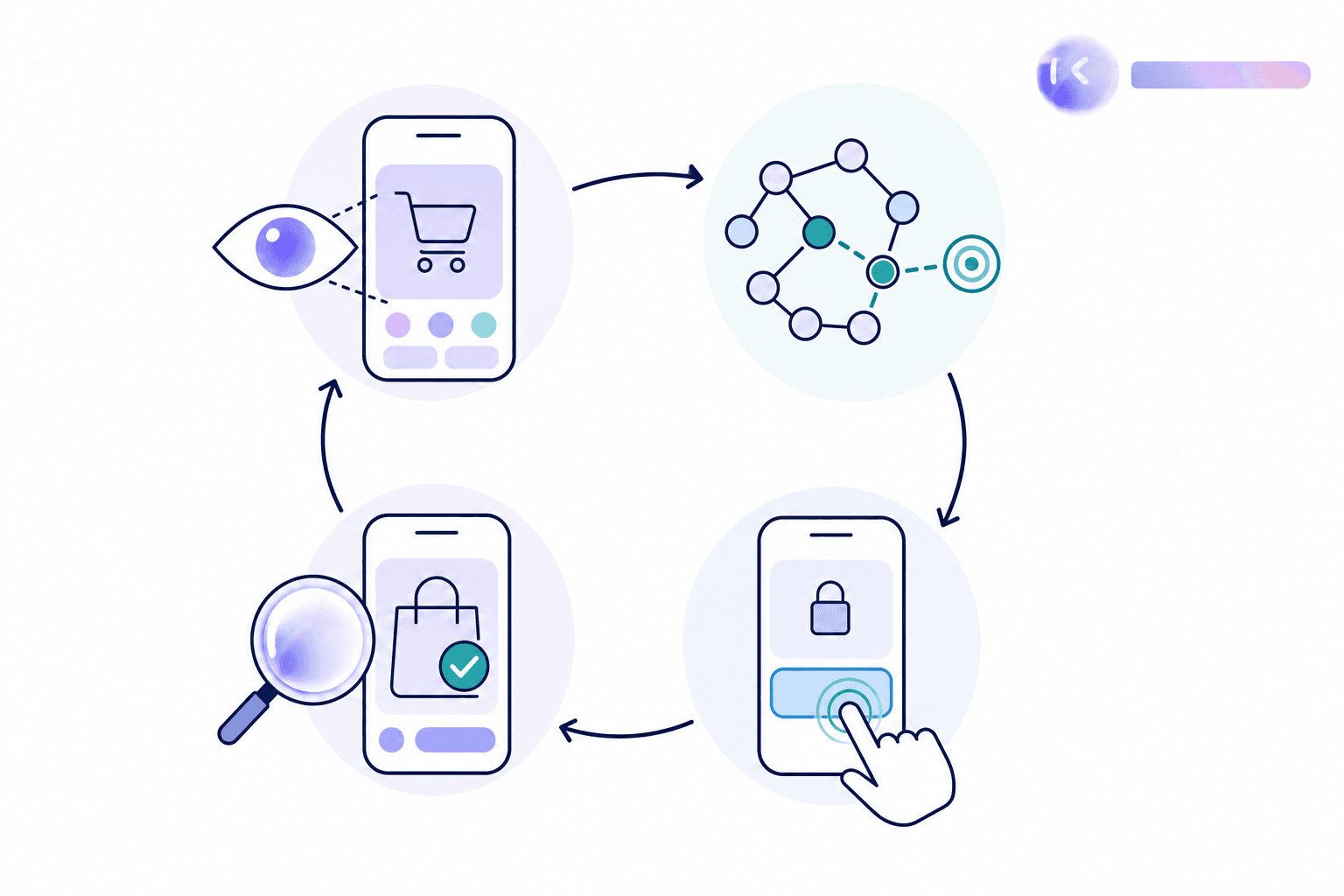
For a goal like “complete checkout as a returning user,” mobile test automation without scripts turns intent into actions during the run:
- Perceive: Vision reads screenshots for visible controls and layout. Where available, a UI tree supplies labels, roles, and element states.
- Reason: The agent uses that evidence and the goal to select an action, such as opening the cart or entering credentials.
- Act: It taps, swipes, or enters text through device controls.
- Observe: It checks the resulting screen against the expected outcome before continuing.
If checkout opens a login prompt, the agent handles that intermediate state without a prewritten sequence.
AI Agent Testing vs Script Based Mobile Automation
With script-based mobile automation, your team owns maintenance. Appium provides a shared WebDriver interface for Android and iOS automation; Maestro uses open source YAML flows.
| Approach | Execution and upkeep |
|---|---|
| Scripts | Execute prescribed steps; selector or layout changes can require team-authored repairs. |
| Minitap AI agent | Writes and runs scenarios with acceptance criteria; proposes test updates when the UI changes; records a video of every run. |
Upkeep extends beyond selectors. An ICST 2024 industrial case study found flaky tests consumed at least 2.5% of productive developer time in a roughly 30-developer project. That measures flaky-test work within that project, not total automation maintenance or a universal benchmark.
Core Capabilities Of An AI Mobile Testing Agent
To assess a scriptless mobile testing AI agent as part of a QA 2.0 strategy, request a run against a changed build. The test: does your team still own selector repairs? Check these capabilities:
- Goal-directed execution: Give it an outcome. Verify completion and checks on intermediate states missing from the instructions.
- Self-healing: Rename “Continue” to “Next” or move the button. Verify that the agent recognizes its purpose without selector rewrites and still flags incorrect behavior.
- iOS and Android reasoning: Run the same journey on both, checking permission dialogs and back behavior.
- Continuous execution: Confirm that build events or schedules trigger sessions automatically and deliver results to your workflow without manual launches.
Benefits Of AI Mobile Testing Without Test Scripts
Automated mobile testing with AI agents reduces test authorship and selector repair in your team's workload. Teams gain:
- Faster test creation: A testing goal and expected behavior give the agent a starting point without engineers coding each interaction.
- Broader path coverage: Run results inform the next check, including unplanned edge cases. mini can go offline and back online mid-run, on Android and web. After a delivery app reconnects following an offline update, it can check for duplicate orders.
- Less sprint repair work: Minitap proposes test updates when the UI changes, so your team reviews changes instead of rewriting selectors.
The payoff is shorter time from feature shipment to testing, with engineering time spent on product work instead of suite repairs.
What Teams Need Before Adopting AI Agent Mobile Testing
A finding without build context leaves release owners unsure which version failed. Before adopting agentic testing for mobile app QA, prepare this checklist:
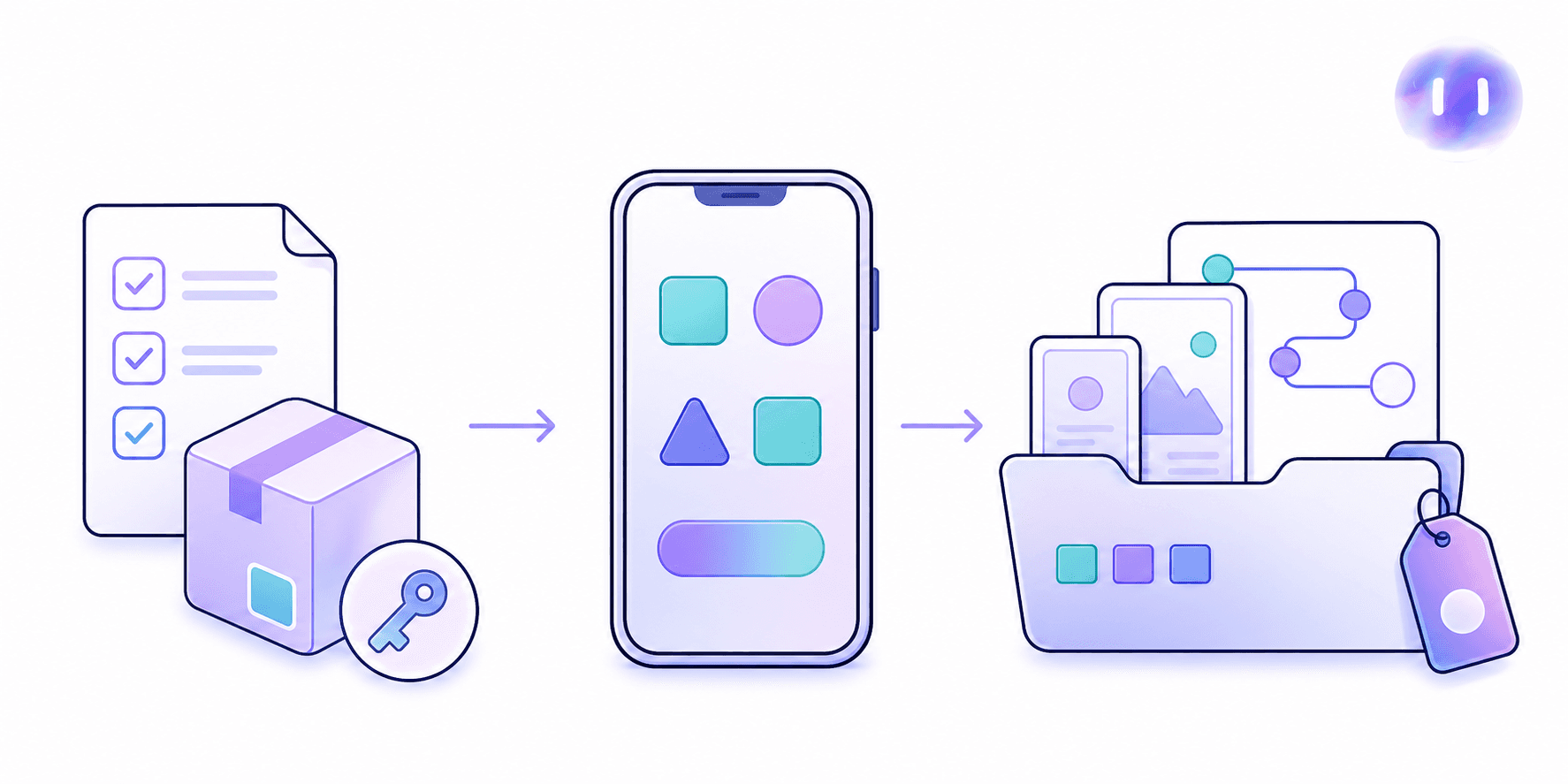
- Gather product context: Supply current specs, relevant tickets, and prior test runs, including expected behavior by geography and feature-flag configuration.
- Prepare access: Provide an installable build, test accounts, and access to the environment the build needs (simulators, emulators, or devices).
- Route evidence: Attach screenshots, session traces, and written findings to bug tickets with build identifiers and affected configurations.
- Define review: Assign finding owners and specify how confirmed failures and blocked tests inform release decisions within your existing bug tracker and release checklist.
Best Use Cases For AI Agent Mobile App Testing
A release can block purchases in one regional variant while checks pass elsewhere, a scenario where Appium versus autonomous mobile testing tradeoffs matter. AI agent mobile app testing fits these release pressures:
- Before release, run full regression across configurations when app complexity stretches QA capacity.
- For new features, use exploratory sessions to test unexpected paths and surface unknown bugs.
- When iOS and Android ship together, check parity in user-visible outcomes.
- For frequent builds, run smoke checks after each CI build lands.
Frequent UI changes and geography or feature-flag combinations multiply test upkeep. Minitap writes and runs the scenarios across those combinations and proposes test updates, so expanding regression coverage does not add script maintenance to your team's workload.
How To Start Using An AI Agent For Mobile App Testing
Start AI agent mobile app testing with one critical flow, such as onboarding. Keep the pilot easy to inspect before expanding to full regression.
- Define success: Specify when a new account becomes active and what should happen after an invalid verification code.
- Connect the build: Give Minitap access to the app and the requirements describing the onboarding journey.
- Run an exploratory session: Let the agent attempt onboarding and investigate unexpected behavior without authored test scripts.
- Review the evidence: Compare findings with expected outcomes, resolve open questions, and expand testing to connected journeys and full regression.
Minitap's Approach To AI Agent Mobile Testing
Minitap is an AI QA employee that compresses multi-day regression on web and mobile. It builds an understanding of the product from your specs, tickets, documentation, and existing test cases, then runs scriptless, black-box visual tests on web, iOS, Android, and Android TV. When the app changes, Minitap proposes updates to its tests and asks your team to review only the changes it cannot settle on its own.
When testing is blocked, Minitap surfaces the context and recommends next actions, such as flagging a DRM-dependent playback flow and suggesting a manual review step. A video of every run and written findings show what happened and why, making every run reviewable.
FAQ
What is an AI agent for mobile app testing, and how is it different from script-based automation?
Minitap is an AI QA employee: it reads the app's interface on screen, reasons about the next action from a testing goal, and acts without a prewritten sequence of steps. Script-based tools like Appium or Maestro execute the exact steps your team writes, so a moved button or renamed label breaks the script until someone rewrites it. Minitap writes and runs its own scenarios and proposes test updates when the UI changes, so a UI change does not turn into a ticket on your team's backlog.
Can Minitap test both iOS and Android user journeys?
Yes. Minitap runs the same journey, such as checkout or onboarding, on iOS and Android, checking operating-system details like permission dialogs and back-button behavior against the expected outcome for each one. Because the agent reasons from the goal and the current screen rather than a fixed script, it does not need a separate maintained test for every OS variant.
How can my engineering team stop maintaining mobile regression tests every time the UI changes?
Minitap reduces that maintenance work: rename a button or move it on screen, and the agent still recognizes its purpose from context instead of failing on a broken selector. When expected behavior really changes, it proposes a test update for your team to review, so your engineers spend release time on product work instead of rewriting scripts after each UI update.
Can you move from Appium or Maestro to Minitap without rewriting your mobile regression suite?
Yes. You do not need to translate Appium scripts or Maestro YAML flows into another scripting format. Upload existing test cases (CSV or Excel) or supply existing tests as product context alongside current specs and tickets, then compare coverage of critical journeys on the same build before retiring the old suite.
How can we run full mobile regression testing without slowing down our release cycle?
Minitap compresses multi-day regression by running scenarios on web, iOS, Android, and Android TV without your team authoring the test suite. Because the agent handles execution and investigates unexpected behavior beyond the original scope, a release gets a full regression pass without waiting on a multi-day manual cycle.
How do you measure whether a Minitap pilot actually reduces regression work?
Minitap makes that measurable by supplying a video of every run and written findings, so you can compare time to a reviewable release decision, engineering hours spent on test upkeep, and completed critical journeys before and after the pilot. Use that evidence to separate confirmed passes, failures, and blocked tests instead of counting every attempted journey as completed coverage.
Final Thoughts on Goal-Directed Mobile Testing
You define what success looks like. The agent chooses the steps as your app changes. Bring your first flow to Minitap and let it propose test updates as your app changes.