

You inherited a QA process document nobody has opened in a year, written for a release cycle that does not exist anymore. Meanwhile your mobile team ships daily, across real devices and OS versions the old plan never accounted for. Let's get specific about what a QA process actually includes, from requirements analysis to sign off, and where the traditional playbook breaks the moment mobile engineering speeds things up.
TLDR:
- A QA process is the system for planning, executing, and closing the loop on quality checks.
- QA, QC, and testing answer different questions: standard-setting, build verification, and evidence-gathering.
- Eight core steps run from requirements analysis through sign off, compressing into sprints under agile.
- Nearly 90% of organizations pursue AI-driven quality engineering, but only 15% reach enterprise scale (Capgemini, 2025).
- Minitap, an AI QA employee, writes and runs regression scenarios on web and mobile, and proposes test updates when your app changes.
What Is a QA Process?
A QA process is the structured set of activities a team follows to verify that a product meets defined quality standards, both before release and after it ships. It is not one test case or a testing tool. It is the system: how you plan what to check, execute those checks, and feed results back into the next build.
The term gets used loosely. In manufacturing, QA means inspecting output against a spec. In software, QA process meaning narrows to something specific: the ongoing cycle of defining expected behavior, testing against it, and closing the loop when something breaks. Quality is the outcome. QA is the mechanism that builds confidence before a user finds the gap.
QA vs QC vs Testing: Where the Lines Blur
QA, QC, and testing get flattened into one word in job postings, but they answer different questions. QA is process focused and preventive, setting standards like a definition of done or a branching policy. QC is product focused and detective, checking a specific build against those standards. Testing is the mechanic underneath QC: executing a check and recording pass or fail, drawing on whichever types of software testing fit the risk at hand.
- QA sets the standard for how work should happen
- QC applies that standard to a specific build or release
- Testing produces the evidence QC uses to judge pass or fail
Why a Structured QA Process Matters
Without a process, QA becomes whatever the person on shift remembers to check: two testers validate the same login flow while a payment edge case goes untouched, not by decision but by default. A structured process turns coverage into a documented decision, lets new testers ramp against a written standard, and lets you trace exactly which step should have caught a production defect, the same paper trail an auditor or enterprise customer will ask for. Software defect research has shown production bugs take more time and resources to fix than the same defect caught earlier, with some analyses putting the cost multiplier at 10x or more depending on severity and discovery timing.
The Core QA Process Steps
Most QA processes follow the same backbone regardless of team size.
- Requirements analysis. Testers flag ambiguity before code ships. Output: a traceability matrix linking requirements to future test cases.
- Test planning. Sets scope, timelines, and risk areas in a test plan document.
- Test case design. Steps, preconditions, and expected results for happy paths and edge cases.
- Environment setup. Devices, data, and access configured so results stay clean.
- Test execution. Running cases, recording actual versus expected results.
- Defect management. Logging failures with repro steps and severity for developer triage.
- Regression testing. Re-running prior cases to confirm the fix held.
- Reporting and sign off. Pass rates and open defects inform the ship decision.
Smaller teams merge planning with design and skip formal environment setup. The order rarely changes, only how many people run each step.
Mapping the QA Process Flow
A flow diagram takes the eight steps from the last section and adds what prose can't show cleanly: branching. Picture rectangles for actions, diamonds for decisions, and arrows that loop backward whenever a check fails.
Requirements and code changes both feed into "test design," which moves into "test execution," then a pass or fail decision diamond. Pass advances to regression testing. Fail routes to "defect logged," back to development, then loops to retest, sometimes several times before a case passes.
After regression clears, a sign off gate diamond checks for open critical defects. Any route back into the defect loop. Zero critical defects with acceptable pass rates route to "release approved."
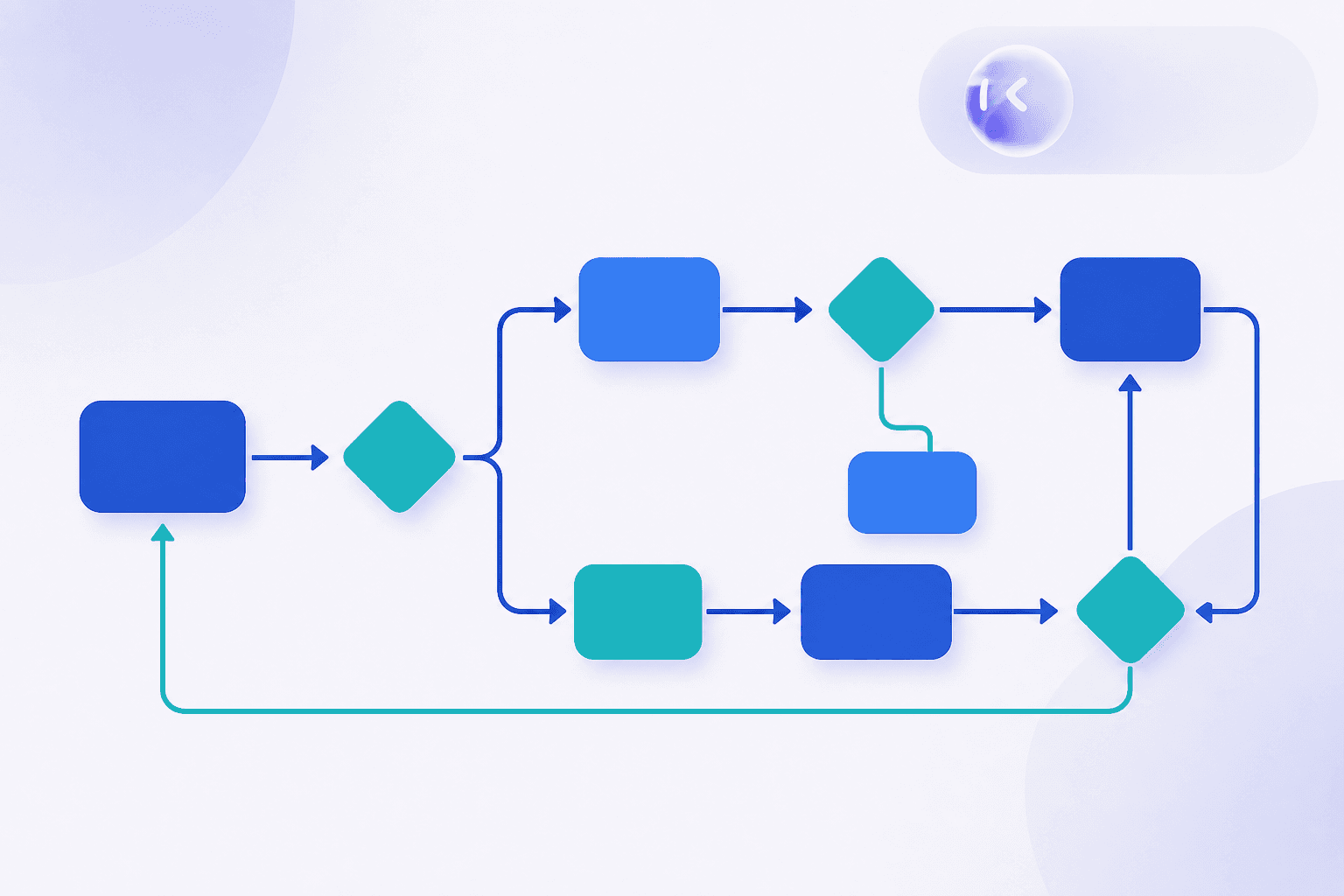
For a quality control process flow chart template, keep the shape vocabulary consistent:
- Rectangles: actions (design, execute, fix)
- Diamonds: decisions (pass/fail, sign off yes/no)
- Arrows looping backward: retest and defect cycles
- Terminal shape: release approved or release blocked
How the QA Process Works in Agile
In agile, the eight step sequence compresses into a sprint, the same compression that shapes agile testing for mobile teams. Acceptance criteria get written during backlog refinement, before code exists, which is what shift left means: testers weighing in on what "done" looks like alongside the story author, not reviewing it after the fact.
Testing happens inside the sprint. A story moves to test the moment code lands, and continuous integration checks every commit so a broken build surfaces in minutes.
Sprint ceremonies double as QA checkpoints. Planning flags missing edge cases before a story is pulled in. Refinement sharpens acceptance criteria. Retro asks why a defect slipped past review.
The QA role moves from gatekeeper to a participant embedded in every ceremony, catching ambiguity before it becomes a defect.
QA Processes and Methodologies Compared
Process methodology describes how work gets organized (Waterfall, Agile, DevOps). Testing methodology describes how a specific check runs: black-box, white-box, exploratory, regression, and other types of software testing. The two layers combine, not substitute.
| Process methodology | Best fit |
|---|---|
| Waterfall QA | Fixed-scope, compliance-driven releases |
| Agile/Scrum QA | Sprint-based delivery |
| DevOps continuous testing | CI/CD, testing every commit |
| Risk-based testing | Deadline pressure, payment and auth priority |
Capgemini's 2025 World Quality Report found nearly 90% of organizations pursue AI-driven quality engineering, though only 15% reached enterprise-scale deployment.
Documenting a QA Process
A QA process document is the governing policy across every release, while a test plan covers one release's features, environment, and deadline. Confusing the two is why some documents balloon into unreadable binders nobody opens.
A usable template covers six sections:
- Scope and objectives: what the process covers and what quality means for this product
- Roles and responsibilities: who writes test cases, signs off, and owns defect triage
- Entry and exit criteria: what must be true before testing starts and before release
- Test environment requirements: devices, data, access, configuration
- Defect severity definitions: critical versus low priority, independent of who's on call
- Reporting cadence: how often status gets shared, and with whom
A small team's version fits two pages. A large compliance-driven enterprise expands each section into its own subdocument with audit trails and versioned gates.
Why the Traditional QA Playbook Breaks Down for Mobile Teams
The traditional QA playbook assumes a release cadence that gives testers days to plan, execute, and sign off: one build, one environment, one pass. Mobile breaks every one of those assumptions at once. A team shipping daily is pushing a new build before the last regression cycle even finishes, so the sequential handoffs the eight step process assumes collapse under the calendar. The device and OS matrix compounds the problem: a test plan written against a single simulator configuration says nothing about how the app behaves on a device with limited hardware, an older OS version, or a network that drops mid checkout. Selector based automation, the backbone most QA process documents lean on for regression, breaks every time a screen changes, and mobile UI changes constantly, so engineers spend sprint time rewriting scripts instead of shipping features. The result is a process document that describes a discipline nobody has the capacity to run, and coverage gaps that surface as production defects instead of caught regressions.

QA Best Practices for Agile and Mobile Teams
Five habits separate teams that trust their releases from teams that hope for the best.
- Shift testing left. Bring QA into story refinement, not after code lands. Skip it, and testers run into ambiguity mid-sprint instead of catching it before a line of code exists.
- Automate stable paths only. Automating a flow that changes every sprint just means rewriting scripts every sprint. Reserve automation for flows that repeat unchanged: login, checkout, core navigation.
- Assign clear test ownership. Without it, two people validate the same screen while a payment edge case goes untested by default.
- Gate releases on measurable criteria. Pass rate thresholds and zero open critical defects, not "looks good."
- Rank coverage by business risk. A hundred passing tests on a settings screen mean nothing if checkout was never covered.
As cadence moves from weeks to days, ownership breaks first. Weekly regression gives a lead time to catch gaps manually. Daily releases do not.
Preparing for QA Process Interview Questions
QA interviews cluster into four types. Process knowledge questions ("walk me through your QA process") expect the eight step backbone with your role at each stage. Scenario and behavioral questions ("describe a time you disagreed on severity") need situation, action, result, not "I just fixed it." Technical questions get concrete: what to automate, writing a login test case, spotting flaky tests or missing edge cases. Senior questions test ownership: structuring QA with no QA function, handling sign off disputes. ISTQB Foundation certification, roughly 30 to 40 hours of study, supplies the vocabulary interviewers assume.
How Minitap Fits Into a Modern QA Process
Every step this article walks through, requirements analysis, test design, execution, defect management, regression, sign off, assumes a team with the time to run it manually. Minitap is an AI QA employee built for the moment that assumption breaks. It builds an understanding of the product from the specs, tickets, documentation, and existing test cases your team provides, writes scenarios with acceptance criteria, and decides what a release needs covered. When a release ships, mini, Minitap's AI QA engineer, runs the regression campaign as black-box visual tests on web, iOS, Android, and Android TV, catching the checkout crash or login failure before a user does. When a screen changes, Minitap proposes updates to its tests and asks your team to review only what it cannot settle on its own. Every run comes with a video and written findings, so sign off carries a clear evidence trail without anyone spending a day compiling it by hand.
FAQ
Why does the traditional QA process break down for mobile teams shipping daily releases?
The traditional QA process breaks down for mobile teams because it assumes a release cadence that gives testers days to plan, execute, and sign off on one build in one environment. A team shipping daily pushes a new build before the last regression cycle finishes, so the sequential handoffs an eight-step process assumes collapse under the calendar, and selector-based automation makes it worse: it breaks every time a screen changes, and mobile UI changes constantly, so engineers spend sprint time rewriting scripts instead of shipping features. Minitap reduces that bottleneck: it decides what needs testing from the product context your team provides, runs the scenarios visually, and proposes test updates when a screen changes, so regression keeps pace with frequent releases without engineers rewriting selectors.
How can my engineering team stop maintaining regression test scripts?
Minitap reduces regression test maintenance by deciding what needs testing from your product context, instead of running scripts your team has to write and keep updated. Because it uses a vision-based, black-box approach rather than predefined selectors, a redesigned screen doesn't trigger a round of selector rewrites: Minitap proposes test updates and your team reviews what it cannot settle on its own. That frees your engineers from the ongoing cycle of authoring and patching test scripts every time the product changes.
How does an AI QA employee like Minitap decide what to test?
Minitap decides what to test by reading the context your team provides, including product specifications, tickets, documentation, and existing test cases, and building an understanding of what the product is supposed to do. From that understanding, it identifies which tests are affected by a given release or pull request and writes the relevant scenarios itself, then proposes updates as the product changes. Coverage tracks what the product actually does instead of drifting from an outdated script library.
Can Minitap test both mobile and web user journeys?
Yes, Minitap tests both mobile and web user journeys using the same vision-based, black-box approach: it validates real user journeys through the actual interface rather than internal code paths. It covers web, iOS, Android, and Android TV apps, so one agent can cover the cross-platform journeys enterprise teams actually ship. A checkout flow that spans a mobile app and a web client gets tested for the real path a user takes, not just isolated screens.
How is Minitap different from scripted automation tools like Appium or Maestro?
The core difference is who owns maintenance. With Appium, Maestro, or similar scripted frameworks, your team writes the tests and fixes them every time the UI changes, since those tools execute predefined scripts under assumed stable conditions. Minitap instead understands the product and decides what matters, and proposes test updates when the UI changes, so selector rewrites and suite maintenance no longer fall on your engineers. That shift moves your team's regression work from authoring and patching scripts to reviewing the evidence Minitap produces when a test fails or gets blocked.
Final Thoughts on Running a QA Process That Works
Your QA process only works if your team actually follows it, on every release, not just when someone remembers to check the document. Keep the steps clear, keep ownership obvious, and revisit the process as your release cadence changes. That's how you build confidence in every release instead of hoping nothing slips through. For the regression work that eats up your team's hours, Minitap runs it for you and proposes test updates as your product changes.